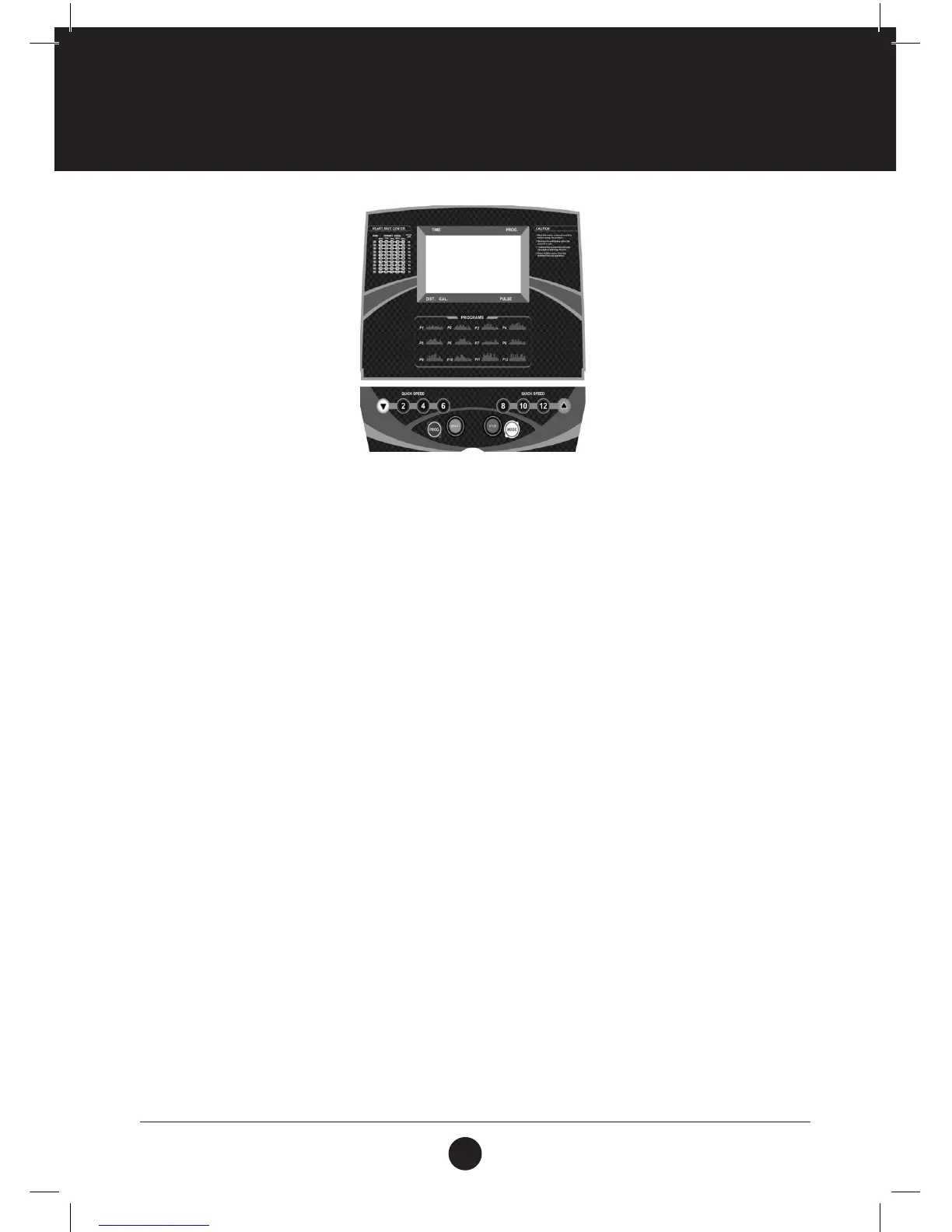
FUNCTION BUTTON:
SPEED: Displays speed and program
TIME: Displays running time
DIST: Displays distance
CAL: Displays calories
PUL: Displays heart rate data
FUNCTIONS AND OPERATIONS:
PROGRAM: When the treadmill is in standby mode, press PROGRAM to make a
selection between: P1 – P12.
Note: Manual mode is the default program
MODE: When the treadmill is in standby mode, press MODE to make a selection between:
default mode, time countdown, distance countdown and calorie countdown mode.
START: When the treadmill is in standby mode, press START to start the treadmill.
STOP: When the motor is running, press STOP to stop the treadmill.
SPEED: ▲When the treadmill is in standby mode press SPEED + to increase the set value.
When the treadmill is running, press SPEED + to increase the speed.
▼When the treadmill is in standby mode press SPEED - to decrease the set value.
When the treadmill is running, press SPEED - to decrease the speed.
SPEED (2, 4, 6, 8, 10, 12): These are preset speed settings for a quick speed selection.
MAIN FUNCTION
Switch on the power supply. The treadmill will switch on and the treadmill will enter standby mode.
COMPUTER FUNCTIONS



 To Next Page