CENTRE THE RUNNING BELT
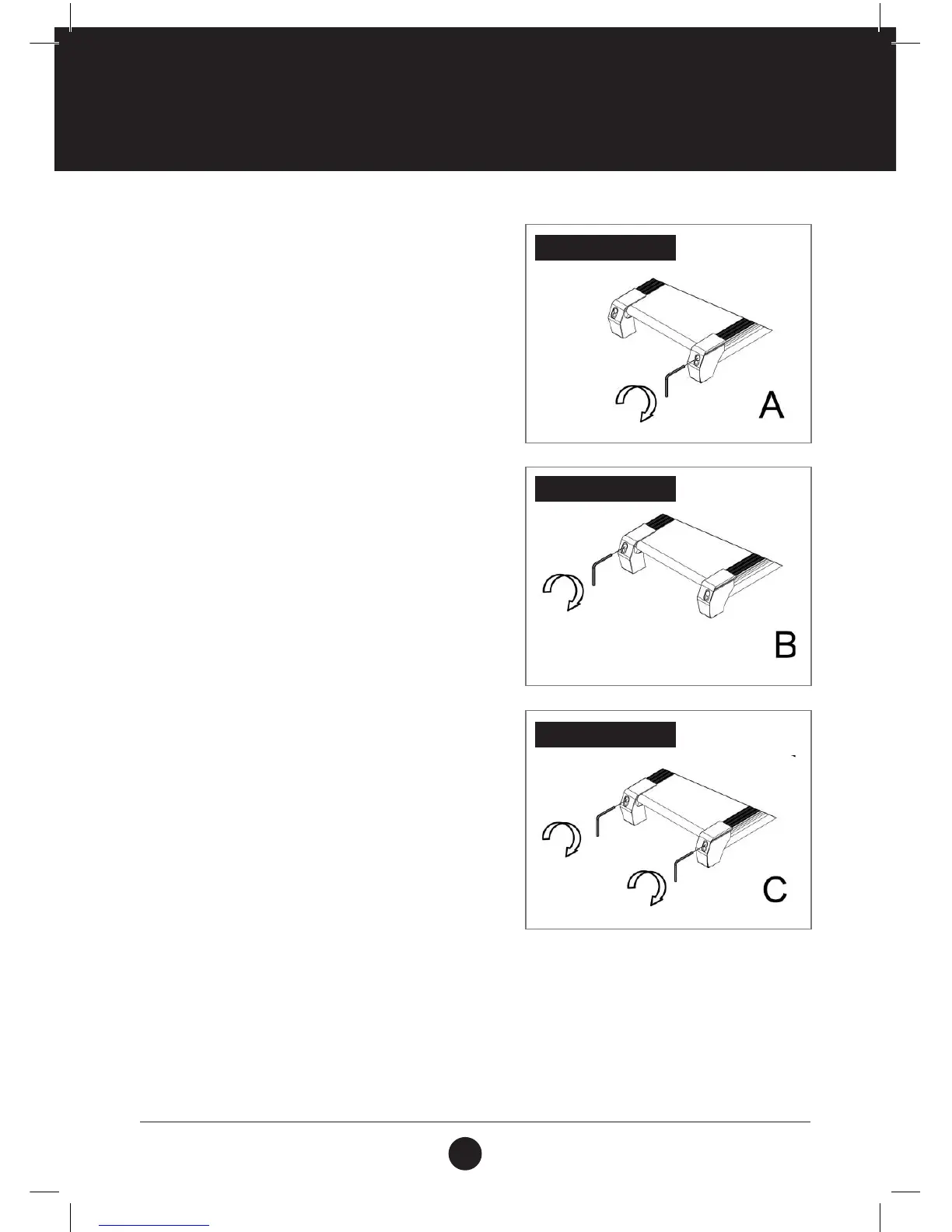
ILLUSTRATION A
Place treadmill on a level surface. Run Treadmill at
approximately 6-8 Km/h to check the running condition.
If the belt has drifted to the right, turn the right adjusting
bolt 1/4 turn clockwise, then start running until centering
the belt.
ILLUSTRATION B
If the belt has drifted to the left, turn the left adjusting
bolt 1/4 turn clockwise, then start running until centering
the belt.
ATTENTION: The space between the belt and the right/
left edgings are equal in distance. And the gap between
the right and left distance should be no more than 5 mm.
ILLUSTRATION C
Periodically adjust the tightness of the belt as the belt
tends to loosen after use. Turn the left and
right adjusting bolt, 1/4 turn clockwise, then re-start
running, conrm the belt-tightness until the belt is the
correct tightness.
ATTENTION: The space between the belt and the right/
left edgings are equal in distance. And the gap between
the right and left distance should be no more than 5 mm.



 To Next Page