34
Chapter 9: Electrical System 2503 Center Console • Owner’s Manual Supplement
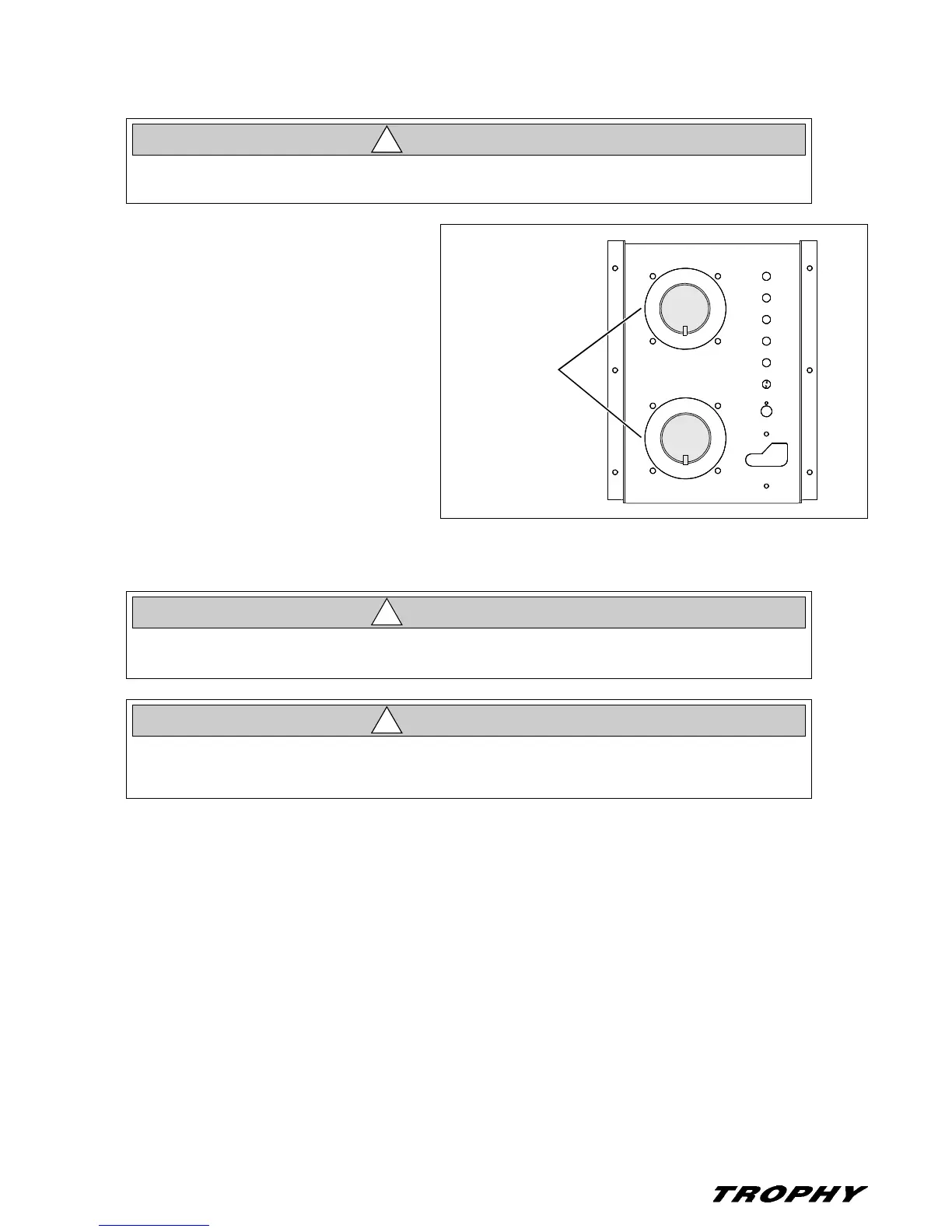
Battery Switches
• A separate rotary battery switch is provided for
each battery.
• Some "Standby Loads", such as the CO moni-
tors, the automatic bilge pumps, and the stereo
memory, are not affected by the battery switches
since they are wired directly to the batteries (see
the Wiring Diagrams in this Owner’s Manual for
more details).
Battery Charger (If Equipped)
Read the battery charger manual (provided in your owner’s packet) before using the battery charger for the
first time.
• The battery charger will charge the boat’s batteries whenever the boat is plugged into 120V/60Hz shore power and
the "BATTERY CHARGER" AC breaker is On.
• The battery switch can be in any position during charging.
• You may use DC powered electrical systems, such as the lights and stereo when the battery charger is On, but
there will be a corresponding drop in charger performance.
• Never disconnect the battery cables or turn Off the main battery switches while the engine(s)
are running as this can cause damage to your boat’s electrical components.
CAUTION
!
BATTERY
SWITCHES
1
BOTH
2
OFF
1
BOTH
2
OFF
ENGINE & ELECTRICAL SYSTEM DAMAGE HAZARD!
NEVER run the boat’s engine and the battery charger at the same time.
CAUTION
!
The battery charging systems (alternator and battery charger) installed on your boat are
designed to charge conventional lead-acid batteries. Before installing gel-cell or other new tech-
nology batteries, consult with the battery manufacturer about charging system requirements.
CAUTION
!



 To Next Page