CHAPTER 4A: ESCALATE
9
OPERATION
Truefitness.com / 800.426.6570 / 636.272.7100 35
ADVANCED CONSOLE FUNCTIONS:
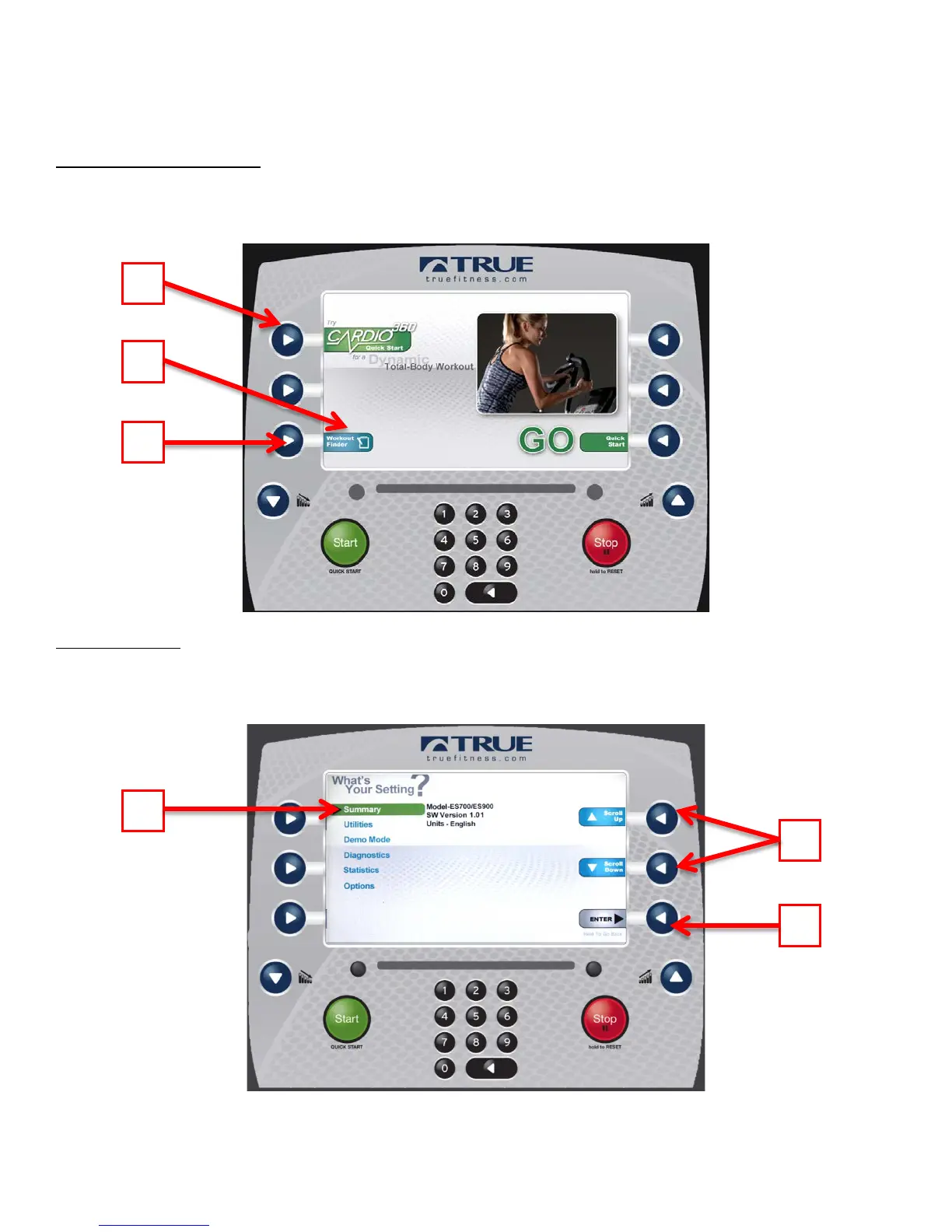
Entering Service Mode:
Entering Service Mode can be completed by pressing and holding the upper left selection button (A) for 3-5 seconds or
until the “Workout Finder” icon (B) blinks. When the “Workout Finder” icon blinks, release the upper right selection
button and hold the “Workout Finder” selection button (C) until the service screen displays.
Service Menu:
The first screen displayed after entering service mode is the Service Menu. From this menu technicians can access all of
the service mode features by selecting different categories. To select a category use the scroll selection buttons (A) to
highlight a category (B). Once a category has been selected, press the enter selection button (C) to Confirm the selection.



 To Next Page