CHAPTER 4A: ESCALATE
9
OPERATION
Truefitness.com / 800.426.6570 / 636.272.7100 28
CONSOLE NAVIGATION:
Home Screen:
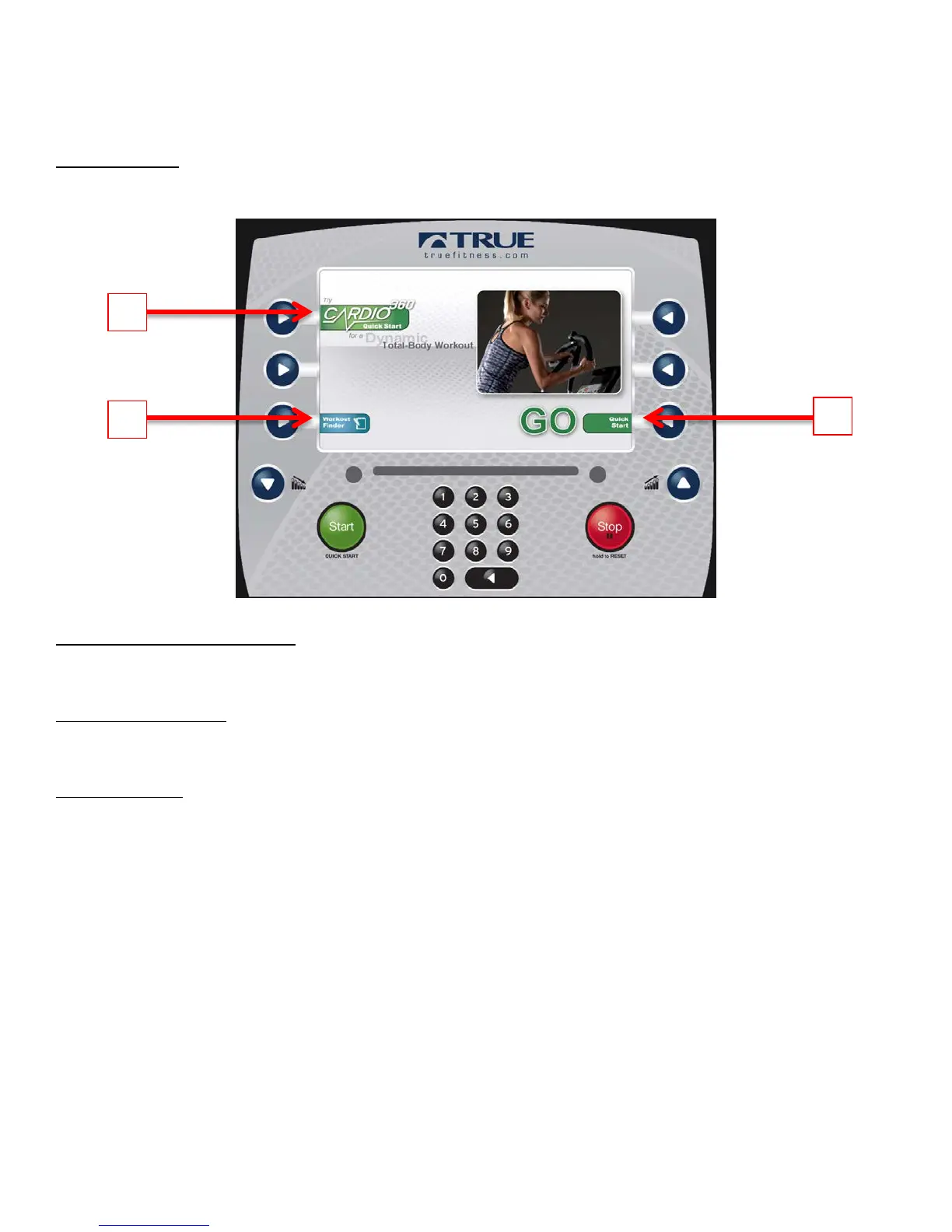
The Home Screen is displayed on the console when there is no workout in progress. From this screen the user is able to
select from various options to begin a workout.
A) Cardio 360™ Quick Start
Starts a 20 minute Cardio 360™ workout in which the user controls the workout intensity.
B) Workout Finder
Displays preset workouts categorized by goal focus categories.
C) Quick Start
Starts a Quick Start workout in which the user controls all settings until the workout is ended by pressing Stop or Cool
Down.



 To Next Page