CHAPTER 4A: ESCALATE
9
OPERATION
Truefitness.com / 800.426.6570 / 636.272.7100 29
CONSOLE NAVIGATION (continued):
Selecting a Preset Workout:
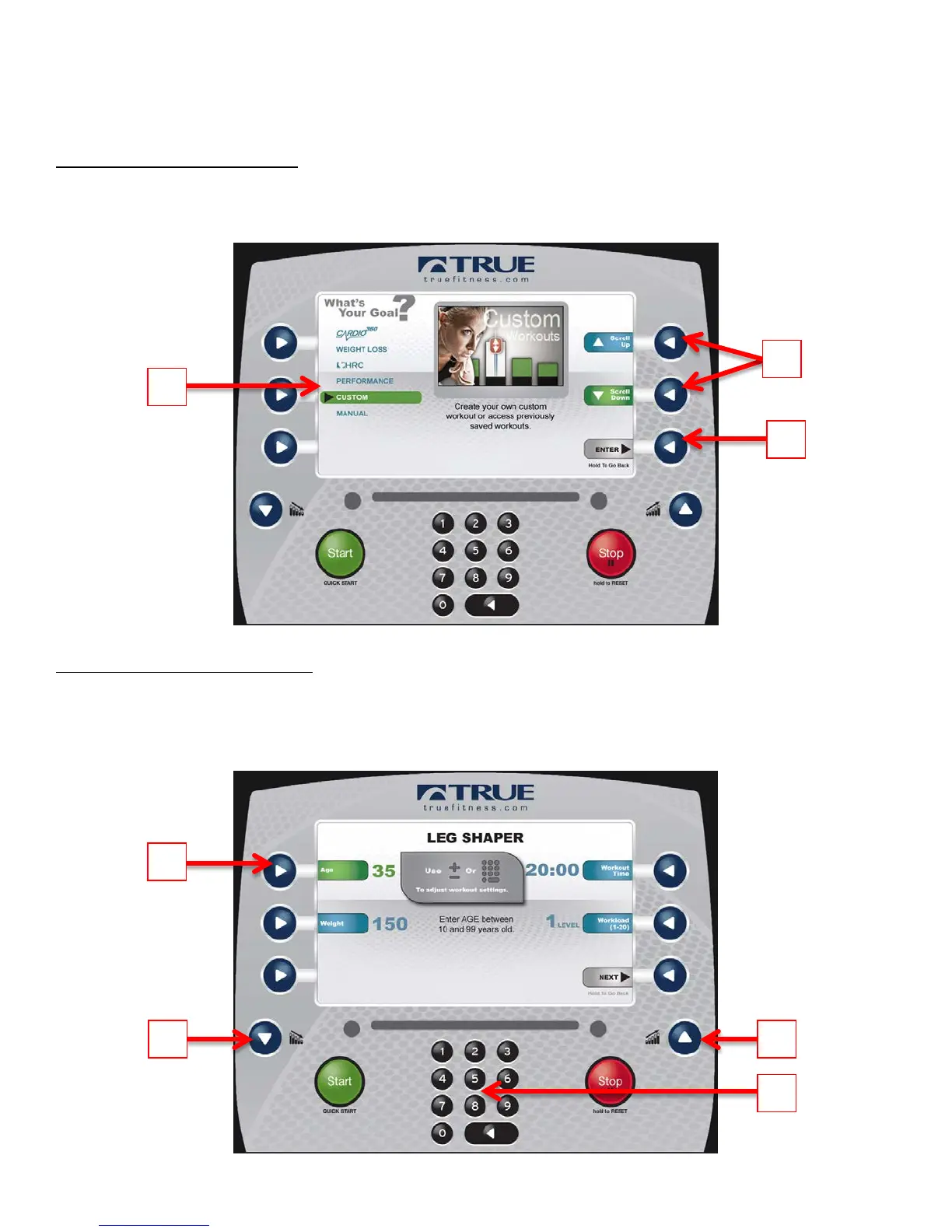
Preset workouts are accessed by selecting Workout Finder from the home screen. To view the workouts in a category,
select the category (A) by using the Scroll Selection Buttons (B) and then press the Next Selection Button (C).
*Press and hold the Next Selection Button to return to the previous screen.
Workout Data Entry Screens:
These screens allow users to input their personal information or workout goals prior to beginning a workout. To set a
value, press the Selection Button for the value you wish to change (A) and use the Workload Keys (B) to adjust the value
to the desired setting. Users may also manually enter a value using the Numeric Keypad (C).
*Workout Data Entry Screens vary by program selection.



 To Next Page