CHAPTER 4B: EMERGE OPERATION
Truefitness.com / 800.426.6570 / 636.272.7100 44
CONSOLE NAVIGATION (continued):
Workout Summary:
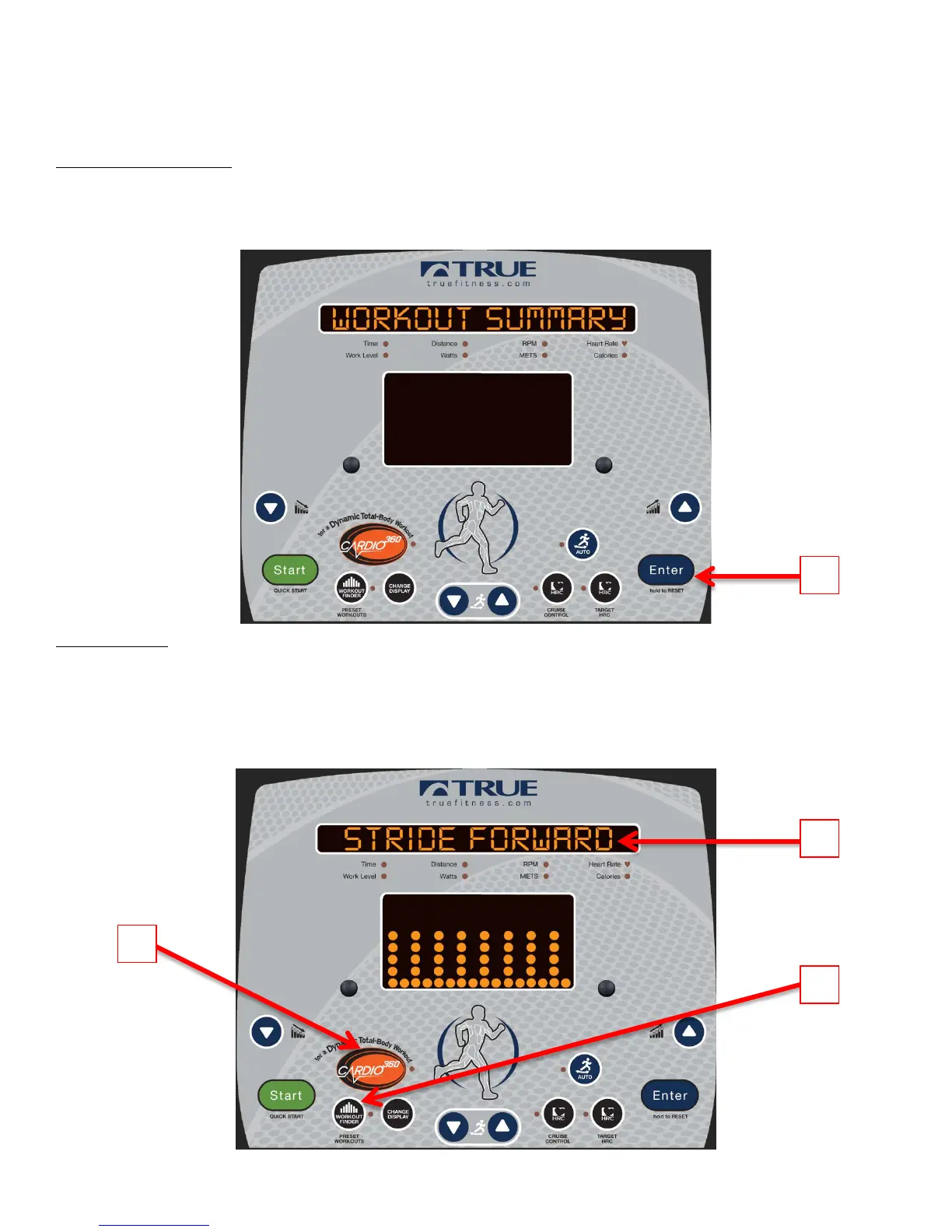
Once a workout has ended the console will display a workout Summary which will give the user an overview of
their workout which includes; Time, Average Heart Rate, Max Heart Rate, Average RPM, Max RPM, Distance
and Calories. To Clear the Summary and return to the home screen press and hold the Enter button (A).
Cardio 360™:
TRUE’s unique Cardio 360™ is like having a personal trainer built in to the elliptical, walking users through a full-body
workout. In just minutes, users will work their upper-body, lower-body and core. Plus, with the variety that Cardio 360™
brings, it will take the bore out of working out. The program walks users through the various movements they need to do
to achieve the complete workout, so all they need to do is commit to stepping on the machine. To Begin a Cardio 360™
workout, press the Cardio 360™ Quickstart Key (A) or use the workout finder (B) to select a Cardio 360™ preset workouts.



 To Next Page