CHAPTER 4A: ESCALATE
9
OPERATION
Truefitness.com / 800.426.6570 / 636.272.7100 37
ADVANCED CONSOLE FUNCTIONS (continued):
Utilities Menu:
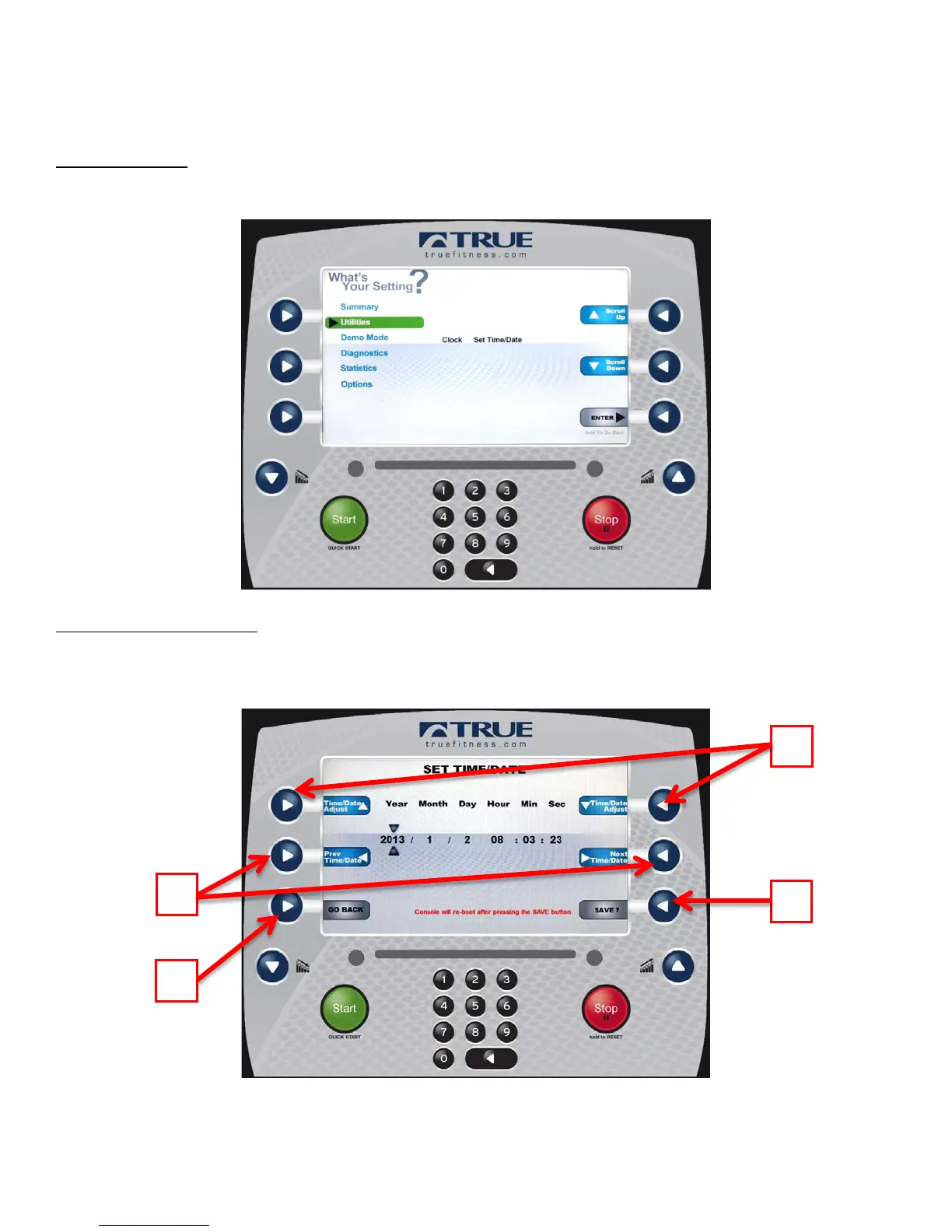
The Utilities Menu allows users to adjust the time and date settings. Press the Enter Selection Button (A) to set the time
and date.
Setting Time and Date:
Use the Previous and Next Selection Buttons (A) to highlight the field to be changed. Then use the adjustment selection
buttons (B) to adjust the selected value. Once all adjustments have been made, press the Save Selection Button (C) to save
the changes (saving changes will cause the console to power cycle) to cancel changes, press the Back Selection Button (D).



 To Next Page