18
UNIT OPERAUNIT OPERA
UNIT OPERAUNIT OPERA
UNIT OPERA
TIONTION
TIONTION
TION
DOLBY DIGITDOLBY DIGIT
DOLBY DIGITDOLBY DIGIT
DOLBY DIGIT
AL (FOR DVD)AL (FOR DVD)
AL (FOR DVD)AL (FOR DVD)
AL (FOR DVD)
Dolby Digital is a sound system developed by Dolby Laboratories Inc. that gives movie
theatre ambience to audio output when the unit is connected to a Dolby Digital 5.1
channel processor or amplifier.
This unit automatically recognises DVDs that have been recorded with Dolby Digital.
Not all Dolby Digital sources are recorded with 6 channels.
Some sources marked Dolby Digital may be recorded
in Dolby Surround, a 2 channel system. Look for this
logo on your unit.
Manufactured under license from Dolby Laboratories.
'Dolby' and the double-D
symbol are trademarks of Dolby Laboratories.
SOUND SYSTEMSOUND SYSTEM
SOUND SYSTEMSOUND SYSTEM
SOUND SYSTEM
TURNING THE UNIT ONTURNING THE UNIT ON
TURNING THE UNIT ONTURNING THE UNIT ON
TURNING THE UNIT ON
When the AC power cord is connected, press the
STST
STST
ST
ANDBY/ANDBY/
ANDBY/ANDBY/
ANDBY/
ONON
ONON
ON button on the top of unit to turn it on. Press the
FUNCTIONFUNCTION
FUNCTIONFUNCTION
FUNCTION
button to select the desired model (TV/DVD/AV-IN/PC). If
you select DVD, the DVD logo will appear on the screen.
Note :Note :
Note :Note :
Note :
When the unit is not going to be used for a long time,
disconnect the AC power supply cord from AC outlet.
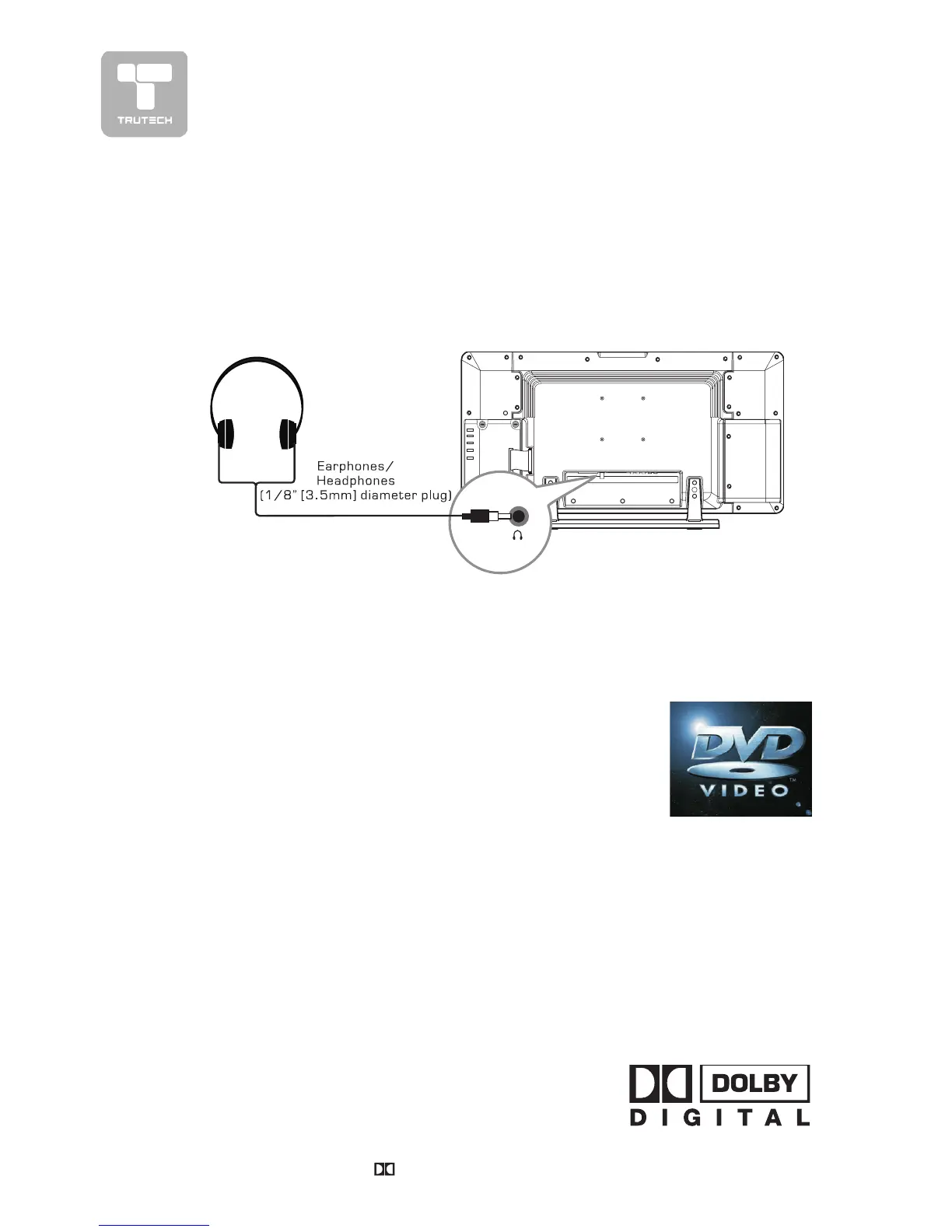
• Turn down the volume before connecting headphones to the unit, then adjust the
volume to your desired level.
• When headphones are connected, no sound will come from the front
speakers.
Note:Note:
Note:Note:
Note:
• Avoid listening to sound at high levels for prolonged periods of time. This
may be harmful to you and may cause hearing loss.
USING HEADPHONESUSING HEADPHONES
USING HEADPHONESUSING HEADPHONES
USING HEADPHONES


 To Next Page