7
REMOTE CONTROLREMOTE CONTROL
REMOTE CONTROLREMOTE CONTROL
REMOTE CONTROL
ACCESSORIES
PLEASE LOCATE THE INCLUDED ACCESSORIES.
• To order replacement, call customer service at 1-888-252-6252 or visit
http://www.1800customersupport.com.
Remote control (with battery) ................................................................ x 1
Need More Help?
DO NOT RETURN THIS TO THE STORE
Please call Customer Service at 1-888-252-6252or
visit online help at http://www.1800customersupport.com
USING THE REMOTE CONTROLUSING THE REMOTE CONTROL
USING THE REMOTE CONTROLUSING THE REMOTE CONTROL
USING THE REMOTE CONTROL
• Point the remote control at the REMOTE SENSOR located on the unit.
• When using this unit in very bright light, the infrared REMOTE CONTROL SENSOR
may not work properly.
• The recommended effective distance for using the remote control is about 16 feet
(5 meters).
TO CHANGE THE REMOTE CONTROL BATO CHANGE THE REMOTE CONTROL BA
TO CHANGE THE REMOTE CONTROL BATO CHANGE THE REMOTE CONTROL BA
TO CHANGE THE REMOTE CONTROL BA
TTERTTER
TTERTTER
TTER
YY
YY
Y
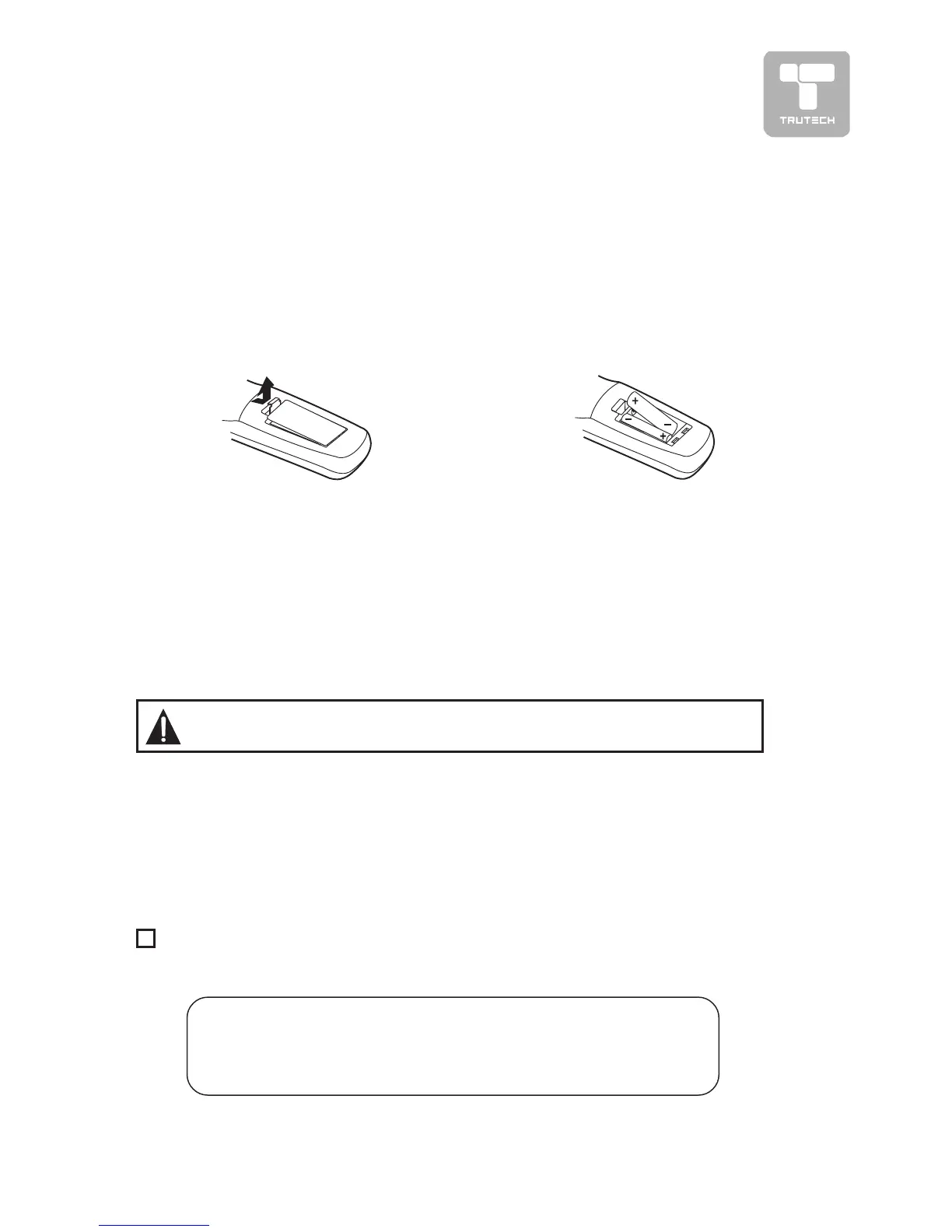
1. Open the battery door.
2. Insert two “AA” batteries.
BATTERY REPLACEMENTBATTERY REPLACEMENT
BATTERY REPLACEMENTBATTERY REPLACEMENT
BATTERY REPLACEMENT
When the batteries become weak, the operating distance of the remote control
will be greatly reduced and you will need to replace the batteries.
Note:
• If the Remote Control is not going to be used for a long time, remove the
batteries to avoid damage caused by battery leakage corrosion.
• Do not mix old and new batteries. Do not mix ALKALINE, standard (CARBON-
ZINC) or rechargeable (NICKEL-CADMIUM) batteries.
WARNING: Do not dispose of batteries in a fire or they may leak and/
or explode.
Specifications and appearance are subject to change without notice.


 To Next Page