6
This unit can playback:
TITLE, CHAPTER AND TRACKSTITLE, CHAPTER AND TRACKS
TITLE, CHAPTER AND TRACKSTITLE, CHAPTER AND TRACKS
TITLE, CHAPTER AND TRACKS
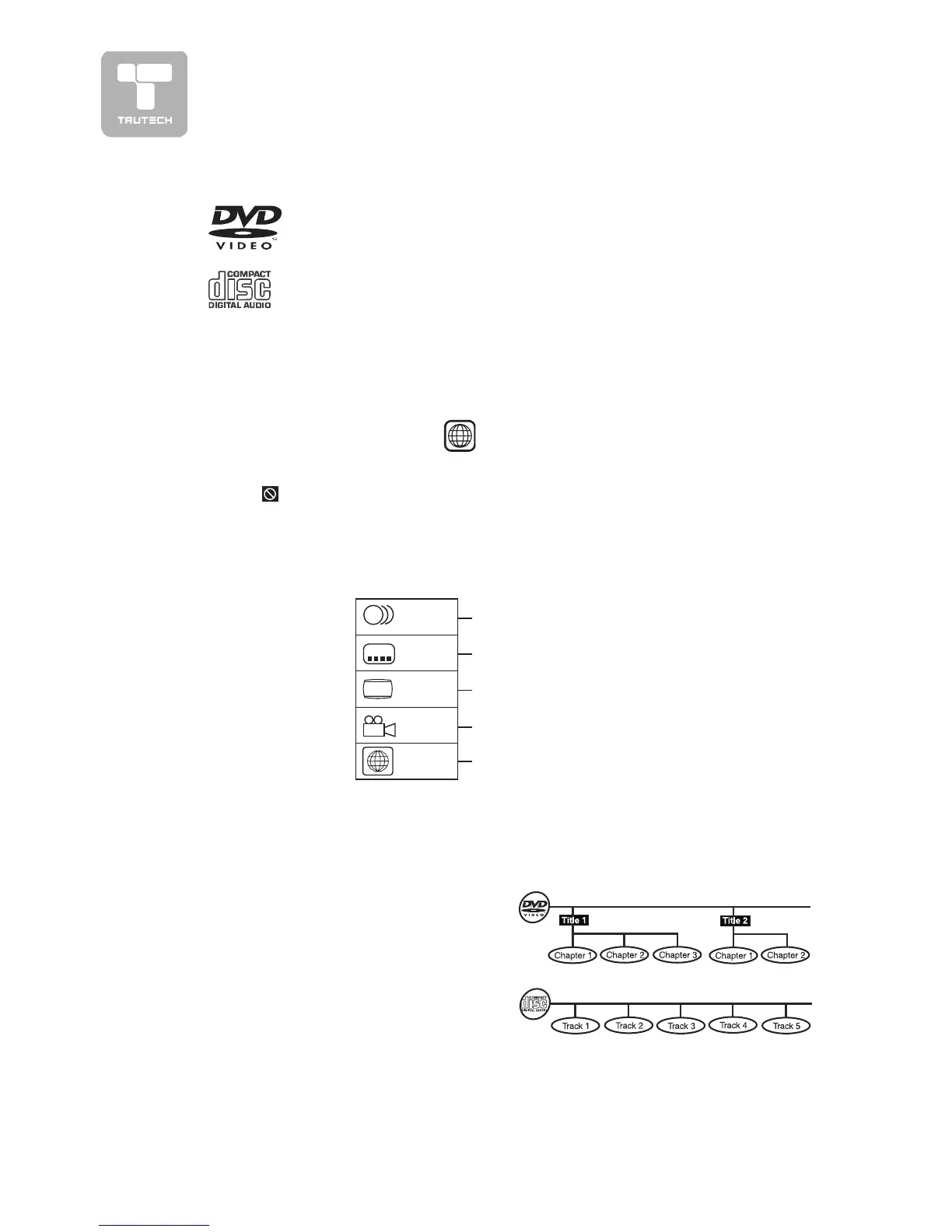
• DVDs are divided into
“titles”“titles”
“titles”“titles”
“titles” and
“chapters”“chapters”
“chapters”“chapters”
“chapters”. If the disc has more than
one movie on it, each movie would be
a separate
“title”“title”
“title”“title”
“title”.
“Chapters”“Chapters”
“Chapters”“Chapters”
“Chapters” are
sections of titles.
• Audio CDs are divided into
“tracks”“tracks”
“tracks”“tracks”
“tracks”.
A
“track”“track”
“track”“track”
“track” is usually one song on an
Audio CD.
ICONS USED ON DVDICONS USED ON DVD
ICONS USED ON DVDICONS USED ON DVD
ICONS USED ON DVD
SS
SS
S
Sample lcons
Language selections for audio
Language selections for subtitles
Screen aspect ratio
Multiple camera angles
Region code indicator
Notes:Notes:
Notes:Notes:
Notes:
• When playing back a CD-G (Graphics) or CD EXTRA disc, the audio portion will
be played, but the graphic images will not be shown.
LB
2
2
2
1
1. English
2. French
1. English
2. French
DISC FORMADISC FORMA
DISC FORMADISC FORMA
DISC FORMA
TSTS
TSTS
TS
DVDS
[8CM/12CM DISC]
AUDIO CDS
[8CM/12CM DISC]
CD-R/CD-RW
Compatible
REGION MANAGEMENT INFORMAREGION MANAGEMENT INFORMA
REGION MANAGEMENT INFORMAREGION MANAGEMENT INFORMA
REGION MANAGEMENT INFORMA
TIONTION
TIONTION
TION
Region Management Information: This unit is designed and manufactured to respond
to the Region Management Information that is encoded on DVD discs. If the Region
number printed on the DVD disc does not correspond to the Region number of this
unit, this unit cannot play that disc.
The region number of this unit is
1
.
Note:Note:
Note:Note:
Note:
• Numbers identify each title, chapter, and track on a disc. Most discs have these
numbers recorded on them, but some do not.
Notes on Unauthorized DiscsNotes on Unauthorized Discs
Notes on Unauthorized DiscsNotes on Unauthorized Discs
Notes on Unauthorized Discs
You may not be able to play back some DVD discs on this unit if they were purchased
from outside your geographic area or made for business purposes.
DISC FUNCTION OR OPERADISC FUNCTION OR OPERA
DISC FUNCTION OR OPERADISC FUNCTION OR OPERA
DISC FUNCTION OR OPERA
TION THATION THA
TION THATION THA
TION THA
T IS NOT AVT IS NOT AV
T IS NOT AVT IS NOT AV
T IS NOT AV
AILABLEAILABLE
AILABLEAILABLE
AILABLE
When the symbol appears on the screen, it indicates that the function or operation
attempted is not available at that time. This occurs because the DVD disc
manufacturer determines the specific functions. Certain functions may not be
available on some discs. Be sure to read the documentation provided with the DVD.
JPG-CD
picture viewer


 To Next Page