EasyManua.ls Logo

TSC TA200 Series - Page 22

TSC TA200 Series
47 pages
To Next Page IconTo Next Page
To Previous Page IconTo Previous Page
Loading...
10
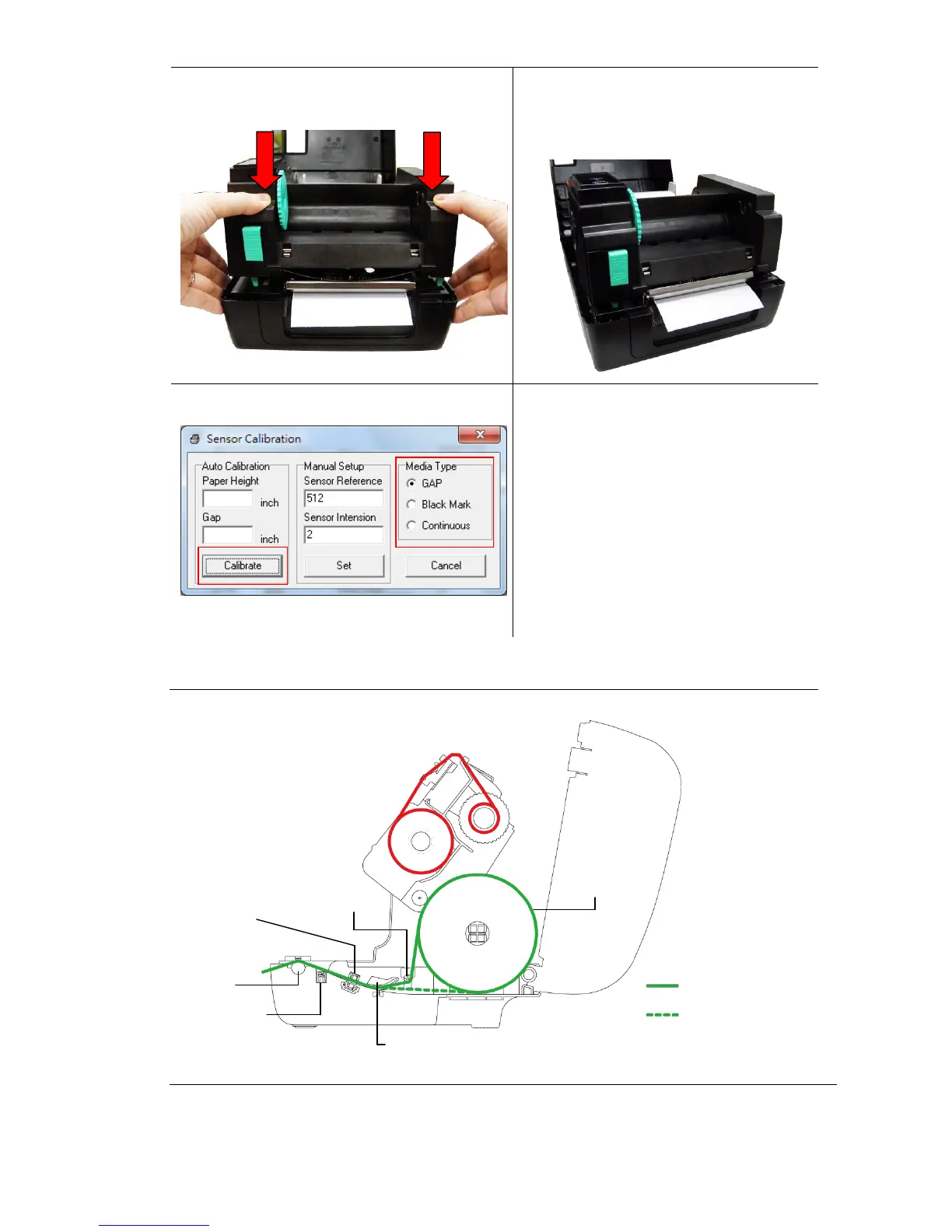
6. Close the print head mechanism by
both hands and make sure the
latches are engaged securely.
7. Use “Diagnostic Toolto set the
media sensor type and calibrate the
selected sensor. (Start the
“Diagnostic tool Select the
“Printer Configuration” tab Click
the “Calibrate Sensor” button )
Please refer to section 5.3.

Note: Please calibrate the gap/ black mark sensor when changing media.
Media loading path
Media
Media bar
Media guide
Gap sensor
Platen roller
Black mark sensor
2
1
Path for outside wound
Path for inside wound

Related product manuals