EasyManua.ls Logo

TSC TTP-346M - User Manual

TSC TTP-346M
47 pages
Print Icon
To Next Page IconTo Next Page
Loading...
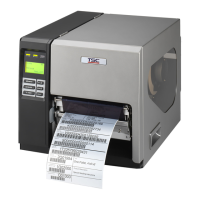
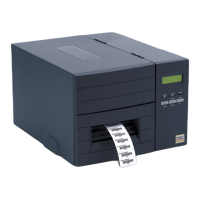
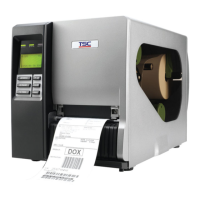
TTP-2410M/346M/644M
TTP-246M Plus/344M Plus
SERVICE
MANUAL
THERMAL TRANSFER / DIRECT THERMAL
BAR CODE PRINTER

Questions and Answers

  • C
    Cynthia MoranSep 23, 2025
    Why is my TSC Barcode Reader printing irregularly?
    • T
      Troy MillerSep 23, 2025
      If your TSC Barcode Reader is printing irregularly, it may be in Hex Dump mode. Turn the printer off and on to exit the dump mode. Also, the RS-232 setting might be incorrect, so reset the RS-232 setting.
  • J
    James JordanAug 25, 2025
    What to do if my TSC Barcode Reader says 'No Paper'?
    • S
      Stacy HortonAug 26, 2025
      If your TSC Barcode Reader shows 'No Paper', it could be due to a few reasons. You might be running out of labels, so try supplying a new label roll. Alternatively, the label roll might be installed incorrectly, so please refer to the user’s manual for the correct installation steps. Also, the gap/black mark sensor may not be calibrated properly, so you should calibrate the gap/black mark sensor.
  • D
    Diana KelleyAug 26, 2025
    How to fix paper jam on TSC TTP-346M Barcode Reader?
    • J
      jeremy80Aug 27, 2025
      To resolve a 'Paper Jam' error on your TSC Barcode Reader, calibrate the gap/black mark sensor. Also, ensure that the label size is set correctly.
  • K
    Kimberly WyattAug 27, 2025
    What to do if my TSC TTP-346M says 'No Ribbon'?
    • Z
      Zachary BeckerAug 27, 2025
      If your TSC Barcode Reader displays 'No Ribbon', it could be due to a few reasons. First, check if you are running out of ribbon and supply a new ribbon roll if needed. Second, the ribbon might be installed incorrectly, so refer to the user’s manual for the correct reinstallation steps.
  • W
    wendy38Nov 23, 2025
    Why is my TSC TTP-346M not printing?
    • M
      Mindy BanksNov 23, 2025
      If your TSC Barcode Reader is not printing, first, ensure the cable is securely connected to the serial, USB interface, or parallel port. If you're using a serial cable, replace it with one that is pin-to-pin connected. Also, verify the ribbon-inked side and reload the ribbon. Clean the printhead. If using Ethernet, check if the green LED is lit and the amber LED is blinking on the RJ-45 connector. Check the baud rate setting, the printer's default is 9600,n,8,1. Check if the printer gets the IP address in DHCP mode and if the IP address is correct when using a static IP. Let the printer communicate with the server and check the IP address setting again. Other solutions include changing the cable, ensuring ribbon and media compatibility, and checking the stepping motor connector. Also, tur...
  • C
    christinejonesSep 14, 2025
    Why is the left side printout position incorrect on my TSC TTP-346M?
    • C
      Colton RogersSep 14, 2025
      If the left side printout position is incorrect on your TSC Barcode Reader, it could be due to a wrong label size setup. Set the correct label size in your printer settings.
  • N
    Nathaniel GardnerSep 12, 2025
    Why does my TSC TTP-346M skip labels when printing?
    • M
      Michelle Davis MDSep 12, 2025
      If your TSC Barcode Reader skips labels when printing, the label size may not be specified properly. Check if the label size is set up correctly in your printer settings.
  • D
    dsanchezSep 13, 2025
    Why is the printing position incorrect for small labels on my TSC TTP-346M?
    • I
      iedwardsSep 13, 2025
      If the printing position of small labels is incorrect on your TSC Barcode Reader, the media sensor sensitivity may not be set properly. Calibrate the sensor sensitivity again.
  • N
    Natalie CastroSep 5, 2025
    Why is the LCD panel dark, LEDs lit, and label feeding forward on my TSC Barcode Reader?
    • S
      Sarah BaileySep 5, 2025
      If the LCD panel on your TSC Barcode Reader is dark, the LEDs are lit, and the label is feeding forward, the LCD panel harness connector may be loose or plugged in upside down. Ensure the LCD panel harness connector is correctly oriented.
  • N
    Nancy MccartySep 3, 2025
    Why is the LCD panel dark and keys not working on my TSC Barcode Reader?
    • B
      Barry WilkinsSep 3, 2025
      If the LCD panel on your TSC Barcode Reader is dark and the keys are not working, the cable between the main PCB and LCD panel might be loose. Check if the cable is secured properly.

Summary

2. ELECTRONICS

2.1 Summary of Board Connectors

Identifies and describes connectors on the printer's main board.

Other Board Connectors Overview

Details RFID, sensor, and spindle connectors found on the printer.

Interface and Module Connectors

Lists cutter, GPIO, and stepping motor connectors on various modules.

2.2 Interface Pin Configuration

Provides detailed pin assignments for RS-232C, USB, and Centronics interfaces.

Interface Pin Configurations: Ethernet and PS;2

Lists pin assignments for Ethernet and PS/2 interfaces.

GPIO Interface Pin Configuration

Shows the pinout for the printer's GPIO interface connector.

3. MECHANISM

3.1 Removing Covers and Front Panel

Step-by-step guide for accessing internal components by removing covers.

3.8 Replacing the Print Head Assembly

Detailed steps for removing and installing the print head assembly.

4. TROUBLESHOOTING

4.1 Common Problems and Solutions

Lists common issues and their corresponding recovery procedures.

5. MAINTENANCE

TSC TTP-346M Specifications

General IconGeneral
Print MethodThermal Transfer and Direct Thermal
Max Print Width104 mm
Memory8 MB Flash
InterfaceParallel
Media TypeFanfold
Media Width25.4 mm - 114 mm
Label Width25.4 mm - 114 mm
Label Thickness0.06 - 0.19 mm
Power SupplyAC 100-240V, 50/60Hz

Related product manuals