3-18 AEROTRAK™ Portable Airborne Particle Counter
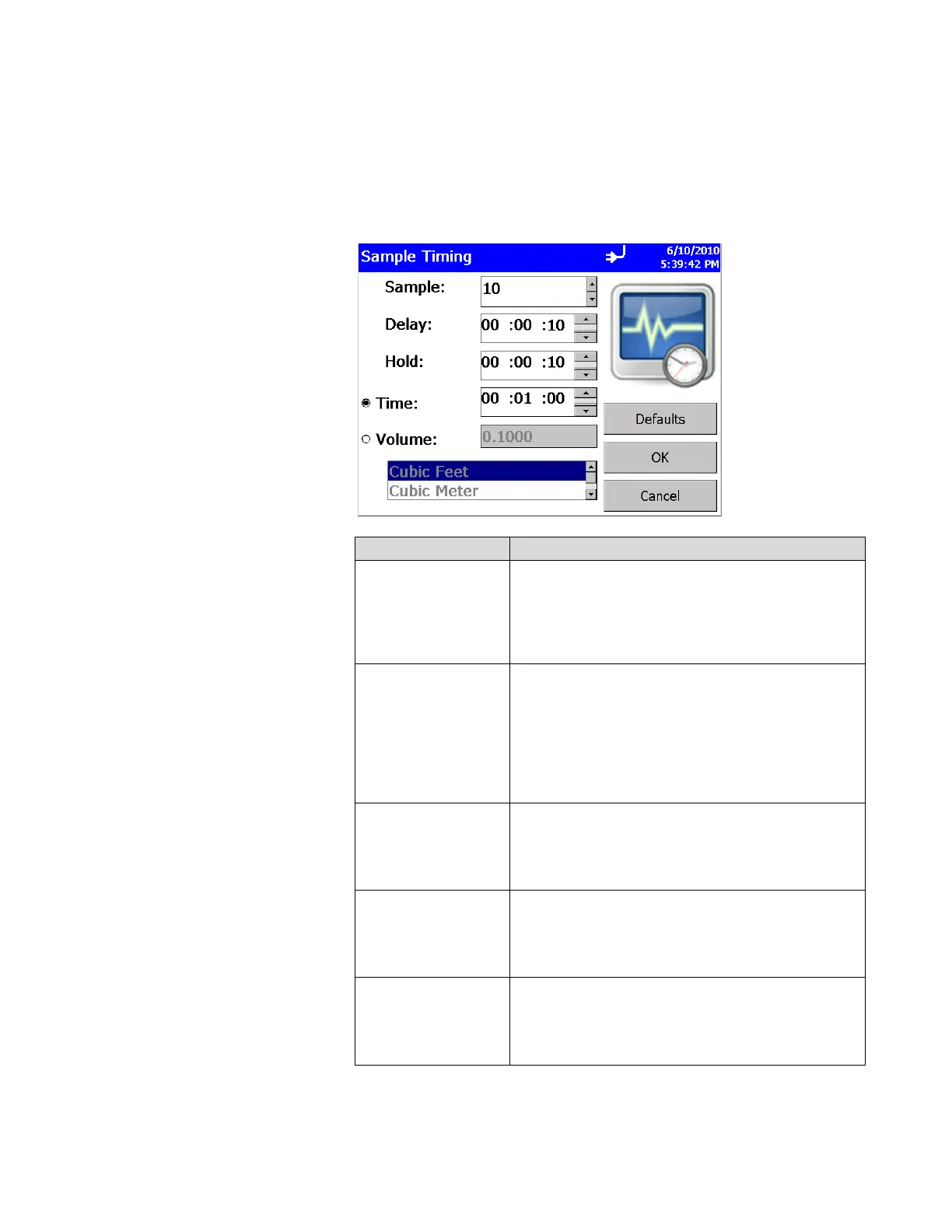
Sample Timing Screen
This screen lets you select parameters for sampling. Use the up
and down arrows or the on-screen keyboard to change or enter
information. These parameters are only valid when the particle
counter is running in Automatic mode. Press OK when finished.
Field Description
Sample
Sample is the total number of samples you want
collected. In Automatic mode, a Count value of 0
causes the instrument to count continuously using the
settings for Delay, Time, and Hold until the Start/Stop
button is pressed again. Use the up and down arrows
or the on-screen keyboard to set the count.
Delay
Delay (i.e., Start Delay) indicates how long it will be
before the first sample is taken. Remember, it takes
approximately 6 seconds for the pump to reach the flow
set point; taking a measurement before the pump is
functioning properly may result in a data error.
Highlight the time component you want to change (hours,
minutes, seconds) and use the up and down arrows or
the on-screen keyboard to change the value.
Hold
Hold indicates how long the instrument pauses
between samples. Highlight the time component you
want to change (hours, minutes, seconds) and use the
up and down arrows or the on-screen keyboard to
change the value.
Time
Time indicates the duration of each sample run (count
particles). Highlight the time component you want to
change (hours, minutes, seconds) and use the up and
down arrows or the on-screen keyboard to change the
value.
Volume
Volume sets the volume of air that will pass through
the instrument for each sample. If you select volume,
you must select Cubic Feet, Cubic Meters or Cubic
Liters for measurement using the arrows. You can
only choose Volume or Time, not both.













 To Next Page