19
© Turntide Technologies. Condential. All Rights Reserved. DOCT00369-082321 Last Modied: 2023-03-09
Item Description Protocol Port
Required Egress Turntide Cloud MQTT TCP/8883
Required Egress Turntide Cloud SST TCP/3199
Required Egress Turntide Cloud HTTPS TCP/443
Required Egress Congurable DNS UDP/53
Required Egress Congurable NTP UDP/123
Important Egress Protocol Specic HTTP TCP/80
Incorrect Network Conguration
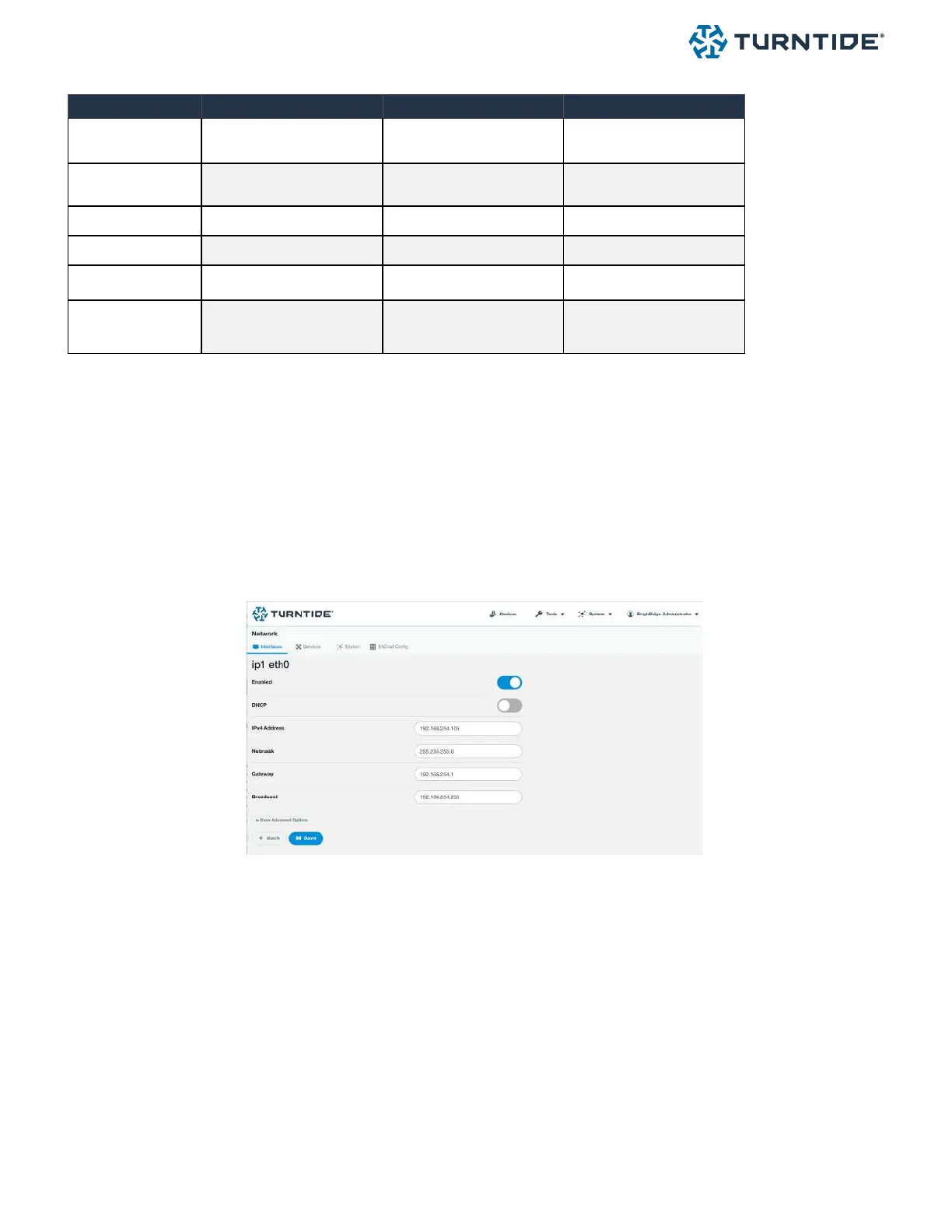
To communicate on the local LAN network the Turntide Hub must be congured with a correct IP address. This address
must be supplied by the IT administrator. Directly connect to the Hub UI and conrm the IP address entered matches
what has been specied by the IT administrator. If it does not, update the IP address, Gateway and Subnet information,
set DHCP to disabled. Save and restart the hub.
Faulty Physical Connection
Check to make sure all physical connections are secure and correct
• Ethernet cable connected to IP1 on the Turntide hub or to a switch that is also connected to IP1 on the Hub
• Ethernet is connected to the correct building network switch and port. This can be conrmed with the IT
administrator
• All cables are connected and undamaged



 To Next Page