Stealth 700 Gen 2 MAX for Xbox – Troubleshoong Guide
Quesons? Contact Support: hps://support.turtlebeach.com/s/contactsupport
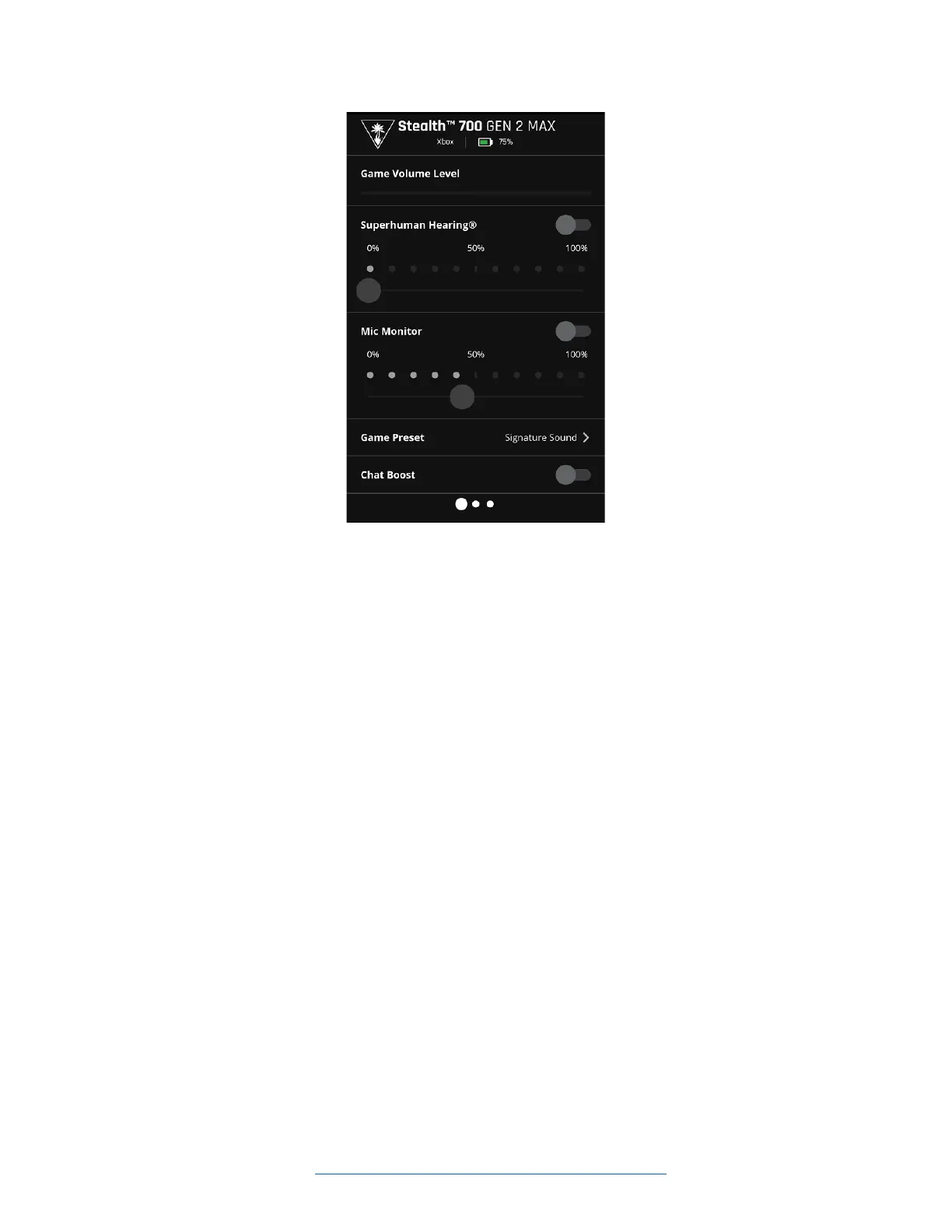
• Game Volume Level - This will control how loud you can hear the incoming game volume.
• Superhuman Hearing - This will allow you to toggle the Superhuman Hearing feature on, and
adjust the level of Superhuman Hearing, as well. Superhuman Hearing is a feature that allows you
to pinpoint quiet audio cues like enemy footsteps and weapon reloads.
o PLEASE NOTE: Superhuman Hearing is a situaonal feature and is meant to be engaged
and disengaged as needed. This feature is not intended to be constantly engaged.
• Mic Monitor - This will allow you to toggle the Mic Monitor feature on, and adjust the Mic
Monitor volume, as well. Mic Monitor is a feature that allows you to hear your own voice through
the headset when you speak into the mic, to help you avoid inadvertently yelling at other
people/players. The Mic Monitor volume slider will change how loud you hear yourself through
the headset when you speak into the mic.
o PLEASE NOTE: The Mic Monitor feature and volume level do not aect how loud other
people hear you; this aects only how loud you hear yourself.
• Game Preset - This will allow you to choose a dierent EQ preset, which will adjust how the audio
you hear sounds. You can choose one of the four standard presets (Signature Sound, Bass
Boost, Bass + Treble Boost, or Vocal Boost), or create your own custom preset.
• Chat Boost - This will allow you to toggle the Chat Boost feature. Chat Boost temporarily adjusts
your incoming chat audio as the volume of the incoming game audio changes, so that you can sll
hear your teammates even if the game audio gets loud.
GAME PRESET
On the Game Preset page, you will see the four standard EQ Preset opons: Signature Sound, Bass
Boost, Bass + Treble Boost, and Vocal Boost. Below those standard Presents, you will see an opon
for Personalized/Custom presets. You can select one of these Presets, or you can create and select your
own custom preset.














 To Next Page