Stealth 700 Gen 2 MAX for Xbox – Troubleshoong Guide
Quesons? Contact Support: hps://support.turtlebeach.com/s/contactsupport
MULTIPLATFORM COMPATIBILITY
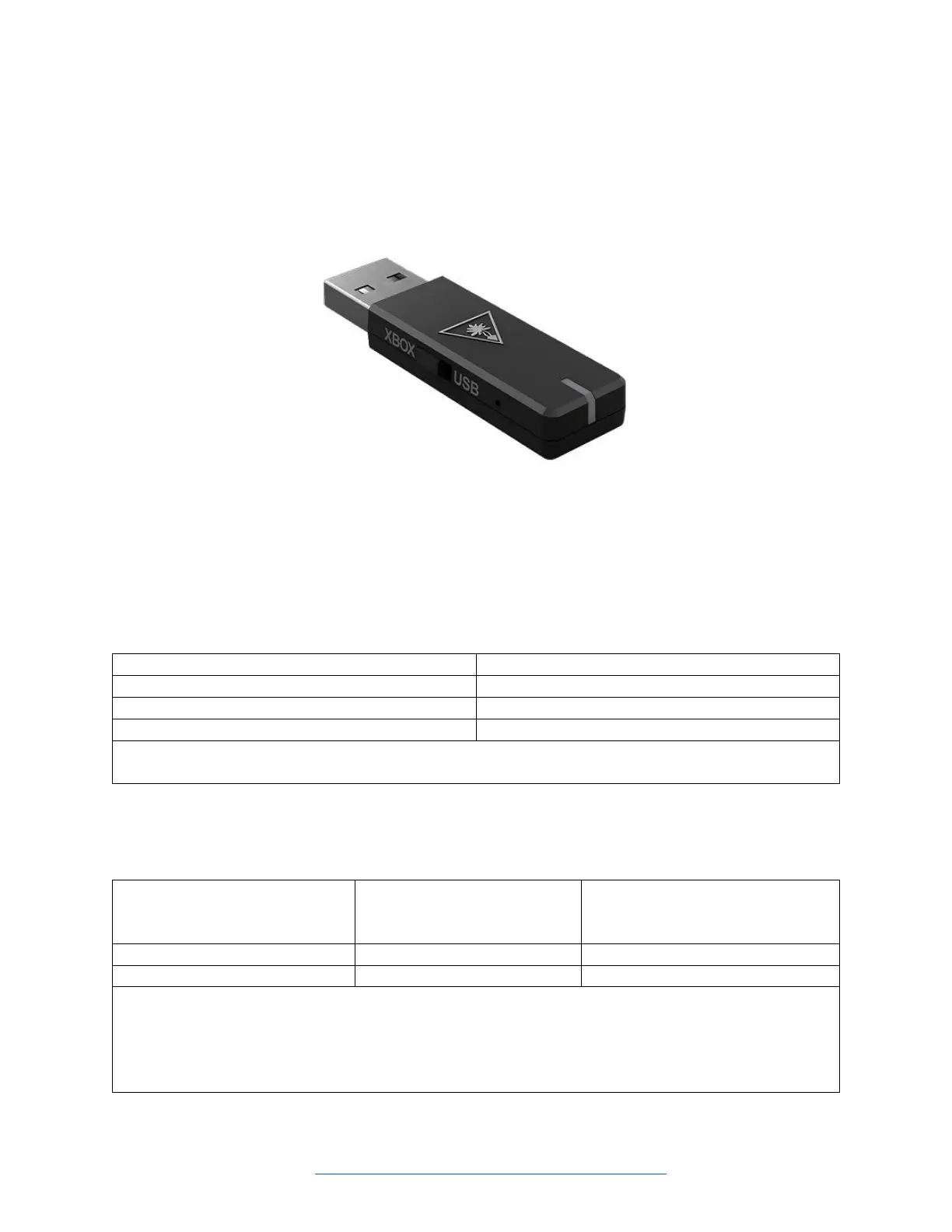
The USB-A transmier is equipped with a switch that allows you to change compability modes and use
the headset with a variety of dierent plaorms and consoles. This switch is shown (set to the Xbox
mode) in the image below:
• In the Xbox mode, the headset can be used with an Xbox Series X|S or Xbox One console.
• In the USB mode, the headset can be used with a PS5 or PS4 console, a Windows PC or Mac
computer, or a Nintendo Switch that is in the docked mode. Please note that Nintendo Switch
wireless compability is supported through Bluetooth for game audio only or USB connecon
while in docked mode for game & chat audio with games that support chat capability.
Here are the headset compabilies listed by transmier mode:
**Nintendo Switch wireless compability supported through Bluetooth for game audio only or USB
connecon while in docked mode for game & chat audio with games that support chat capability.
**Nintendo Switch wireless compability supported through Bluetooth for game audio only or USB
connecon while in docked mode for game & chat audio with games that support chat capability.
***Mic Monitor is a feature that allows you to hear your own voice when you speak into the mic, to
help you avoid inadvertently yelling at other people and players. This does NOT control how loud other
people hear you speak, only how loud you hear yourself.














 To Next Page