Stealth 700 Gen 2 MAX for Xbox – Troubleshoong Guide
Quesons? Contact Support: hps://support.turtlebeach.com/s/contactsupport
XBOX SETUP/PAIRING
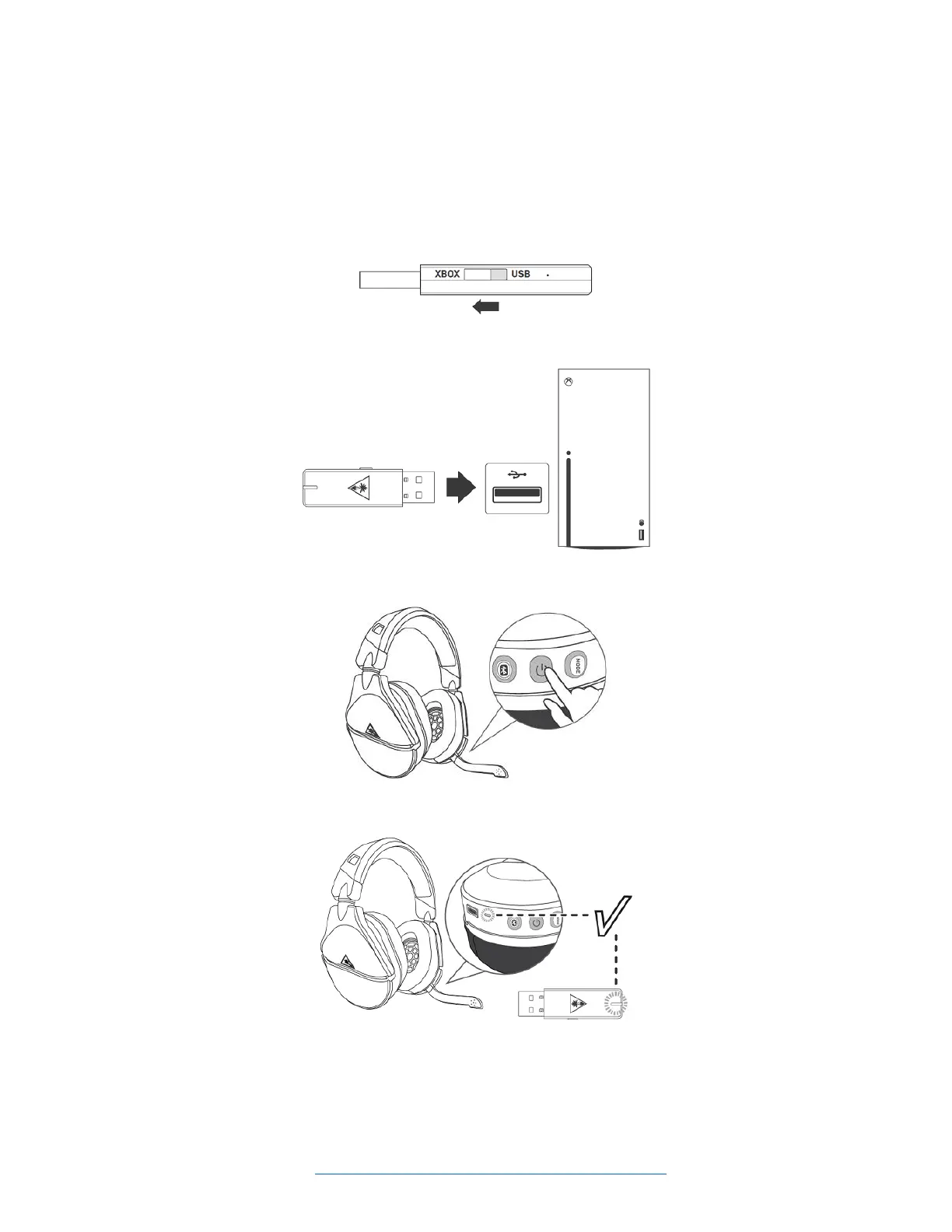
To set the headset up for use with an Xbox console, please do the following. (Please note that the
informaon in this arcle applies to both Xbox Series X|S and Xbox One consoles.)
1. Move the transmier's switch to the Xbox side; this will put the transmier into the Xbox mode.
2. Connect the transmier to the USB port on the Xbox.
3. Press and hold the Power buon for 2 seconds to power the headset on.
4. Wait for the headset and transmier to pair.
SURROUND SOUND FOR XBOX (ONLY AVAILABLE ON XBOX)
1. Go to Sengs >> General >> Volume & Audio Output
2. Set Headset Format to Windows Sonic for Headphones














 To Next Page