Stealth 700 Gen 2 MAX for Xbox – Troubleshoong Guide
Quesons? Contact Support: hps://support.turtlebeach.com/s/contactsupport
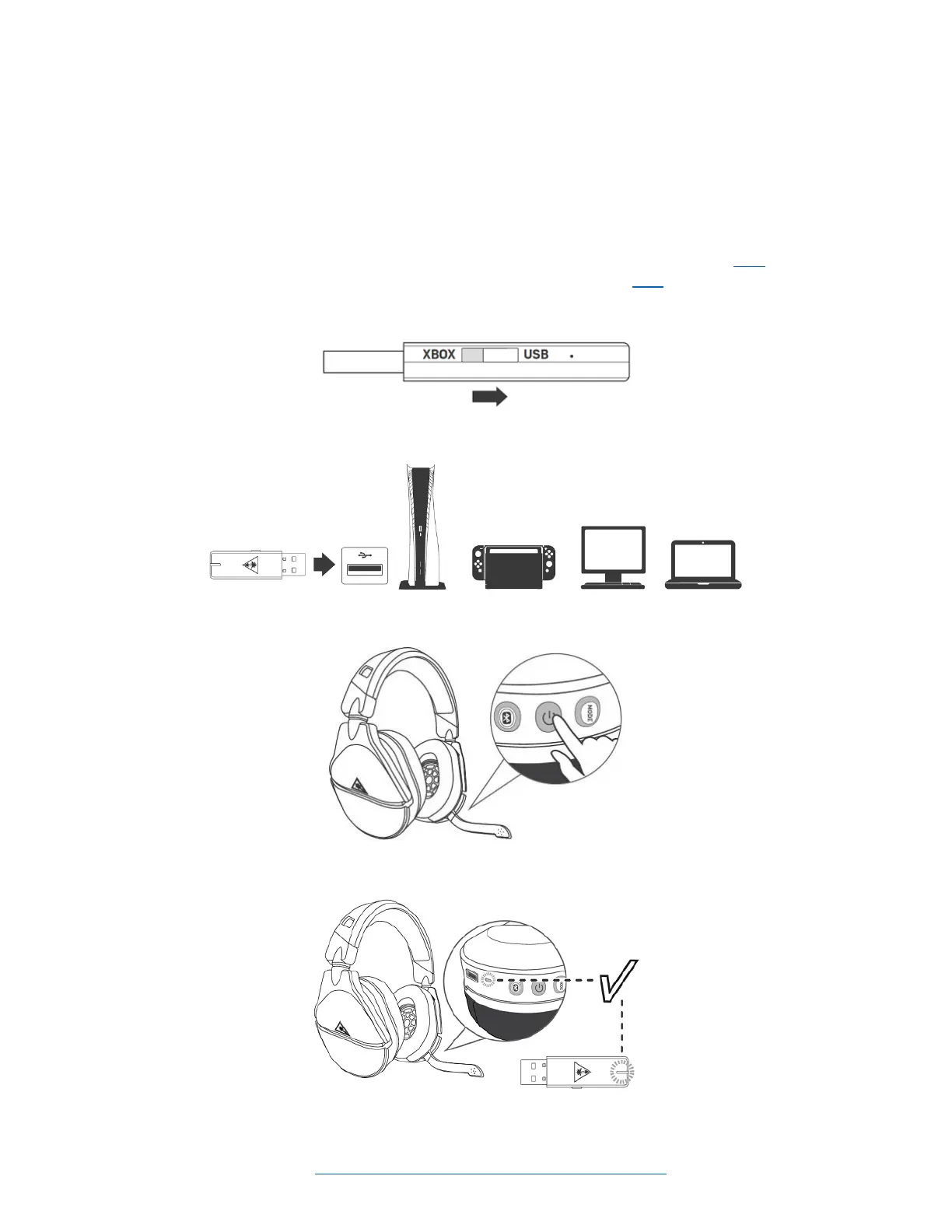
USB SETUP (FOR PC, PLAYSTATION)
The Stealth 700 Gen 2 MAX for Xbox headset can be used with either an Xbox console, or with a dierent
USB device, including PlayStaon consoles, a Windows PC, or a Nintendo Switch (while the Switch itself is
in docked mode).
To set your headset up for use with one of these USB plaorms, please do the following.
Please Note: Full instrucons for seng the headset up with an Xbox console are available here. For more
informaon on seng your headset up with a Nintendo Switch, please click here.
1. Move the transmier's switch to the USB side; this will put the transmier into the USB mode.
2. Plug the transmier into your plaorm's USB-A port.
3. Press and hold the power buon on the headset to power the headset on.
4. Wait for the headset and transmier to pair.














 To Next Page