Stealth 700 Gen 2 MAX for Xbox – Troubleshoong Guide
Quesons? Contact Support: hps://support.turtlebeach.com/s/contactsupport
NO POWER /LED DOESN’T LIGHT UP (TROUBLESHOOTING)
If your Stealth 700 Gen 2 MAX for Xbox headset is showing the following symptoms, it may need to be
recovered.
• Headset is unresponsive
• Headset’s LED does not light up
• Headset does not power on
The following steps will conduct a full Bootloader Reset of the headset and transmier, reinstalling the
headset’s and transmier’s rmware completely.
1. Start with both the headset and its transmier unplugged from everything, and with the
headset powered o.
2. Download and install the Audio Hub for your Windows or macOS computer here. Once
installed, run the Audio Hub app on your Windows PC.
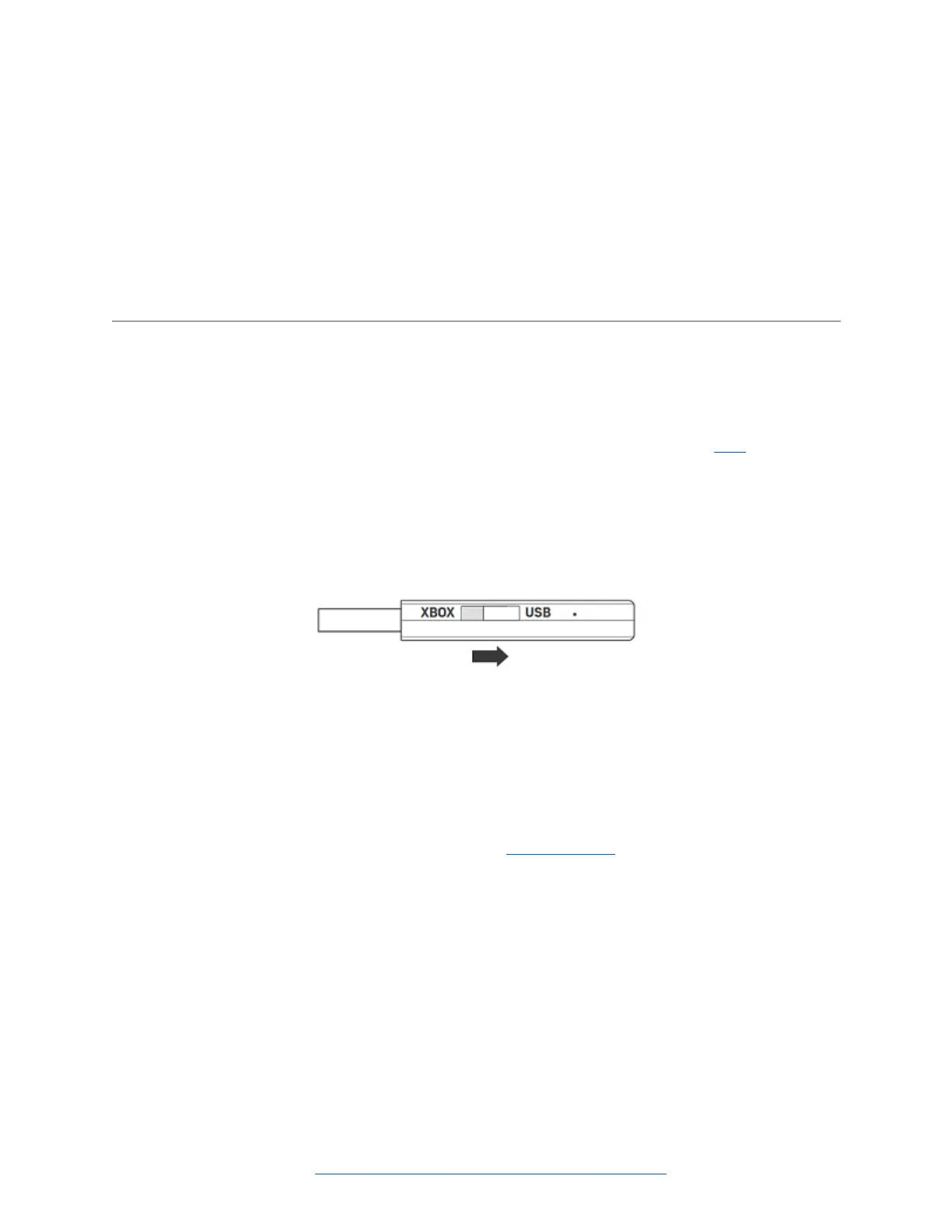
3. Set the switch on the Turtle Beach transmier to USB.
4. With the Audio Hub app running, connect the transmier to a USB port on your computer.
Do not connect the headset yet, even though the Audio Hub will prompt you to do so.
5. Use a paper clip, pushpin, or other small implement to press in the pinhole buon on the
transmier.
6. Now connect your headset to a USB port on your computer, using a USB-C to USB-A cable.
(The headset need not be powered on at this point.)
7. The Audio Hub should detect both the transmier and the headset and ask, “Update Your
Firmware to the Latest Version?” Click “Yes” to commence the Bootloader Reset process.
Once the rmware update process is complete, test your headset and transmier to make sure they are
working as intended.
If you’re sll having trouble aer trying the above, please contact support, let us know exactly what you’ve
tried and what you are experiencing now, and we will be happy to help.














 To Previous Page