Stealth 700 Gen 2 MAX for Xbox – Troubleshoong Guide
Quesons? Contact Support: hps://support.turtlebeach.com/s/contactsupport
NINTENDO SWITCH SETUP
The Stealth 700 Gen 2 MAX For Xbox headset can be used with a Nintendo Switch console.
IN DOCKED MODE
When the Nintendo Switch is in the docked mode, the headset and transmier can be used with the
Switch for game and chat audio, with games that support chat compability. To set your headset up for
use with a docked Nintendo Switch, please do the following.
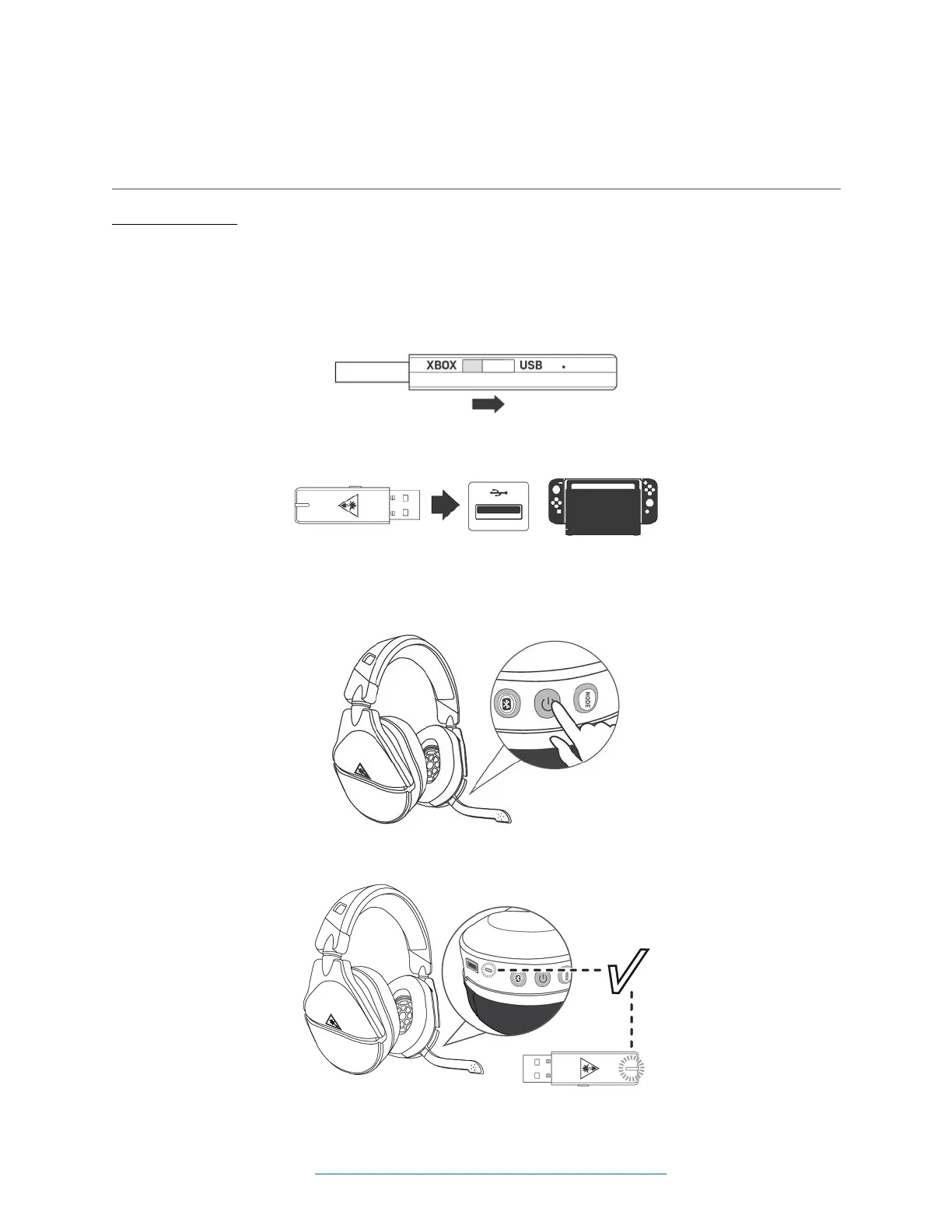
1. Move the transmier's switch to the USB side; this will put the transmier into the USB mode.
2. Plug the transmier in to the USB port on the docked Nintendo Switch.
3. Press and hold the power buon on the headset to power the headset on.
4. Wait for the headset and transmier to pair.














 To Next Page