89
To access the Preview screens while viewing a NORM Dive
Main screen.
• Depress the M button for 2 seconds to view the Gas 1
Preview screen.
• Press and release the M button momentarily (< 2 sec) while
the Gas 1 Preview screens is displayed to view the Gas 2
Preview screen.
• Depress the M button for 2 seconds while viewing a
Preview screen to Switch FO2 to that Gas.
> Operation will revert to the NORM Main screen after 10
seconds of no further M button action.
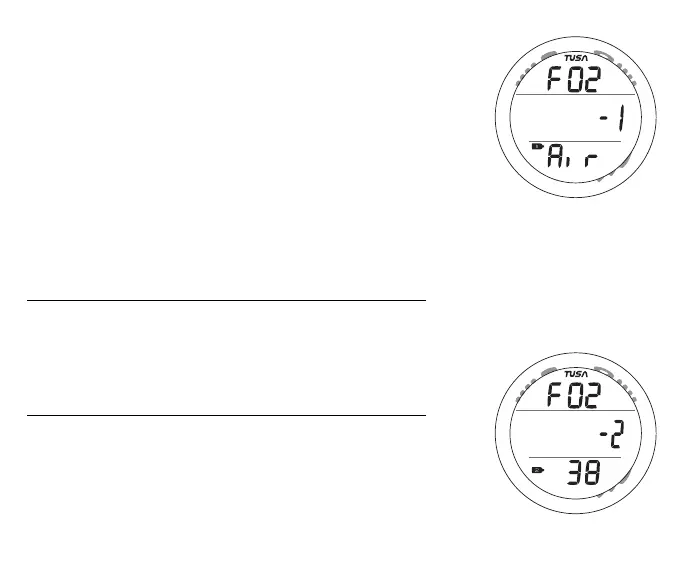
Gas 1 Switch Preview information includes (Fig. 82) -
> Graphics FO2 and - 1
> FO2 Set Point for GAS 1 and the symbol FO2
> Tank icon representing Gas 1
> Graphic Air or FO2 value set
Gas 2 Switch Preview information includes (Fig. 83) -
> Graphics FO2 and - 2
> FO2 Set Point for GAS 1 and the symbol FO2
> Tank icon representing Gas 2
> Graphic Air or FO2 value set
Fig. 82 - GAS 1 PREVIEW
Fig. 83 - GAS 2 PREVIEW



 To Next Page