97
• Press and release the A button momentarily (< 2 sec) to
access Log, then again to access History.
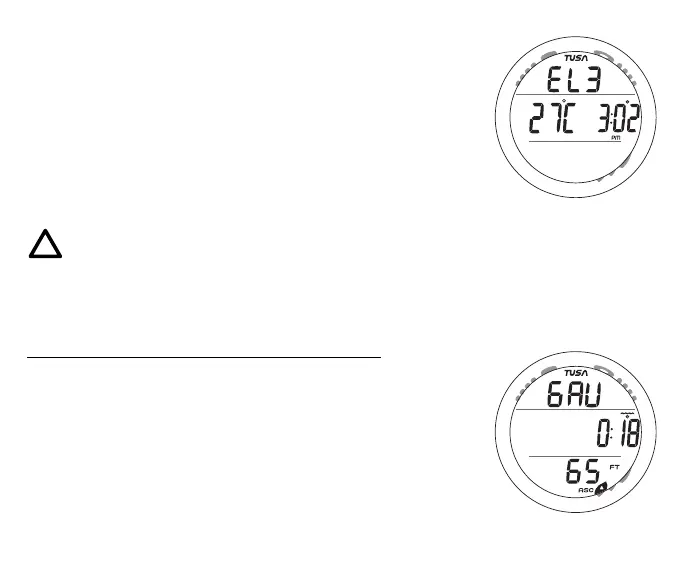
• Depress the A button for 2 seconds to the GAUG SURF ALT
screen (Fig. 88 - Altitude, Temperature, Time of Day).
• Depress the A and S buttons simultaneously for 2 seconds to
access the Set menu (F >> A >> U).
• Press and release the S button momentarily (< 2 sec) to
access the Time to Fly screen, if a dive was conducted.
• Press the L button to activate the Backlight.
NOTE: Once a dive is made in Digital Gauge
Mode, you must wait 24 contiguous hours after
surfacing before the ZEN resets and will operate
as an Air or Nitrox dive computer in NORM
Mode or FREE Dive Mode.
Gauge Dive Main information includes (Fig. 89) -
> Graphic GAU
> Elapsed Dive Time (hr:min) with wave/clock icons
> Depth and FT (or M) icon
> ASC when ascending
• Press and release the A button momentarily (< 2 sec) to
access the ALT screen.
• Press and release the S button momentarily (< 2 sec) to
acknowledge/silence Alarms.
• Press the L button to activate the Backlight.
Fig. 89 - GAUG DIVE MAIN
Fig. 88 - GAUG SURF ALT
M
S
A
L



 To Next Page