Field Production Monitor
22
05 MENU OPERATIONS
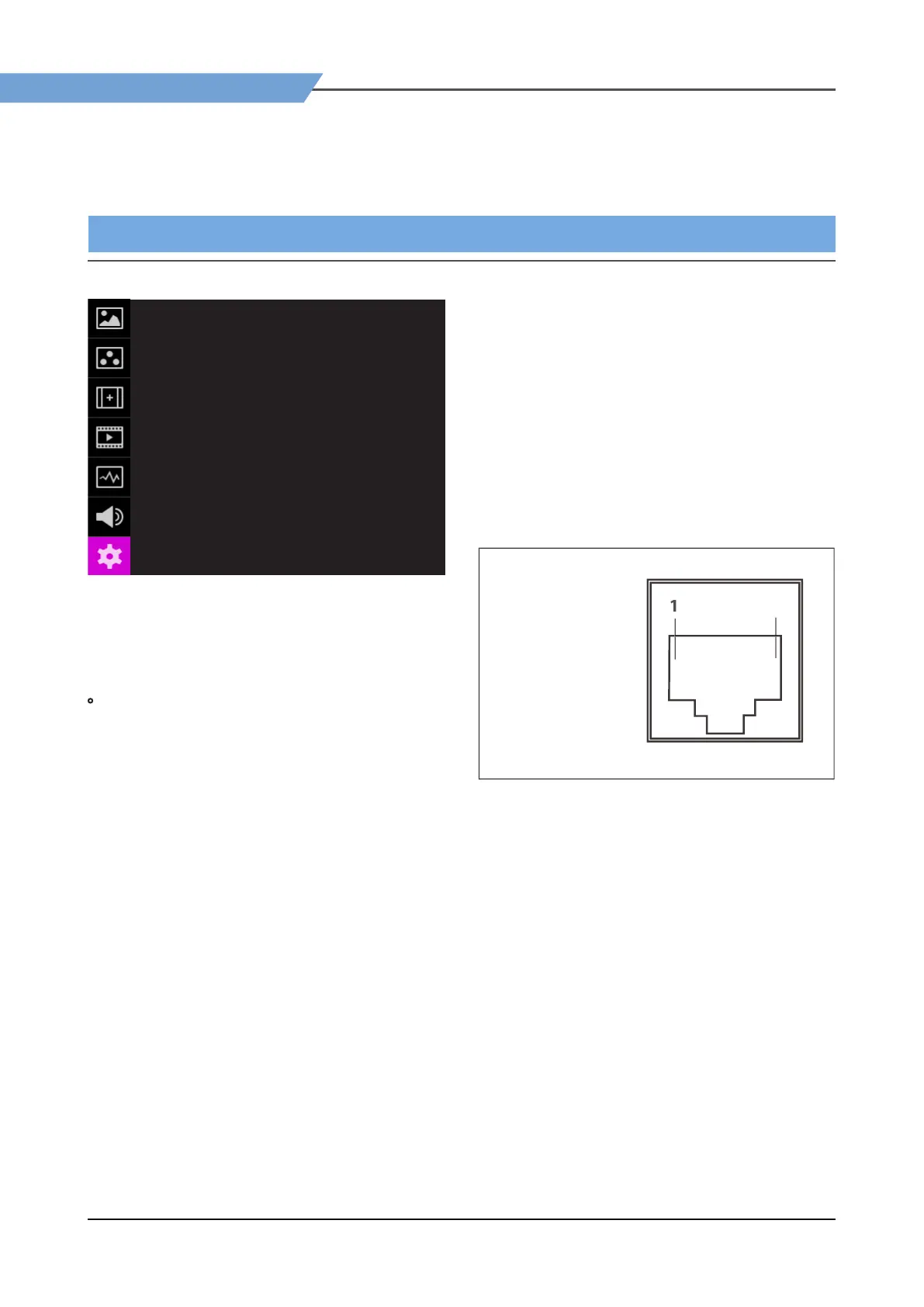
[7] SYSTEM
SYSTEM F-10A
POWER LED
EXTERNAL FAN
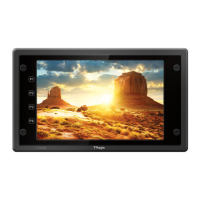
PIN 1
PIN 2
PIN 3
PIN 4
PIN 5
PIN 6
PIN 7
PIN 8
ON
OFF
HDMI
SDI A
SDI B
TALLY RED
TALLY GREEN
BLUE ONLY
POWER ON/OFF
GND
●
POWER LED
- Used to set the POWER LED ON/OFF.
- When it is set to ON, the LED is always on and
when it is OFF, the LED is o after booting.
• EXTERNAL FAN
- Connect the FAN to the USB port of the monitor
and set the ‘EXTERNAL FAN’ mode to ‘FAN ON’.
(Can also be set in Function Key).
- Press the button of the FAN to adjust the wind
speed.
- OFF : The LED indicator light up in red and the
FAN turns o. When powering on the FAN for
the rst time, it is set to OFF mode.
- FAST : The LED indicator light up in green and
the FAN operates at high speed.
- SLOW : The LED indicator light up in orange and
the FAN operates at slow speed.
* When using ‘Calibration’ or ‘USB Upgrade’ via
the USB port, set
●
PIN1~PIN8
- This item activates/ inactivates the REMOTE
function.
- The user may designate a function for each pin
and each pin’s default setting is as follows.
- The default settings are as follows:
PIN 1 : HDMI CHANNEL
PIN 2 : SDI-A CHANNEL
PIN 3 : SDI-B CHANNEL
PIN 4 : TALLY RED
PIN 5 : TALLY GREEN
PIN 6 : BLUE ONLY
PIN 7 is POWER ON/OFF use only, PIN 8 is GND
PAG E (1/2)
TE (
-45
:
n
5: P
n5
n
:
ND


 To Next Page