http://www.TYAN.com
16
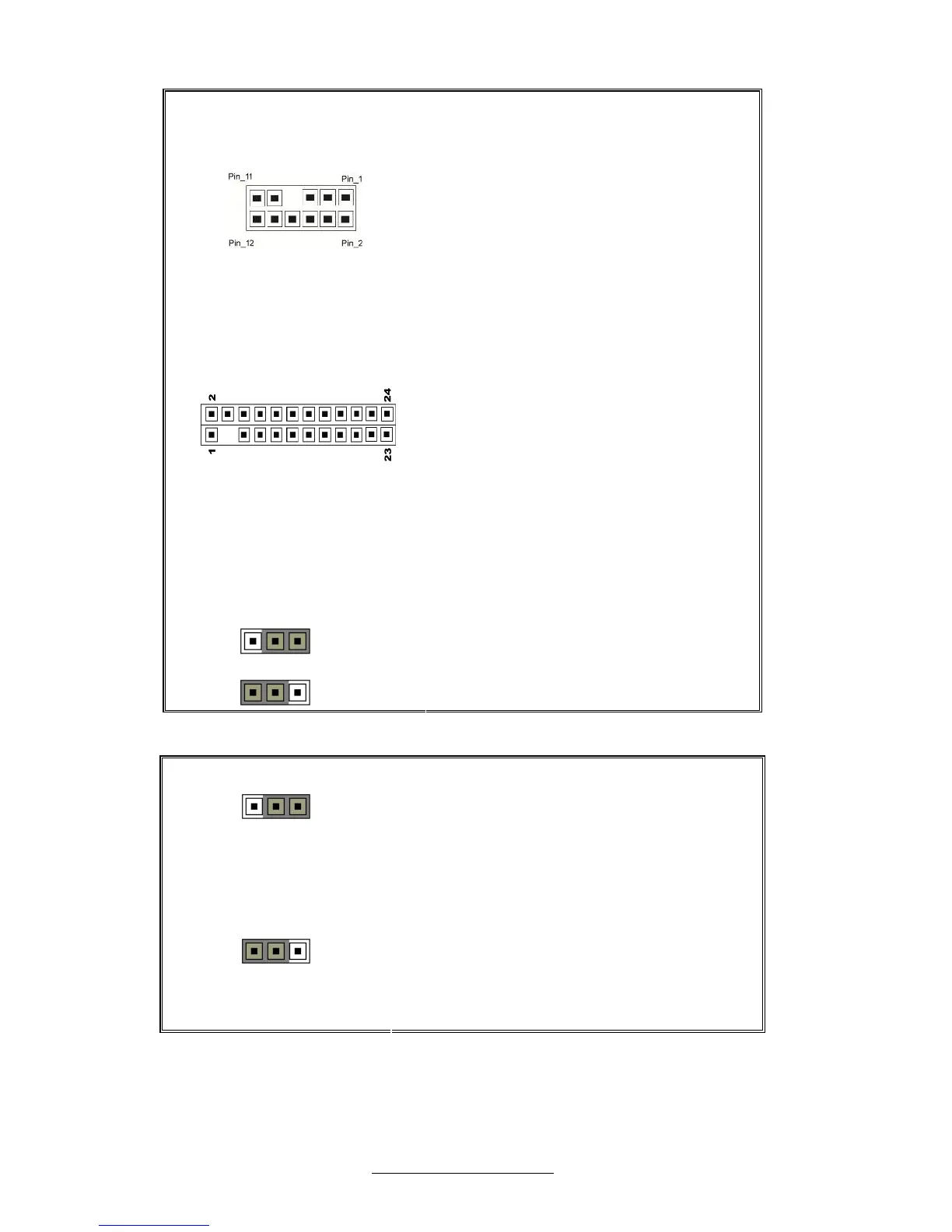
J63: SAS FAULT LED Connector
⑴LED_N0/⑵LED_N1/⑶LED_N2/
⑷LED_N3/⑸ LED_N4/⑹LED_N5/⑺KEY/
⑻LED_N7/⑼LED_N6/⑽GND
J65: Front Panel Connector
⑴PWR_LED+/⑵FP_PWR/⑶ KEY/
⑷ID_LED+/⑸PW_LED-/⑹IDLED-/
⑺HD-LED+/⑻FAULT_LED1-/⑼HD-LED-/
⑽FAULT_LED2-/⑾PWR_BTN_N/
⑿LAN1_ACTLED+/⒀GND/
⒁LAN1_ACTLED-/⒂RST_BTN_N/
⒃SMB_DAT/⒄GND/⒅SMB_CLK/
⒆ID_LED_BTN_N/⒇INTRUSION_L/
(21)TEMP_SENSE /(22)LAN2_ACTLED+/
(23)NMI_BTN_N/(24)LAN2_ACTLED-
J72: CMOS Clear Switch
Pin_3 Pin_1
Pin_3 Pin_1
⑴VBAT/⑵SB700_VBAT/⑶GND
Pin_3 Pin_1
Normal
(Default)
Pin_3 Pin_1
Clear CMOS
You can reset the CMOS settings by using
this jumper if you have forgotten your
system/setup password or need to clear
system BIOS setting.
- Power off system and disconnect both
power connectors from the motherboard
- Put jumper cap back to Pin_1 and Pin_2
(default setting)
- Use jumper cap to close Pin_2 and Pin_3
for several seconds to Clear CMOS
Reconnect power & power on system



 To Next Page