CPS6000 –48V Indoor/Outdoor Power Shelf
Issue 16 May 2006 44
Step Action
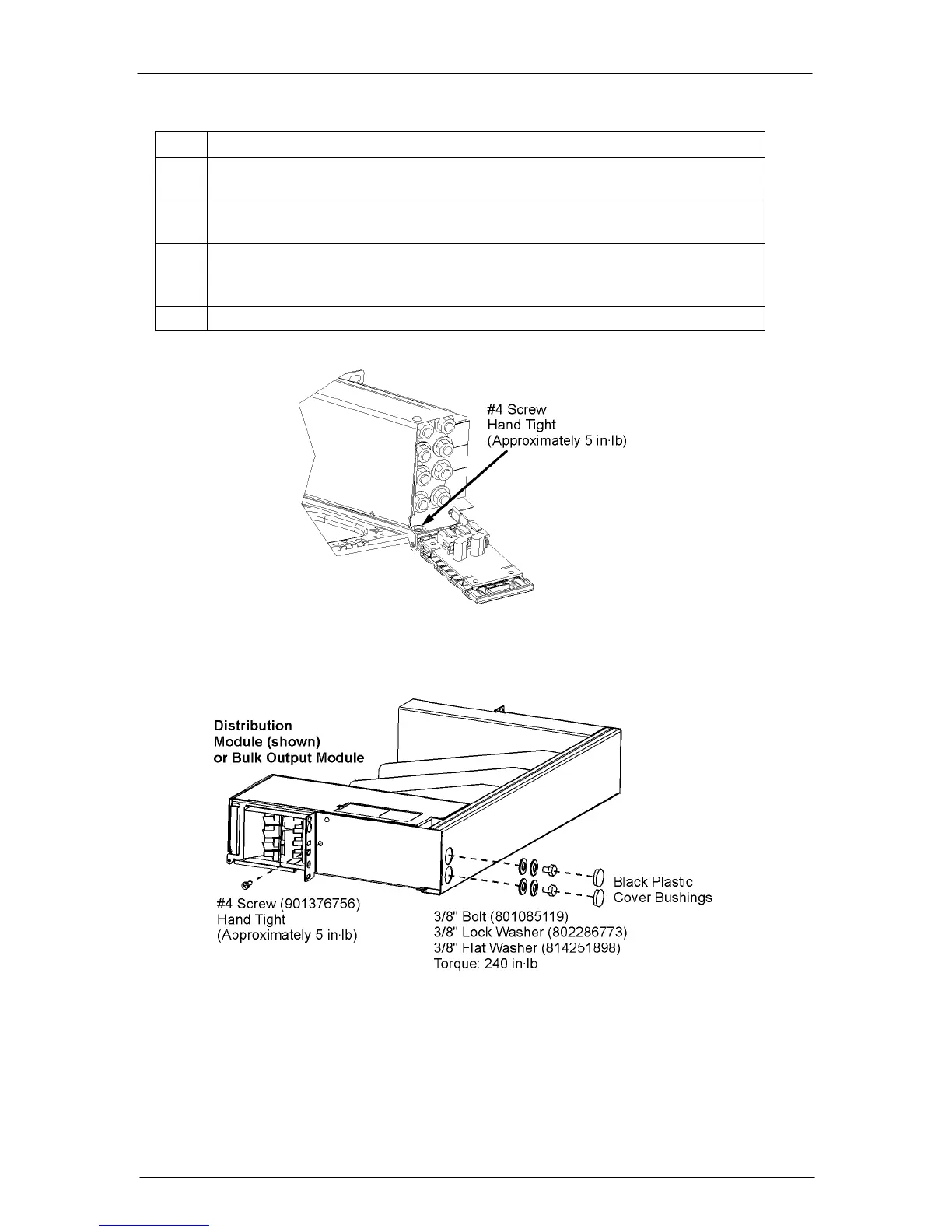
8. Insert one #4 Screw inside the left side of the Bulk Output Module, hand tight
to approximately 5 in-lb. See Figure 5-2.
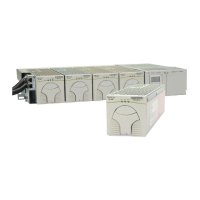
9. Insert one #4 Screw on the right side of the shelf, hand tight to approximately
5 in-lb. See Figure 5-3.
10. Put a 3/8-inch lock washer and a flat washer on the 3/8-inch bolt. Locate the
two access holes on the rear of the shelf. Attach the Distribution Module to the
shelf with the washers and two bolts. Torque to 240 in-lb.
11. Cover the two access holes with the Black Plastic Covers shown.
Figure 5-2: Bulk Output Module
Figure 5-3: Distribution Module


 To Next Page