CPS6000 –48V Indoor/Outdoor Power Shelf
Issue 16 May 2006 54
Office Alarms
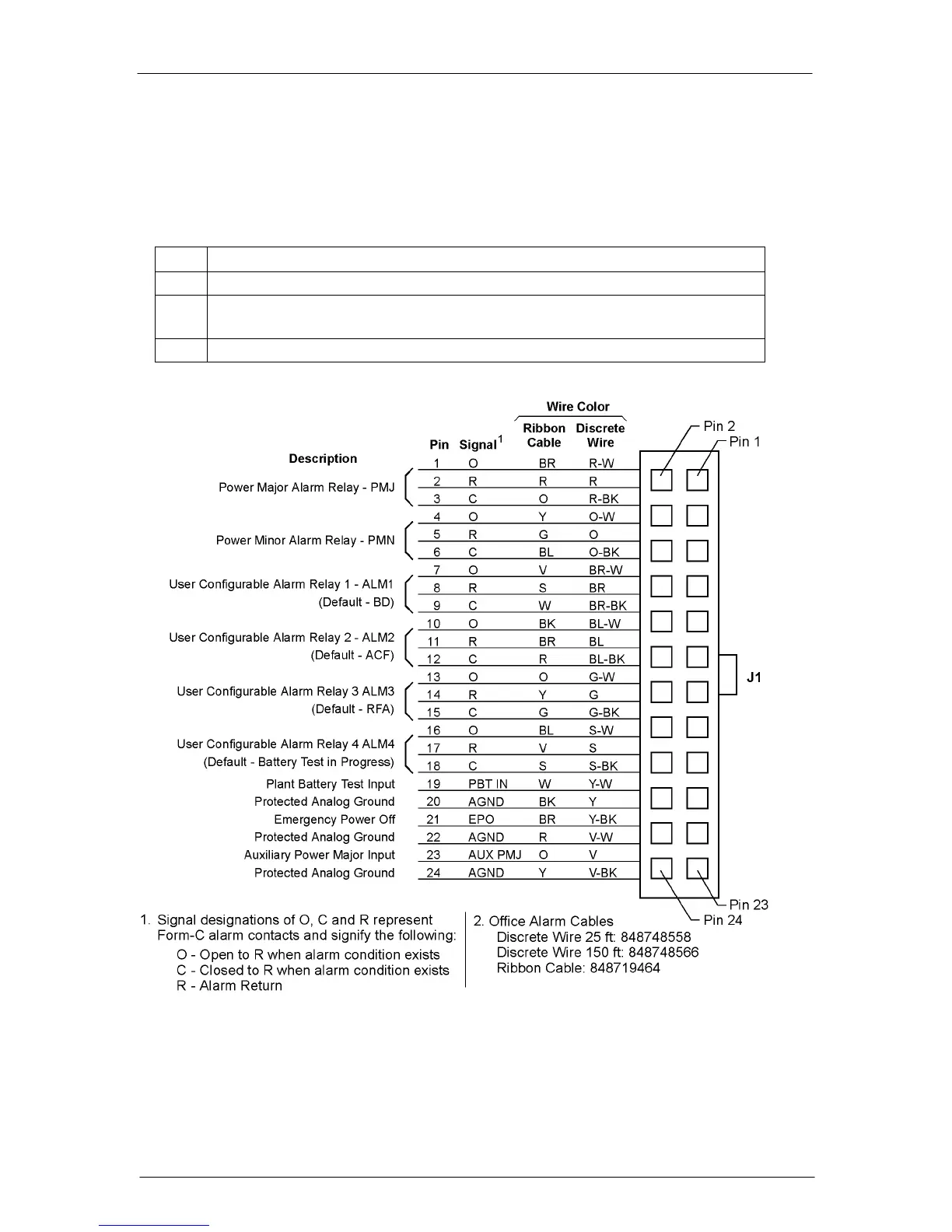
An office alarm connector (J1) is provided on the QS840A/QS841A controller board. This
connector provides access to the output of the alarm relays. Discrete wire and ribbon cable
assemblies are available for making office alarm connections to the controller.
Step Action
1. Determine which office alarm connections are required per user specifications.
2. Make user-defined terminations of the Office Alarm Cable leads as shown in
Figure 5-11.
3. Connect the Office Alarm Cable to J1 on the QS840A Controller.
Figure 5-11: J1 Office Alarm Connector
Refer to Appendix E for an adapter cable that uses the CPS4000 alarm color scheme if
required.


 To Next Page