CPS6000 –48V Indoor/Outdoor Power Shelf
Issue 16 May 2006 55
Controller Connections
The QS840A and QS841A provide the same interfaces with the exception of the LAN
connection which is available on the QS841A. The QS841A provides a standard RJ45
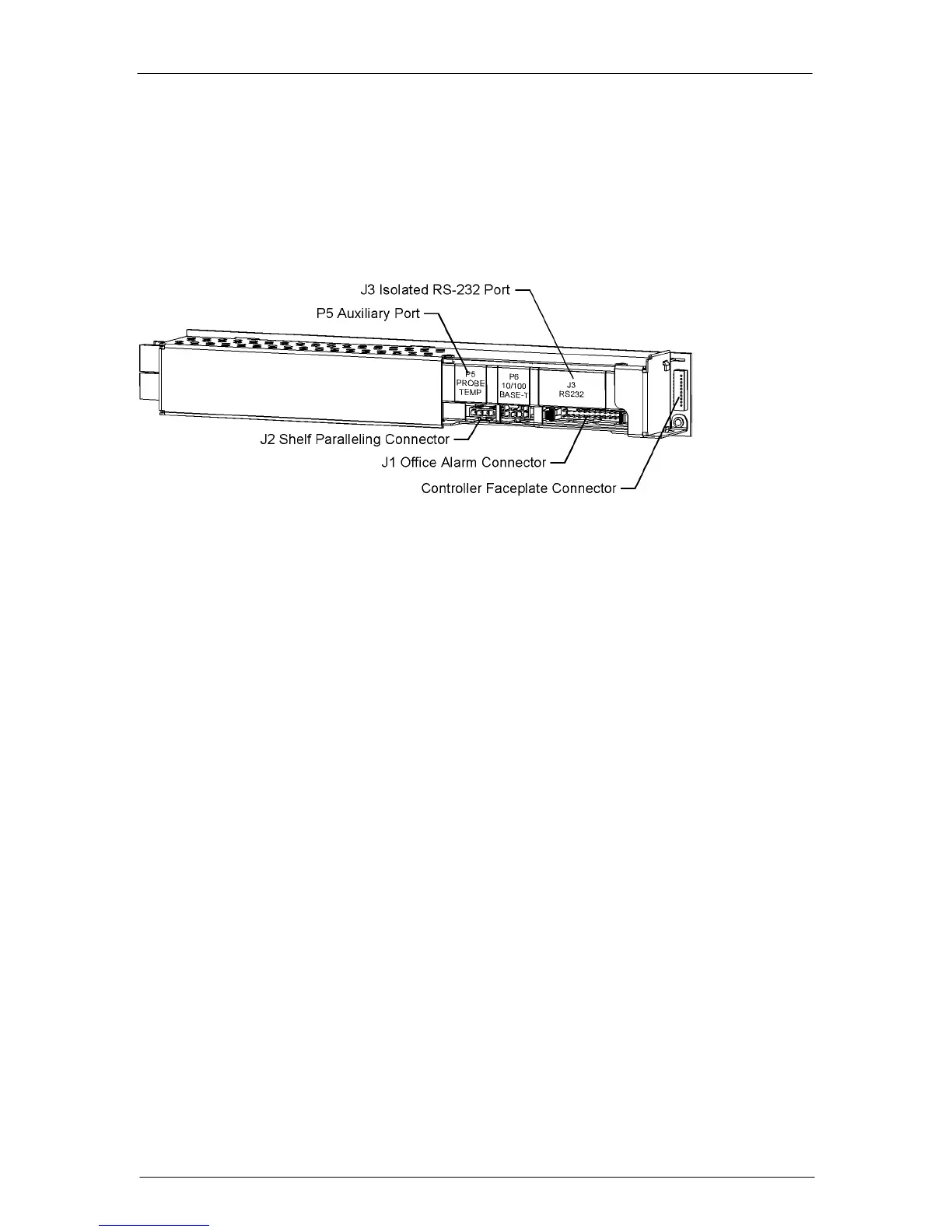
receptacle, P6, for the 10/100 Base-T Ethernet connection. Following is the view of the
controller and its interfaces.
The QS841A has an IEEE 802.3 compliant 10Base-T network interface with a grounded
connector shield. Where intra building lightning surge protection is of concern, Tyco
Electronics recommends the use of a shielded cable, where both ends are tied to ground. This
cable must be supplied by the user. (example: CAT 5 E STP)
Connection to the LAN is made by attaching standard Cat-5 cable from P5 to the appropriate
10/100Base-T LAN connection. The cable should be appropriately dressed out of the
CPS6000 system to the LAN connection. The shroud of P5 has been terminated to chassis to
accommodate the use of a shielded Cat-5 cable connection.
AC Connections
AC Connections to Shelf
Review the ac connection on the installed shelf. Refer to Tables 3-B and 3-C for detailed
CPS6000 rectifier ac input requirements.
Caution: Ensure ac power is OFF and use appropriate lock-out tag-out procedures before
continuing with ac connections.
Caution: When connecting to utility source, ensure all local and national wiring rules are
being complied with.
Caution: When routing AC cables ensure cable does not come in contact with sharp or rough
surfaces that may damage insulation and cause a short circuit. Make sure cable does not come
in contact with any pinch points such as doors.


 To Next Page