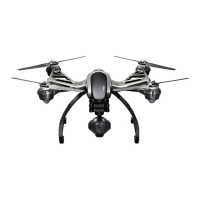
The TYPHOON Q500 4K, CGO3 And ST10+ Overview
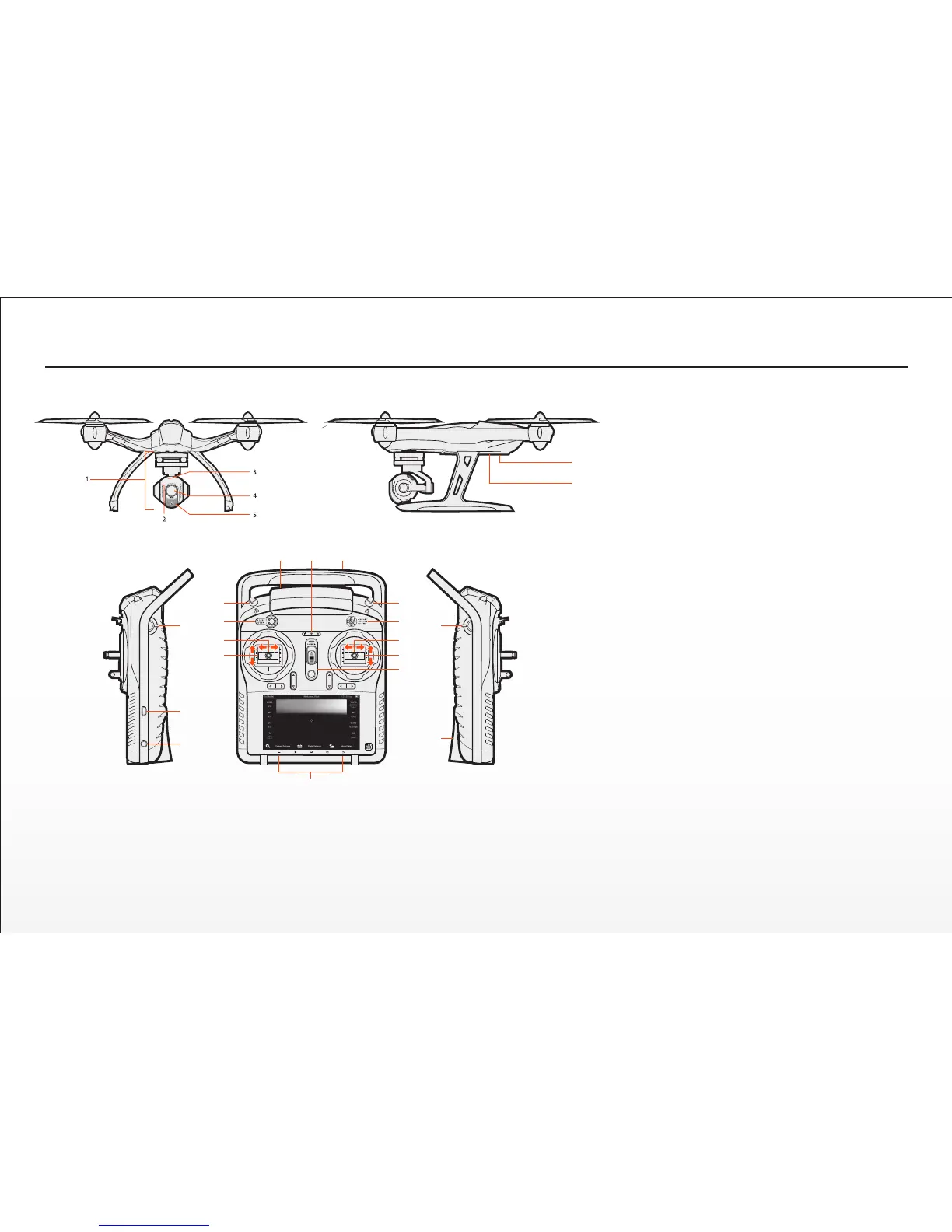
The TYPHOON Q500 4K / CGO3
1 CGO3 Gimbal Camera
2 Camera Microphone
3 Camera LED Status Indicator
4 Camera Lens
5 5.8GHz Antenna
6 Main LED Status Indicator
7 Power Switch
ST10+
8 Proporonal Control Rate Slider
9 USB Connector/Charging Port
10 Audio/Earphone Jack
11 Take Sll Photo Buon
12 Start/Stop Motors Buon
13 Rudder/Yaw Control (for Mode 2 and Mode 1)
14 Throle/Altude Control (for Mode 2)
Elevator/Pitch Control (for Mode 1)
15 5.8GHz Antenna (located inside the case)
16 Status Indicators (for ST10+ baery, 5.8GHz
WiFi and GPS)
17 2.4GHz Antenna (located inside the handle)
18 Start/Stop Video Recording Buon
19 Flight Mode Selecon Switch
20 Aileron/Roll Control (Mode 2 and Mode 1)
21 Elevator/Pitch Control (Mode 2)
Throle/Altude Control (Mode 1)
22 Power Switch
23 Volume and Navigaon Touch-Acvated Buons Volume
Down/VolumeUp/Menu/Home/Back)
24 CGO3 Pitch Angle/Posion Control Slider
25 SD Card Slot (located under the baery)
The ST10+ is equipped with an internal cooling fan and components that deliver vibrang and
audible alerts.
IMPORTANT NOTE: Although the ST10+ is equipped with digital ‘trims’ (located below the control
scks) they are not acve/funconal when controlling the TYPHOON.
10
6
7
8
9
10
11
12
13
14
15 16 17
18
19
20
21
22
23
24
25


 To Next Page