System Setting
Flight Setting
Model Select
MODE
Model: 4K
WELCOMEPILOT
11:25:11am
Watch
GPS
N/A
SAT
N/A
POS
N/A E
N/A N
VOLTS
N/A V
ALT
N/A ft
G-SPD
N/A mph
DIS
N/A ft
3840 x 2160 F30
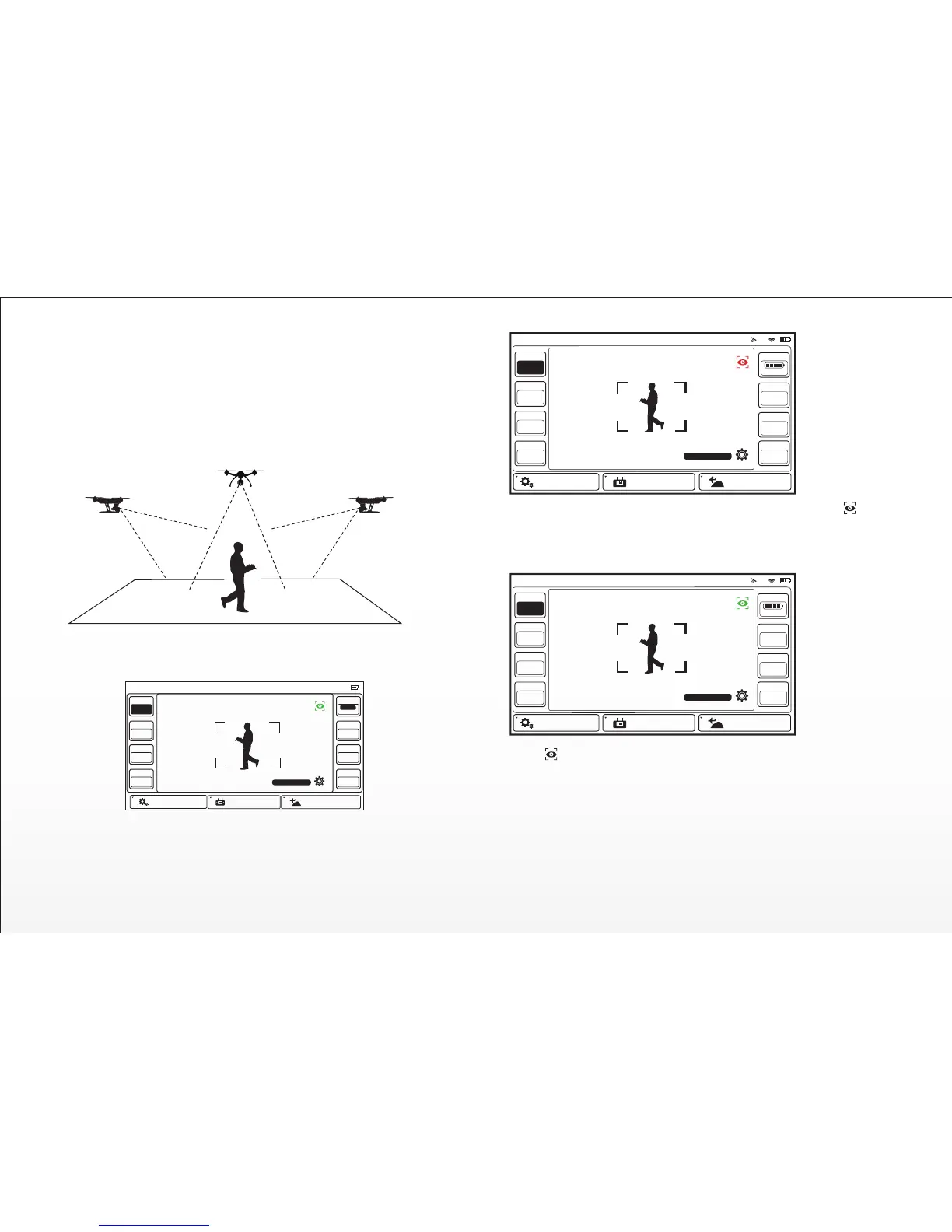
WATCH ME FUNCTION
Watch Me funcon enables the camera to keep tracking the remote control-
ler no maer where and how it moves as the camera can automacally lt its
angle according to the controller.
Usually, the default funcon under Smart Mode is Follow Me. Watch Me
funcon can be switched to by following steps:
15
In Watch Me funcon, the pilot will always be kept in the frame wherever
he moves.
Model: 4K
Welcome,Pilot 10:48:28 pm 10
GPS
Ready
SAT
13
POS
00.0000E
00.0000N
MODE
Watch
ALT
21.4
VOLTS
12.3 V
G-SPD
0.0 mph
DIS
22.5
System Sengs Flight Sengs Model Select
3840 x 2160 F30
Press , the buon will change from ORANGE to GREEN. And now it is
in Watch Me funcon.
NOTE: Once the TYPHOON is above 2m and out of Smart Circle during
flying, the TYPHOON yaw direcon will take the control itself. Camera
lens will always point to you as long as Flight Mode Selecon Switch is in
Smart Mode. Please put the CGO3 Pitch Angle/Posion Control Slider in
the middle posion. If you want to trim the camera angle up, then just
move the Pitch Angle/Posion Control Slider a bit up. If you want to trim
the camera angle down, just move the slider down.
Watch Me/Follow Me Buon: When in Smart Mode, press to switch
the TYPHOON between Watch Me and Follow me funcon. Follow Me
funcon is the default seng, and the buon is ORANGE. If it is GREY,
it means ST10+ GPS isn’t ready yet. Please wait.
Welcome,Pilot 10:48:28 pm 10
GPS
Ready
SAT
13
POS
00.0000E
00.0000N
MODE
Follow
ALT
21.4
VOLTS
12.3 V
G-SPD
0.0 mph
DIS
22.5
System Sengs Flight Sengs
Model Select
3840 x 2160 F30
Model: 4K


 To Next Page