12
ST10+ Accessories
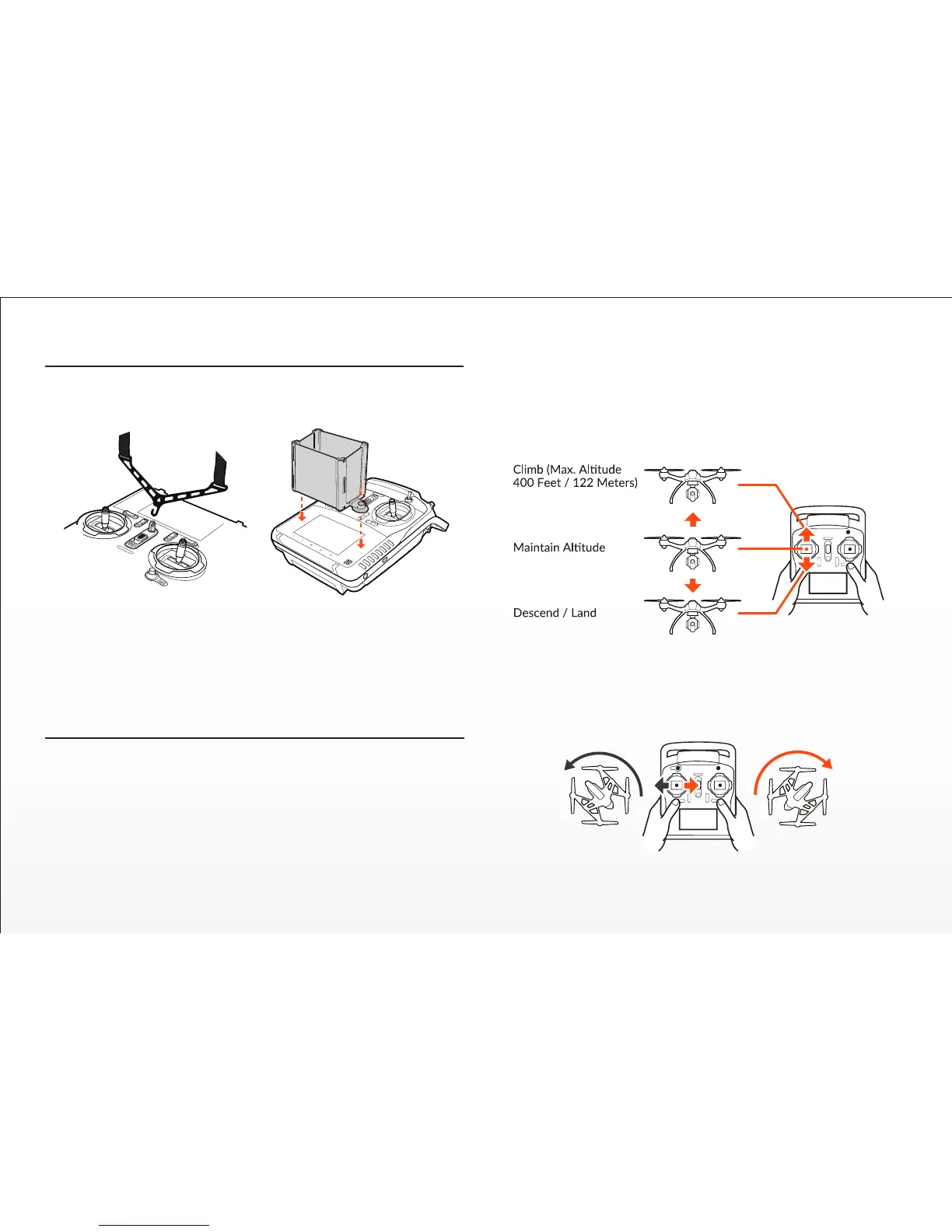
You can install the included and oponal-use Neck Strap to help hold and
support the ST10+. You can also install the included and oponal-use LCD
Screen Sun Shade/Shield to help improve viewing in sun light.
QUICK TIP: It may be helpful to apply suitable an-glare screen protector
material over the LCD screen to further improve viewing in sun light.
CAUTION: Do not bend, or move around in excess as the strap can come
unhooked from the ST10+ and potenally fall and damage the sensive
electronic components.
Moving the le-hand sck to the le will turn (yaw) the nose of the
TYPHOON to the le about the vercal axis. And moving the sck to the
right will turn (yaw) the nose of the TYPHOON to the right.
Flight Controls
NOTE: The informaon in this and the following secons refers to the
default ‘Mode 2’ control configuraon of the ST10+. The le-hand sck on
the ST10+ controls the throle (climb/descend) and rudder (yaw le/right)
channels.. When the le-hand sck (also known as the throle sck) is in
the middle posion during flight the TYPHOON will maintain the current
altude. As you move the sck upward the TYPHOON will climb, and as
you move the sck downward the TYPHOON will descend. The farther
away from the middle posion you move the sck the faster the TYPHOON
will climb or descend.
IMPORTANT NOTE: The maximum altude is limited to 400 feet (122
meters) AGL (Above Ground Level) in both Smart and Angle (Pilot) Mode.
And although this limit can be adjusted using the USB interface/program-
mer and soware we strongly recommend using the default limit at all
mes.
Maximum Climb Rate:
2m/s (6.6f/s)


 To Next Page