EN – 42
Mounting the All-IN-ONE PC on the monitor arm
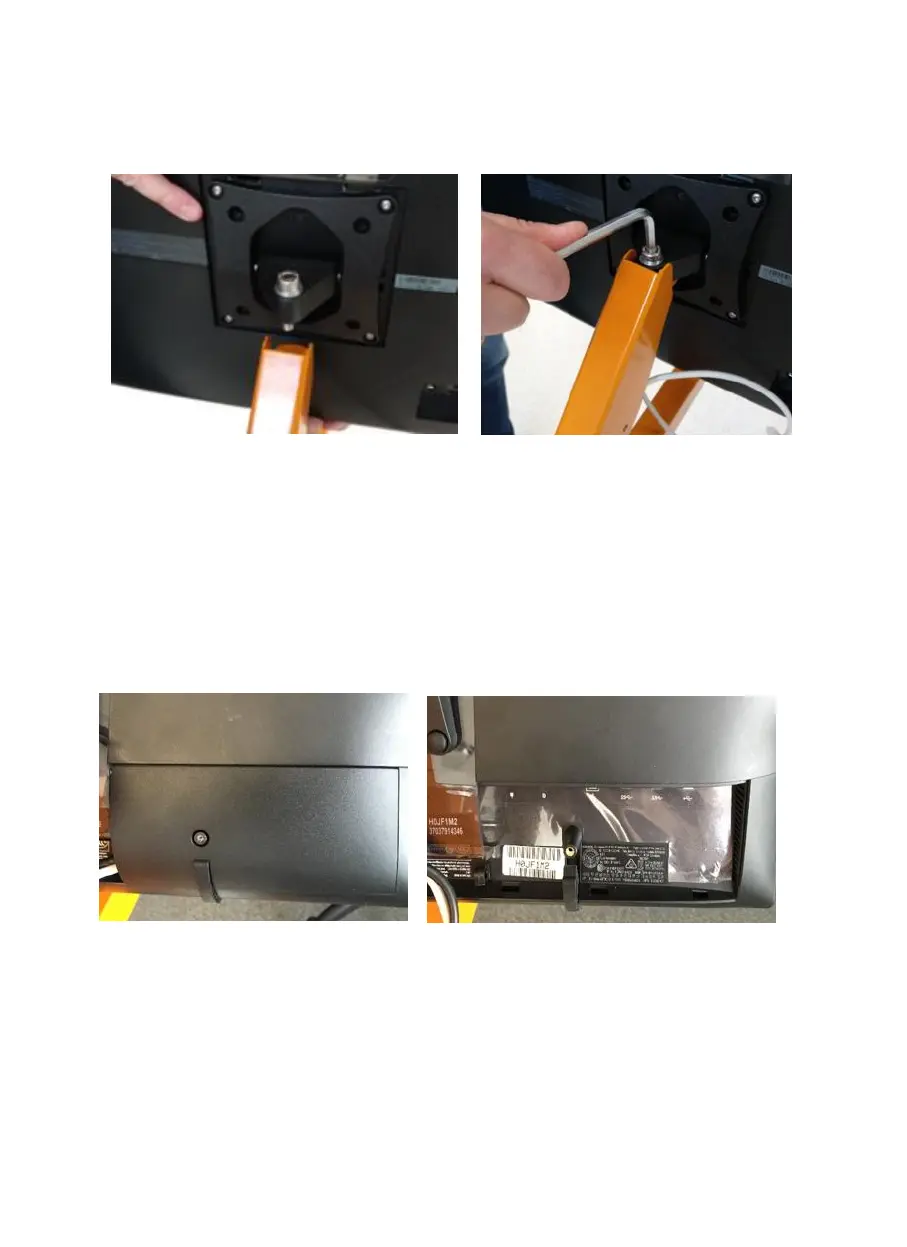
The All-IN-ONE PC comes fixed to a VESA-bracket and needs to be mounted on the
monitor arm. Secure the All-IN-ONE PC with a screw on the monitor arm.
Then unscrew the cover on the lower right side of the ALL-IN-ONE PC. Take the black
round plug for the power supply and plug it into the right connector on the far left. Then
take the white USB plug and plug it into one of the two free USB 2.0 ports, which are
quite right.
Clamp the cables into the hooks as shown in Figure 29 (a picture is also on the back of
the detach cover) and replace the cover over the connectors.
Image 25: All-IN-ONE PC backside Image 26: cover open


 To Next Page