113
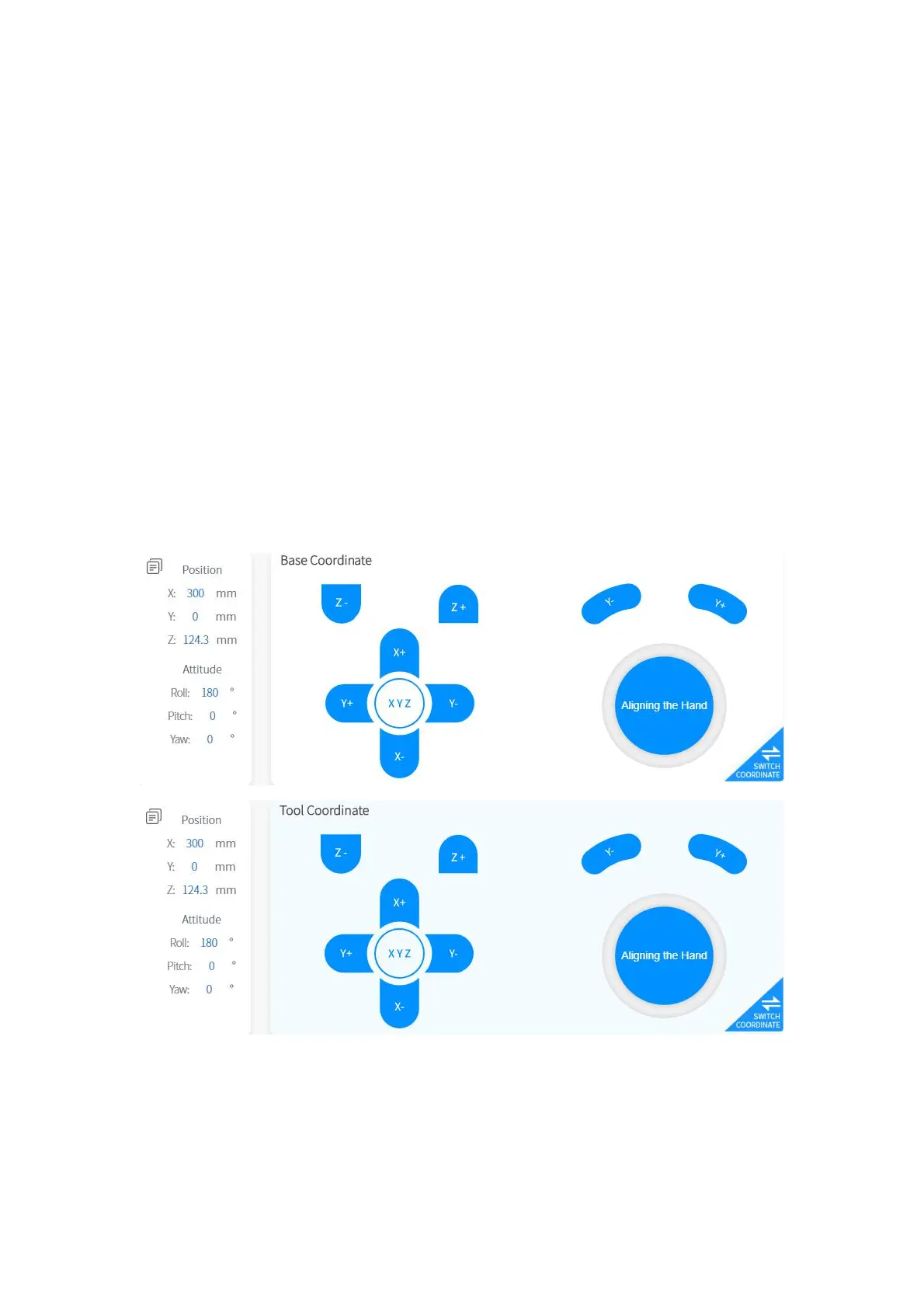
【Real-time Position Control】
● X/Y/Z controls the X/Y/Z-axis of the selected coordinate system respectively.
Click for step motion and long press for continuous motion.
【Real-time Attitude Control】
● Roll/Pitch/Yaw controls the Roll/Pitch/Yaw of the selected coordinate system
respectively. Click for step motion and long press for continuous motion.
The step can be set by clicking【Settings】 -【Motion Settings】 -【Line Motion】
-【Attitude Step】 on the homepage.
1.5.7.2 xArm 5 Operation Interface
【Aligning】
● After clicking this button, the tool flange will be adjusted to a horizontal attitude,
that is, pitch and roll will be adjusted to the fixed values of 0 ° and 180 °.



 To Next Page