9
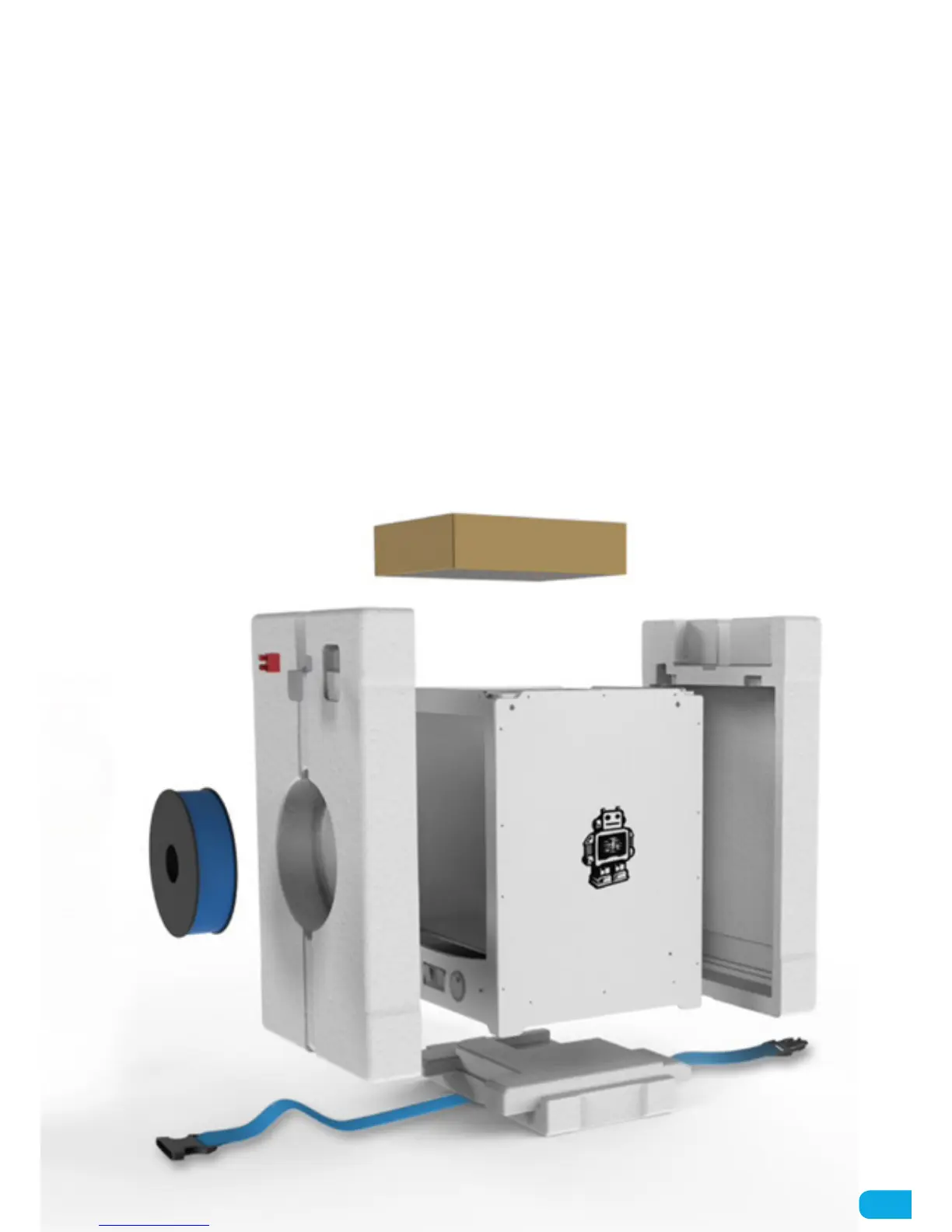
The Ultimaker 2 Extended comes in reusable, durable packaging so you can easily transport your Ultimaker 2
Extended. To properly unpack your Ultimaker 2 Extended, please follow the steps described below.
1. After having opened the cardboard box in which your Ultimaker 2 Extended was delivered you can start unpacking
it by first loosening the blue belt with which everything is kept together on the inside. After this you can remove the
cardboard accessories box from the top.
2. Next, take the complete foam packaging parts with the Ultimaker 2 Extended out of the cardboard box. The easiest
way to do this is by holding the blue belt and pulling it out of the box.
3. Now you can take out the spool of filament and factory test print from one side of the foam packaging.
4. Open up the complete packaging by removing the two foam side parts and take out the Ultimaker 2 Extended and
place it on a stable surface.
5. At last, cut the tiewrap with which the print head is secured and your Ultimaker 2 Extended is ready to use!
UNBOXING



 To Next Page