20
Loading material 1
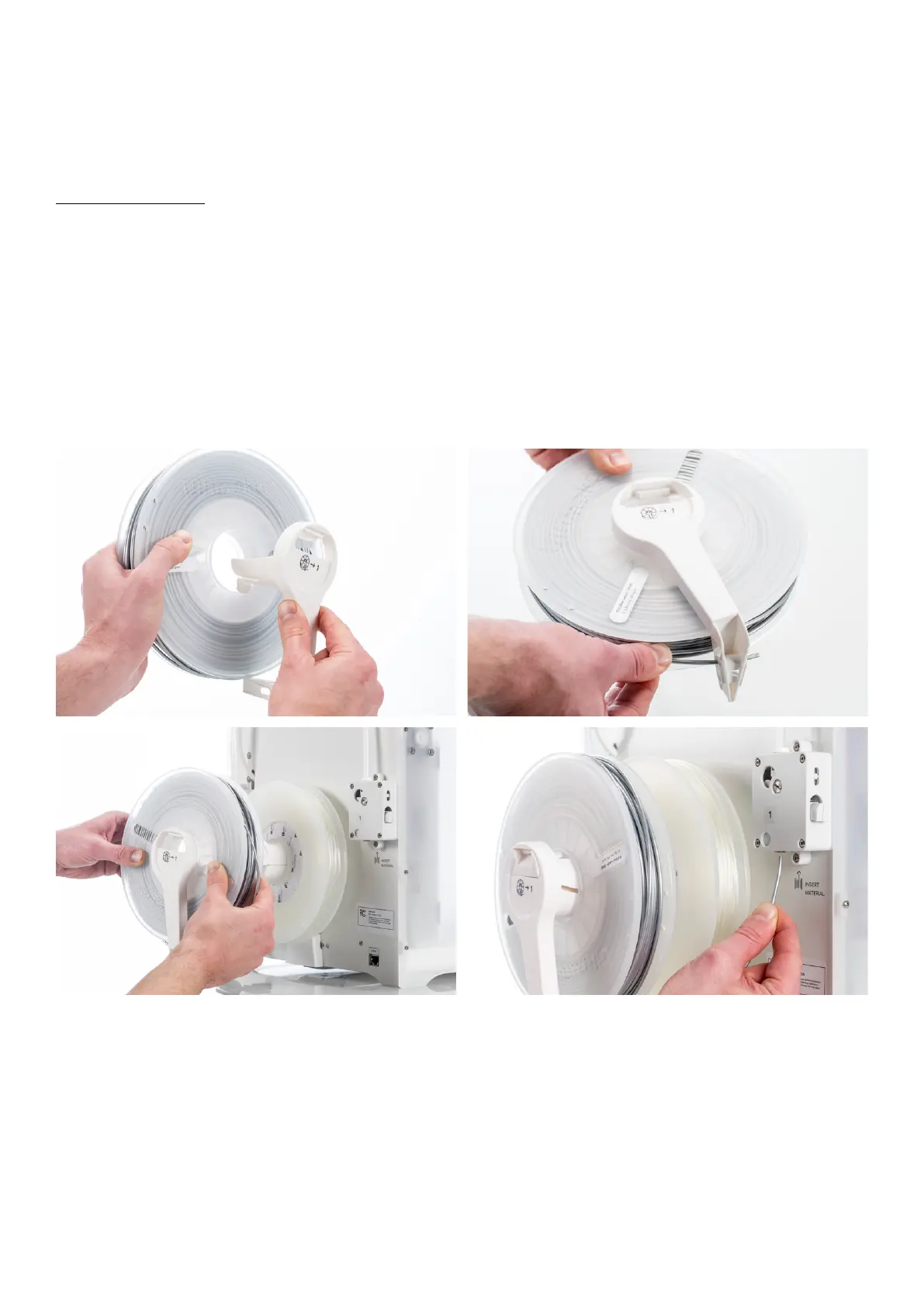
Material 1 will be put on the material guide first before placing it on the spool holder to avoid tangling of the 2 materials
during printing. Follow the below steps to load material 1.
1. Take the material guide and hold it with the outer part towards you.
2. Place the material spool with material 1 (PLA) on the material guide with the material in counter-clockwise direction.
3. Guide the end of the material through the hole in the material guide. When you have done this, select continue.
4. Place the material guide - with material 1 on it - on the spool holder, behind material 2 and wait until it is detected
by the printer.
5. Insert the end of the material into feeder 1 and gently push it until the material is grabbed by the feeder and is visible
in the bowden tube. Select confirm to continue.
6. Wait for the Ultimaker 3 to heat up print core 1 and to load the material into the print head.
7. Confirm when the new material extrudes from the print head.
8. Wait a moment for print core 1 to cool down.
















 To Next Page