46
Clogged print core
If there is no material flowing from the print core for at least 10 minutes it could suggest that there is some burnt material
in the nozzle, leading to a nozzle clog. In this case, the print core should be cleaned by performing the below described
method. These instructions are specifically written for cleaning a BB print core with PLA material, since PVA is more likely
to cause clogs. The method can however also be applied to AA print cores if necessary. Please note that you have to unclog
the print core with the last used material (except for flexible materials) and at other temperatures in this case.
Make sure there is no material in the print core when you start this procedure.
Preparing
1. Place the print head in the front right corner to avoid bending of the XY axles when applying pressure to the material
during a hot pull or cold pull.
2. Go to Material/PrintCore g PrintCore 2 (BB print core) g Set temperature and set the temperature to 230 °C.
For AA print cores use a temperature that is slightly higher than the printing temperature of the material.
3. Remove the clamp clip from the top of the print head.
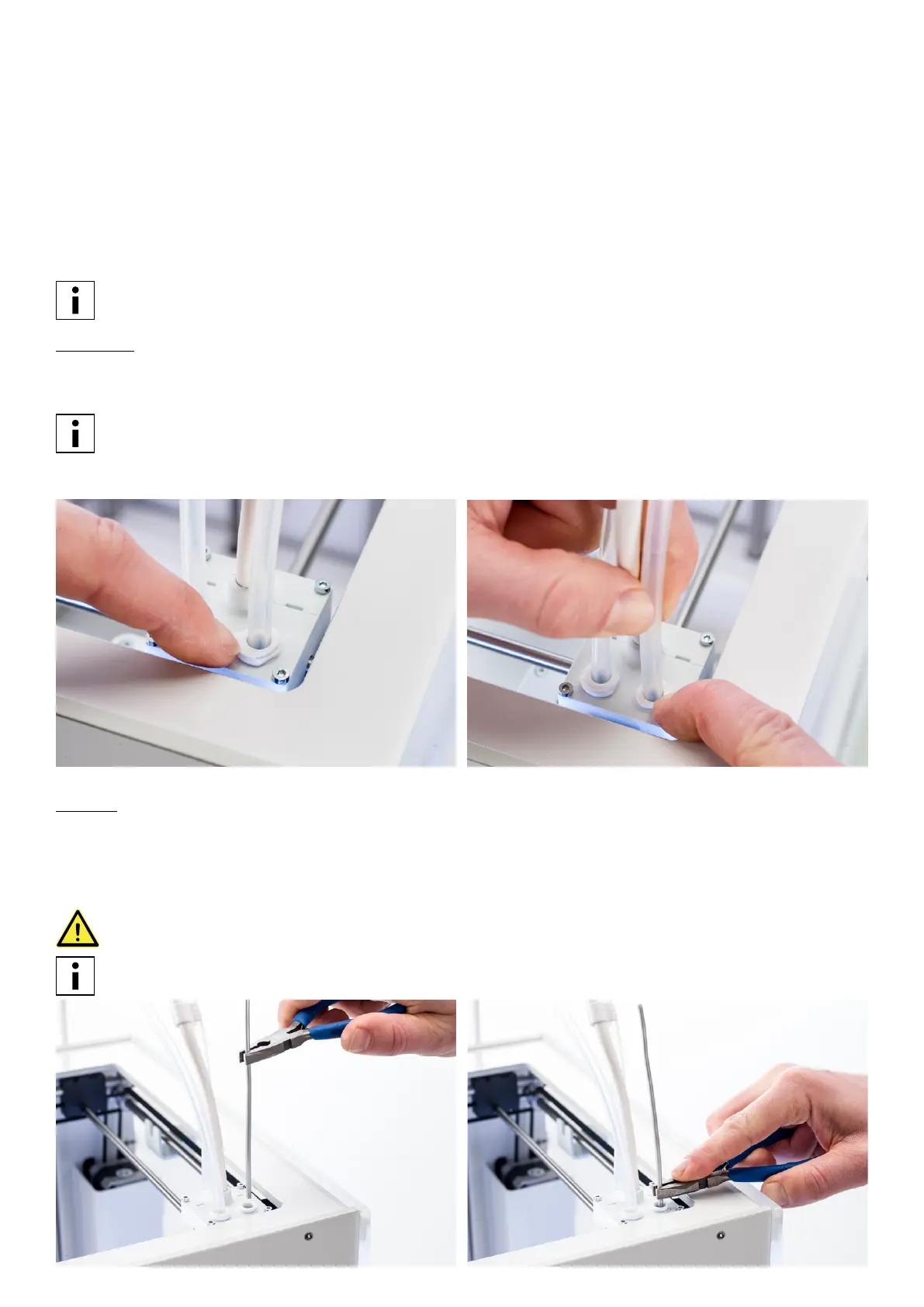
4. Loosen the bowden tube by pressing on the tube coupling collet and pulling the bowden tube out while doing this.
Hot pull
1. Cut off approximately 20 cm of PLA with a straight cut and try to straighten the material as much as possible.
2. When the nozzle reaches the target temperature of 230 °C gently insert the piece of PLA into the print head until you
feel some resistance.
3. Hold the piece of PLA with pliers and gently apply pressure to the material for ±2 seconds so that it extrudes from the
nozzle or until it cannot be pushed any further.
The use of pliers is required to prevent injuries on your hands in case the material breaks.
Applying too much pressure to the material is almost impossible when the print head is located in the corner. If
there is no extrusion, apply more pressure.
















 To Next Page