EN UltiMaker S7 Installation and user manual 2
Disclaimer
This manual sets out the instructions on how to install and operate the UltiMaker S7. Please read and
understand the contents of this installation and user manual carefully. Failure to read the manual may
lead to personal injury, inferior print results, or damage to the UltiMaker printer or its peripherals.
Always make sure that anyone who uses this 3D printer knows and understands the contents of the manual to
make the most out of the UltiMaker printer.
Upon delivery of the product, installation shall be done in accordance with the instructions in this user manual. The
handling, storage, use, or disposal of the device are beyond our control and are for your sole responsibility. We do
not assume responsibility and expressly disclaim liability for loss, injuries, damage, or expense arising out of or in
any way connected with the handling, storage, use, or disposal of the product.
The information within this document has been collected and represented with great care and is considered
accurate. In case inconsistencies or inaccuracies are observed, those are unintentional and UltiMaker welcomes to
be made aware of those. Submit your feedback to UltiMaker via support.ultimaker.com.
Product information
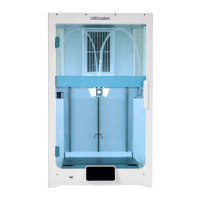
The UltiMaker S7 can be used as a standalone unit, or in combination with the Material Station. As a standalone
printer, install up to two materials using the spool holder at the back. In combination with the Material Station,
pre-loaduptosixmaterialspoolsandbenetfromadditionalfeatures,includingautomaticspoolswitching.
The instructions in this manual describe the installation and operation of the standalone 3D printer.
If there are alternative instructions for the combination with the Material Station, these are described
separately and indicated by the Material Station symbol.
Intended use
UltiMaker3Dprintersaredesignedandbuiltforfusedlamentfabricationmainlywithinacommercial,
professional, or educational environment. The mixture of precision and speed makes UltiMaker 3D printers very
suitable for concept models, functional prototypes, and small series production.
Although we achieved a very high standard in the reproduction of 3D models with the usage of UltiMaker Cura, the
user remains responsible to qualify and validate the application of the printed object for its intended use. This is
especially critical for applications in strictly regulated areas like medical devices and aeronautics.
UltiMaker 3D printers, including the UltiMaker S7, are compatible with an increasing range of materials available
in our Marketplace and optimized for usage with UltiMaker materials. While being an open material platform,
thebestresultswillbeachievedwithUltiMakermaterials,aseorthasbeenmadetomatchmaterialproperties
with machine settings.


 To Next Page