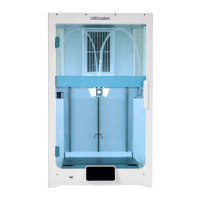
EN UltiMaker S7 Installation and user manual 1
Table of contents
1. Safety and compliance
1.1 Safety messages 4
1.2 General safety information 4
1.3 Hazards 5
1.4 Regulatory information 6
2. Introduction
2.1 Main components 8
2.2 Specications 9
3. Installation
3.1 Unboxing 11
3.2 What’s in the box 12
3.3 Hardware installation 12
3.4 Welcome setup 14
3.5 Firmware update 18
3.6 Software 18
4. Operation
4.1 Touchscreen 20
4.2 Materials 20
4.3 Preparing a print with UltiMaker Cura 21
4.4 Printing 22
4.5 Remove the print 23
4.6 Remove support material 23
4.7 Changetheprinterconguration 24
4.8 Calibrations 26
5. Maintenance
5.1 Updatethermware 29
5.2 Materialhandlingandstorage 29
5.3 Maintenance schedule 30
5.4 Flexible build plate maintenance instructions 31
6. Troubleshooting
6.1 UltiMaker support 33
6.2 Error messages 33
6.3 Print core troubleshooting 33
6.4 Print quality issues 34
7. Warranty
7.1 General 36
7.2 Conditions 36
7.3 Notication 37
7.4 Exclusions 37
7.5 Applicable law and competent court 37


 To Next Page