Ultra Electronics Ltd
Magicard Pronto User Manual
- 19 -
To access the Printer Driver settings in Windows 2000 and XP :
To access the Printer Driver settings in Windows Vista :
Understanding each individual driver setting :
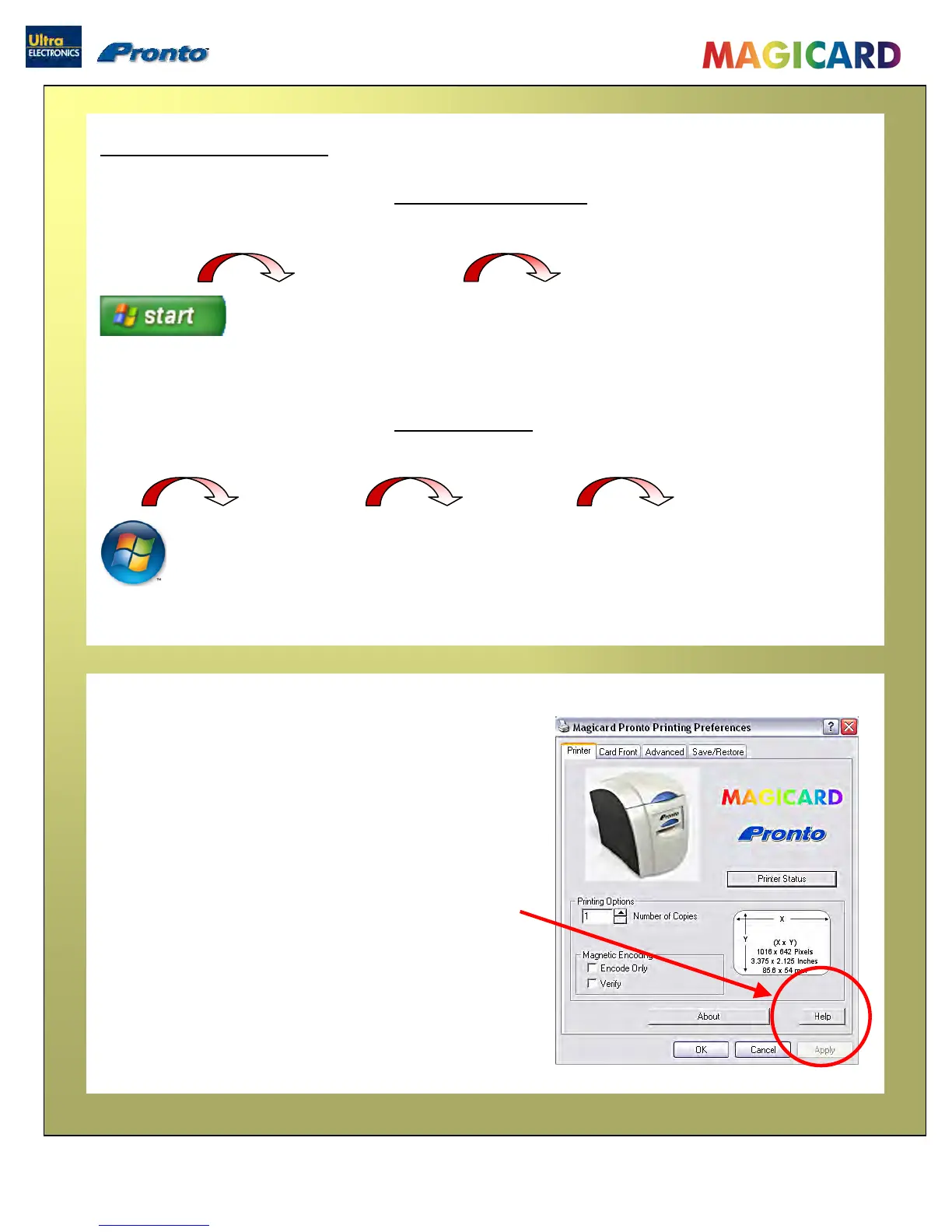
The Printer Driver contains a built-in help file (in HTML
format) – this file gives an excellent, clear explanation of
each Driver setting.
To view the Driver’s Help file, go to the Printer
Preferences (as described above), and click on the “Help”
button in any of the Tabs.
The Printer Driver settings
1. On the PC, go to “Start”
then “Printers and Faxes”
1. Right mouse click on the Magicard
Pronto Printer and select the
“Printing Preferences…” option.
1. On the PC, go to the
Windows logo then
“Control Panel”
2. Select “Printers”
3. Right mouse click on the
Magicard Pronto Printer
and select the “Printing
Preferences…” option.


 To Next Page