Ultra Electronics Ltd
Magicard Pronto User Manual
- 8 -
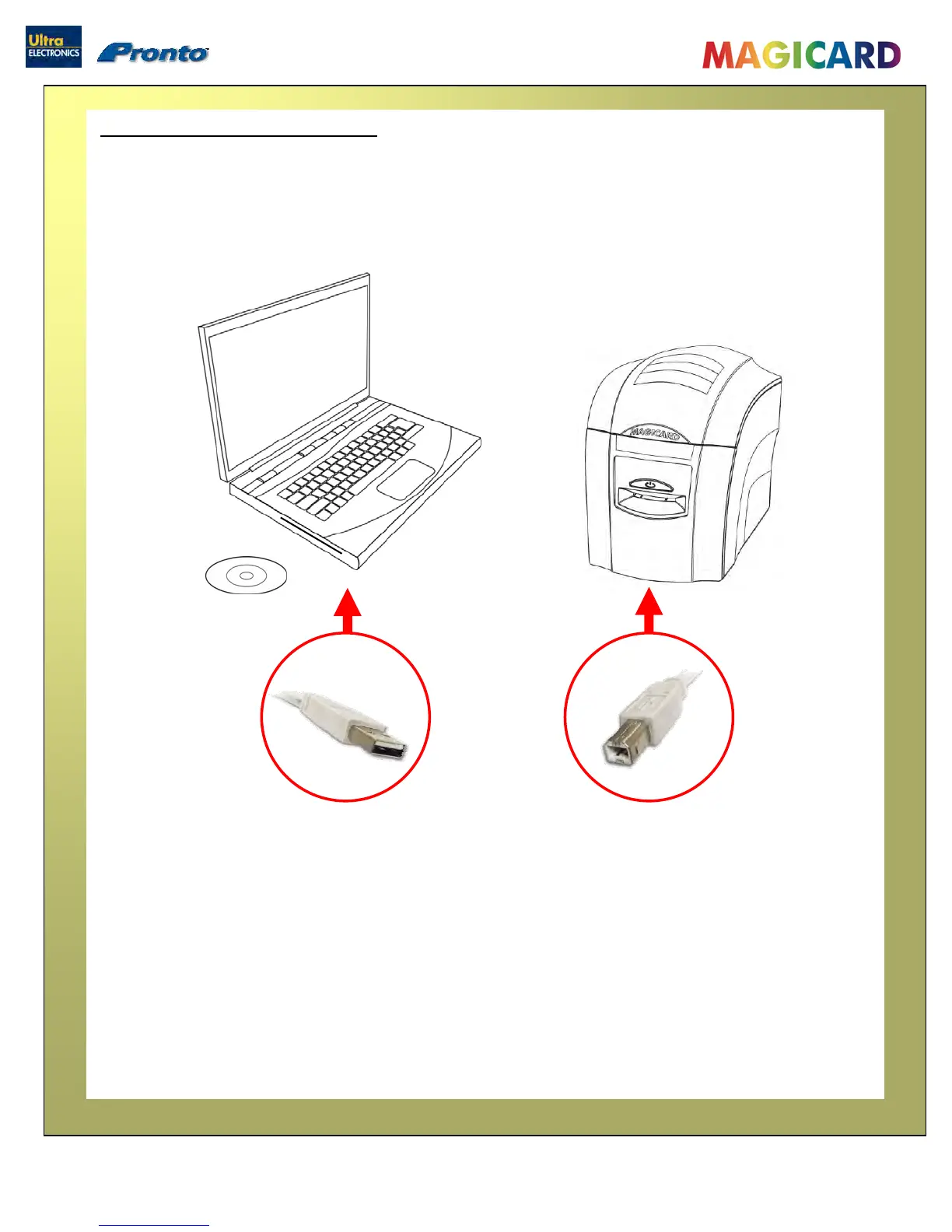
1. Load the Driver CD ROM into the PC.
Note : If the CD does not run automatically, click the “start” button, then click on “run”. Type
“D:\autorun”, where D is the Drive letter for your CD Drive, then press the ‘Return’ key.
2. Now follow the on-screen instructions to install the Printer Driver.
3. When the installation is complete, connect your Pronto Printer to the PC via the USB cable (see
above).
Your Pronto is now ready to print.
Load the Driver CD in to your PCLoad the Driver CD in to your PC


 To Next Page