Ultra Electronics Ltd
PRINTER INSTALLATION
Welcome to Magicard
Thank y
ou for choosing the Magicard Pr
onto printer as your secure ID card Printer.
Before setting up your Pronto Printer using the Ultra Driver CD–ROM, please follow the
simple steps in
this guide on installing your Printer. This guide helps you make your printing experience more
enjoyable and secure.
Unpacking
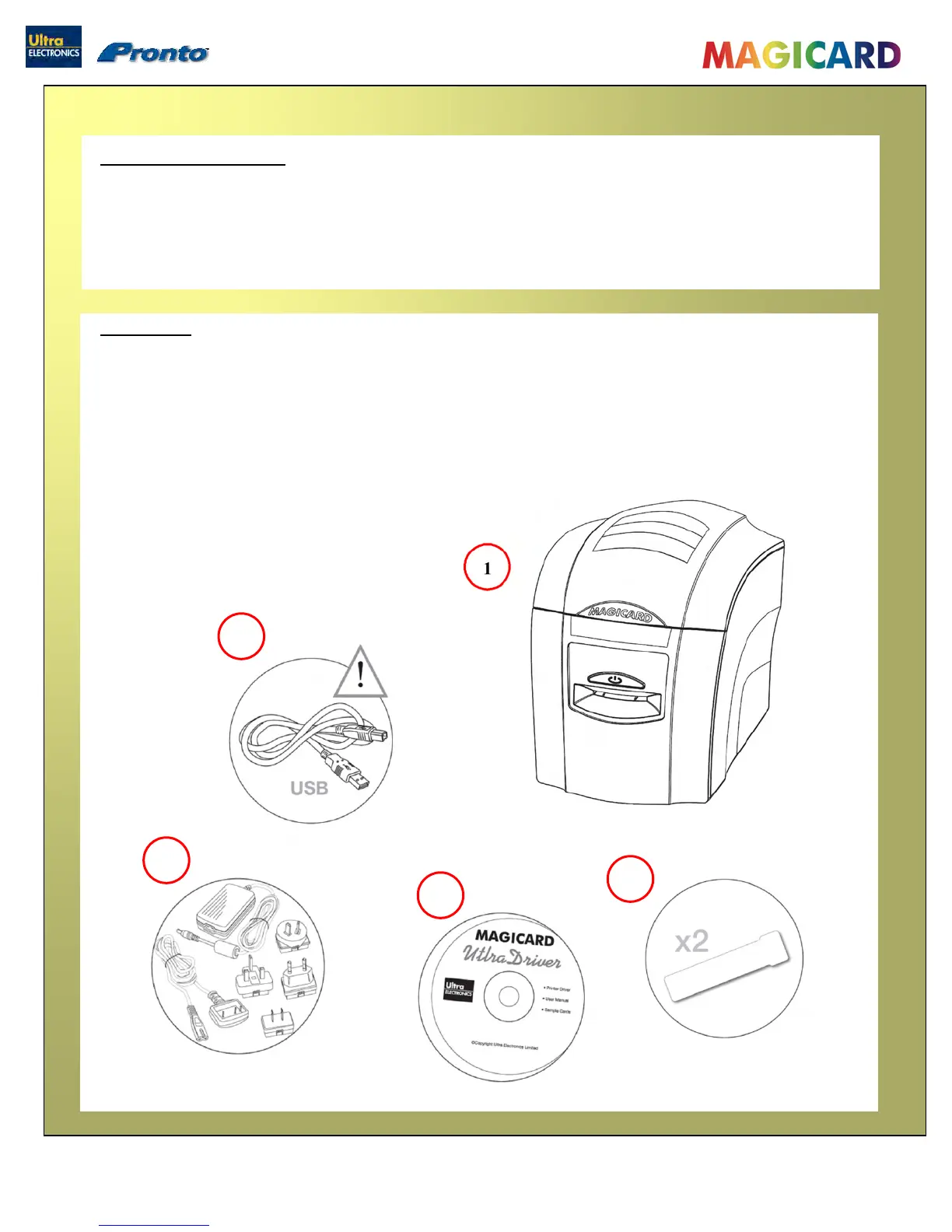
Please ensure you have all the items listed before you start installation.
1. Pronto Printer
2. USB Cable 2m (do not connect)
3. Multinational Power Adaptor
4. Ultra Driver CD-ROM
5. Cleaning Cards (2 T-cards)
2
Magicard Pronto User Manual
- 4 -
3
5
4


 To Next Page