Ultra Electronics Ltd
Magicard Pronto User Manual
- 6 -
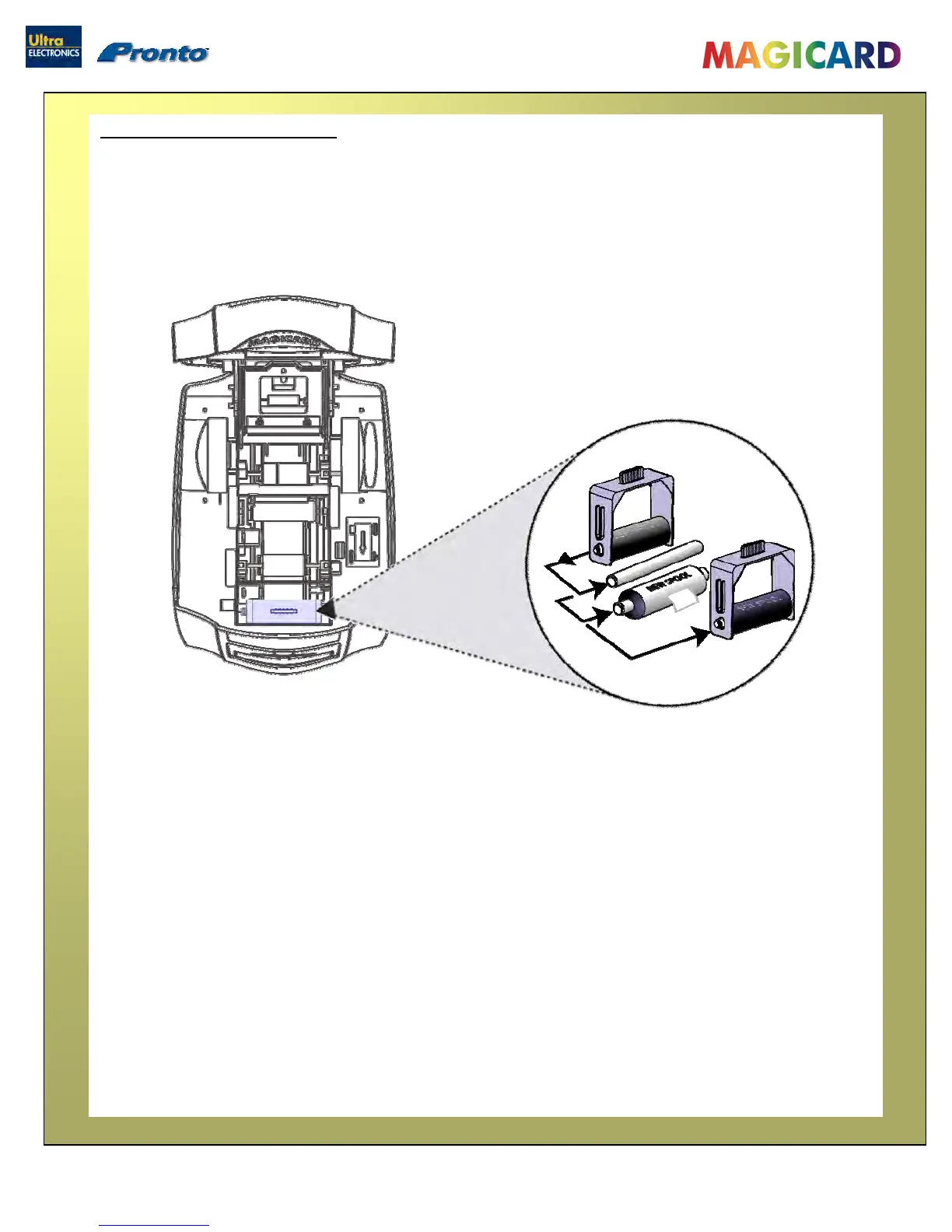
Open the Printer, then :
Prepare the Cleaning Roller
1. Remove the Cleaning Cassette and
slide out the Spindle Bar.
2. Remove and discard the used Roller.
3. Place the new Roller into the Cleaning
Cassette and replace the Spindle Bar.
4. Pull the Paper Tab to remove the
protective covering on the new Roller.
5. Refit the Cleaning Cassette into the
Printer.


 To Next Page