DC Power Supply [DPG-30R & DPG-MC60R, DPG-MC120R, DPG-MC240R]
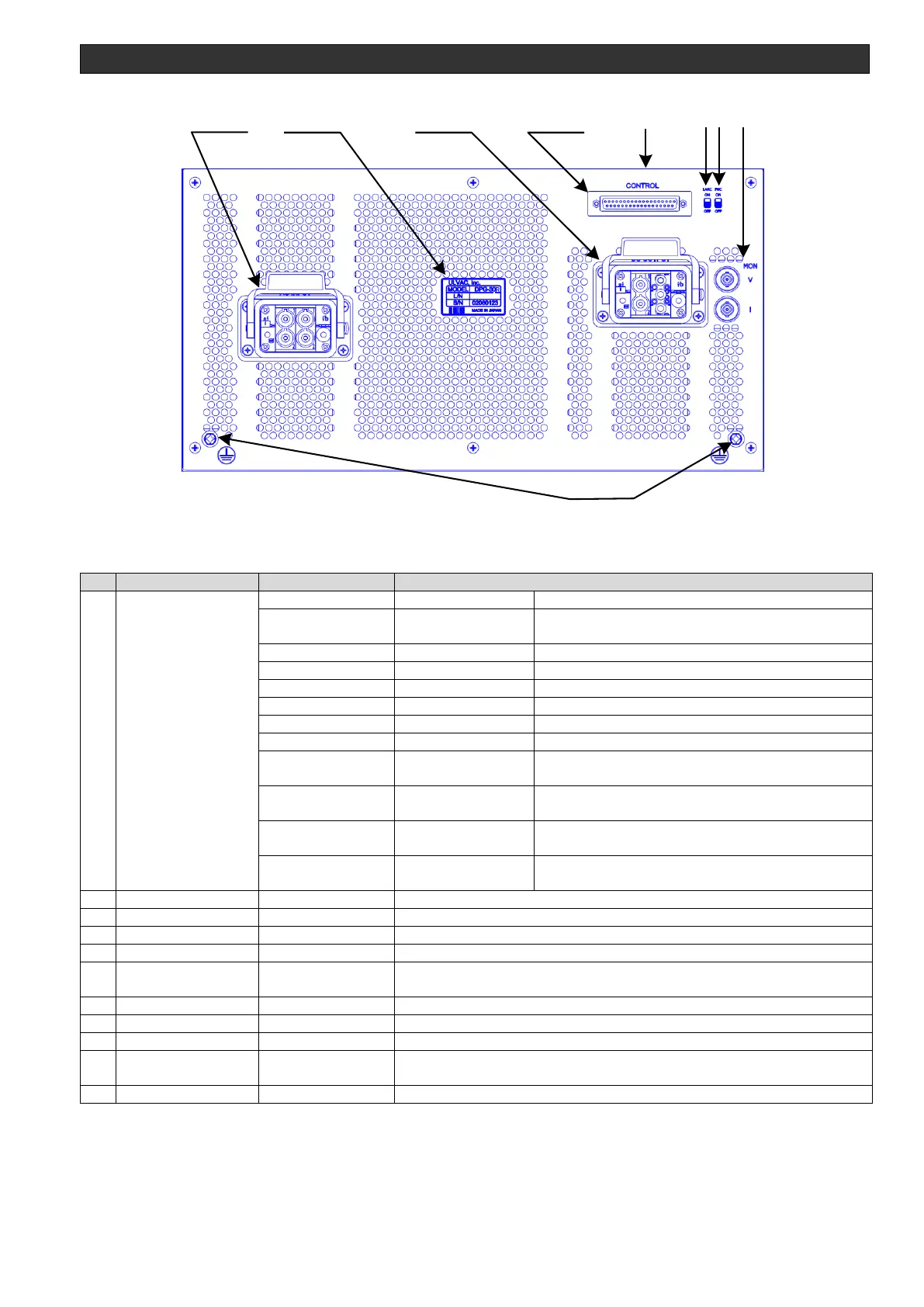
Figure 3-3 DC power supply rear panel
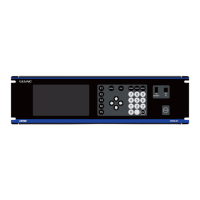
Table 3-1 DC power supply front and rear names and functions
Turns on when AC input is supplied.
Turns on if the electromagnetic contact is on
when not in the INTERLOCK, OK, or FAIL state.
Turns on when output reaches the set value.
Turns on when the interlock is released.
Turns on when an error occurs.
Turns on when the VARC process was performed.
Turns on when the IARC process was performed.
Turns on when ARC is detected on another power
supply in the system.
Turns on when the output voltage exceeded the
upper limit.
Turns on when the input voltage exceeded the upper
limit or the lower limit.
Turns off when by the back LARC switch ON.
Turns on when by the back LARC switch OFF.
The intakes for the power supply's internal cooling fans
AC input connector. Verify that it is locked.
Shows the model and serial number
DC output connector. Verify that it is locked.
Communicates signals with the controller.
Output voltage, output current monitor output. *Configurable as an option
Chassis ground terminal *1
Indicates the model, input specification, input capacity, rating, weight, etc. *2
Turns the ARC process on/off. Turn off when using the abnormal discharge
prevention unit.
*1 The ground connection is unnecessary when using the input cable sold separately.
*2 Listed on the top panel.



 To Next Page