DC Power Supply [DPG-30R & DPG-MC60R, DPG-MC120R, DPG-MC240R]
19
3-2-2. Controller front and rear panels
Front panel
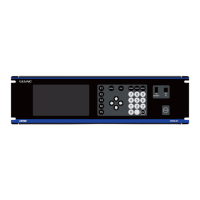
Figure 3-4 Controller front panel (Top: MC-60R,Middle: MC-120R, bottom: MC240R)
Table 3-2 Controller front names and functions
Turns on during LOCAL control. Turns off during REMOTE control.
Turns on during both LOCAL and REMOTE when the output command is being sent
to the power supplies.
LOCAL: Sends the output command to the connected power supplies by pressing the
switch.
REMOTE: No response even when the switch is pressed.
Turns off the output command to the connected power supplies.
Power/current/HARC
monitor
For displaying the output power, output current, HARC monitor
HARC, kW, A
indicator LEDs
HARC (orange): Turns on when a connected power supply has detected Hard ARC.
When displaying Arc Count, the number of times the power supplies connected to
the controller performed HARC processing is displayed in the 7-segment LEDs.
kW (green): Output power indicator. The kW part is on, the A part is off.
A (green): Output current indicator. The A part is on, the kW part is off.
Voltage/SETPOINT/
MARC monitor
For displaying the output voltage, command value, and MARC monitor
MARC, SET, V
indicator LEDs
MARC (orange): Turns on when a connected power supply has detected Micro ARC.
When displaying Arc Count, the number of times the power supplies connected to
the controller performed MARC processing is displayed in the 7-segment LEDs.
SET (green): When on, the command value (SETPOINT) for the power supplies is
displayed in the 7-segment LEDs.
V (green): Output voltage indicator. The V part is on.



 To Next Page