INSTRUMENTS AND CONTROLSINSTRUMENTS AND CONTROLS
2-62-6
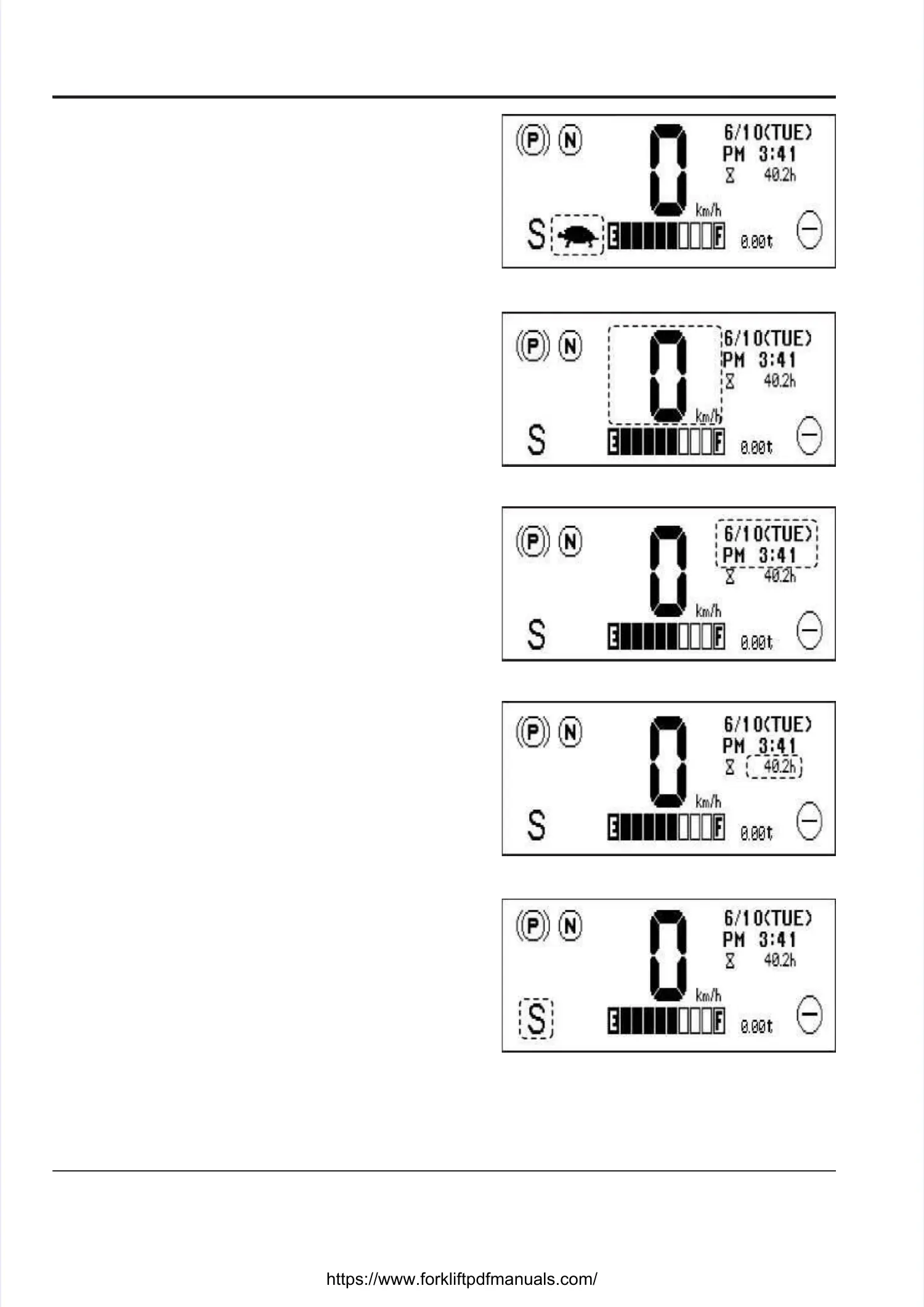
LOW-SPEED TRAVEL (TURTLE) INDICATORLOW-SPEED TRAVEL (TURTLE) INDICATOR
When you press the turtle button on the keypad, theWhen you press the turtle button on the keypad, the
turtle icon appears on the instrument panel. In thisturtle icon appears on the instrument panel. In this
mode, the truck’s travel speed is limited to 5 km/h (factorymode, the truck’s travel speed is limited to 5 km/h (factory
setting).setting).
TRAVEL SPEED METERTRAVEL SPEED METER
This meter indicates the travel speed of the truck.This meter indicates the travel speed of the truck.
DATE AND TIMEDATE AND TIME
The current date and time are shown on the right cornerThe current date and time are shown on the right corner
of the screen.of the screen.
HOUR METERHOUR METER
The hour meter indicates the total time the key switchThe hour meter indicates the total time the key switch
has been in the “ON” position.has been in the “ON” position.
S (SUPER) MODE INDICATORS (SUPER) MODE INDICATOR
Use the S mode when your task requires large power inUse the S mode when your task requires large power in
a short time, such as speedy running or carrying heavya short time, such as speedy running or carrying heavy
loads.loads.





 To Next Page