INSTRUMENTS AND CONTROLSINSTRUMENTS AND CONTROLS
2-122-12
SWITCHESSWITCHES
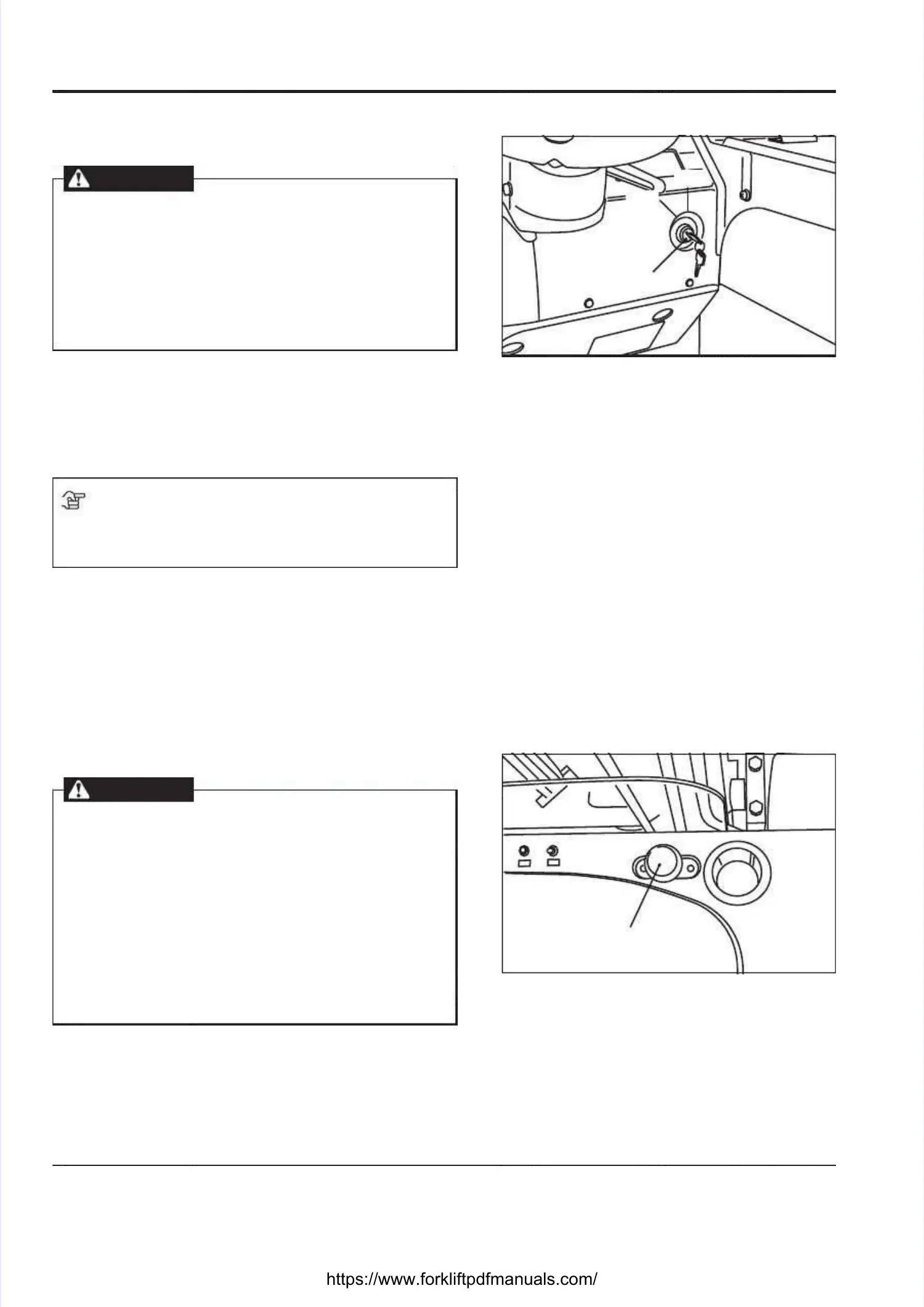
KEY SWITCH [1]KEY SWITCH [1]
WARNINGWARNING
••
Disconnect the battery connectors before Disconnect the battery connectors before
working on the electric components. Theworking on the electric components. The
electric circuit is live even if the key switch iselectric circuit is live even if the key switch is
turned "OFF".turned "OFF".
••
Note that the steering system, instrument panelNote that the steering system, instrument panel
and electromagnetic brake will be disabledand electromagnetic brake will be disabled
immediately after the key switch is immediately after the key switch is turned "OFF".turned "OFF".
OFF:OFF: Key insertion Key insertion and draw-out and draw-out position. Tposition. The electriche electric
control circuit is open.control circuit is open.
ON:ON:
The The electric electric circuit circuit is is closed. closed. Self-check Self-check takestakes
places for about 2 seconds and the truck will beplaces for about 2 seconds and the truck will be
ready for operation.ready for operation.
NOTENOTE
Before leaving the truck, make sure the key switch isBefore leaving the truck, make sure the key switch is
turned "OFF" and remove the turned "OFF" and remove the keykey..
AUTO POWER OFF FUNCTIONAUTO POWER OFF FUNCTION
If no operation is carried out for 15 minutes afterIf no operation is carried out for 15 minutes after
the power of the truck is turned on, the power willthe power of the truck is turned on, the power will
automatically be automatically be turned OFFturned OFF..
If you want to turn the power ON again, turn the key toIf you want to turn the power ON again, turn the key to
the “OFF” position and then to the “ON” position again.the “OFF” position and then to the “ON” position again.
EMERGENCY POWER CUT-OFF SWITCH [2]EMERGENCY POWER CUT-OFF SWITCH [2]
WARNINGWARNING
•• Before you are going to touch any internalBefore you are going to touch any internal
electronic parts, be sure to press this switch orelectronic parts, be sure to press this switch or
disconnect the battery connectors; otherwise,disconnect the battery connectors; otherwise,
you might get injured.you might get injured.
••
Except in an emergency, turn off the key switchExcept in an emergency, turn off the key switch
before you press the emergency power cut-offbefore you press the emergency power cut-off
switch.switch.
•• Note that the steering system, instrument panelNote that the steering system, instrument panel
and electromagnetic brake will be disabledand electromagnetic brake will be disabled
immediately after the power supply is cut off.immediately after the power supply is cut off.
In the event of an emergency, press the emergencyIn the event of an emergency, press the emergency
power cut-off switch. The power supply will be cut off topower cut-off switch. The power supply will be cut off to
disable all the electronic functions of the truck. To resetdisable all the electronic functions of the truck. To reset
the emergency power cut-off switch, turn the key switchthe emergency power cut-off switch, turn the key switch
off and then pull up off and then pull up the emergency power cut-off switch.the emergency power cut-off switch.
22
11
OFFOFF
ONON





 To Next Page