UBCD396XT
50
14. Motorola fleet maps
Preset Fleet Maps
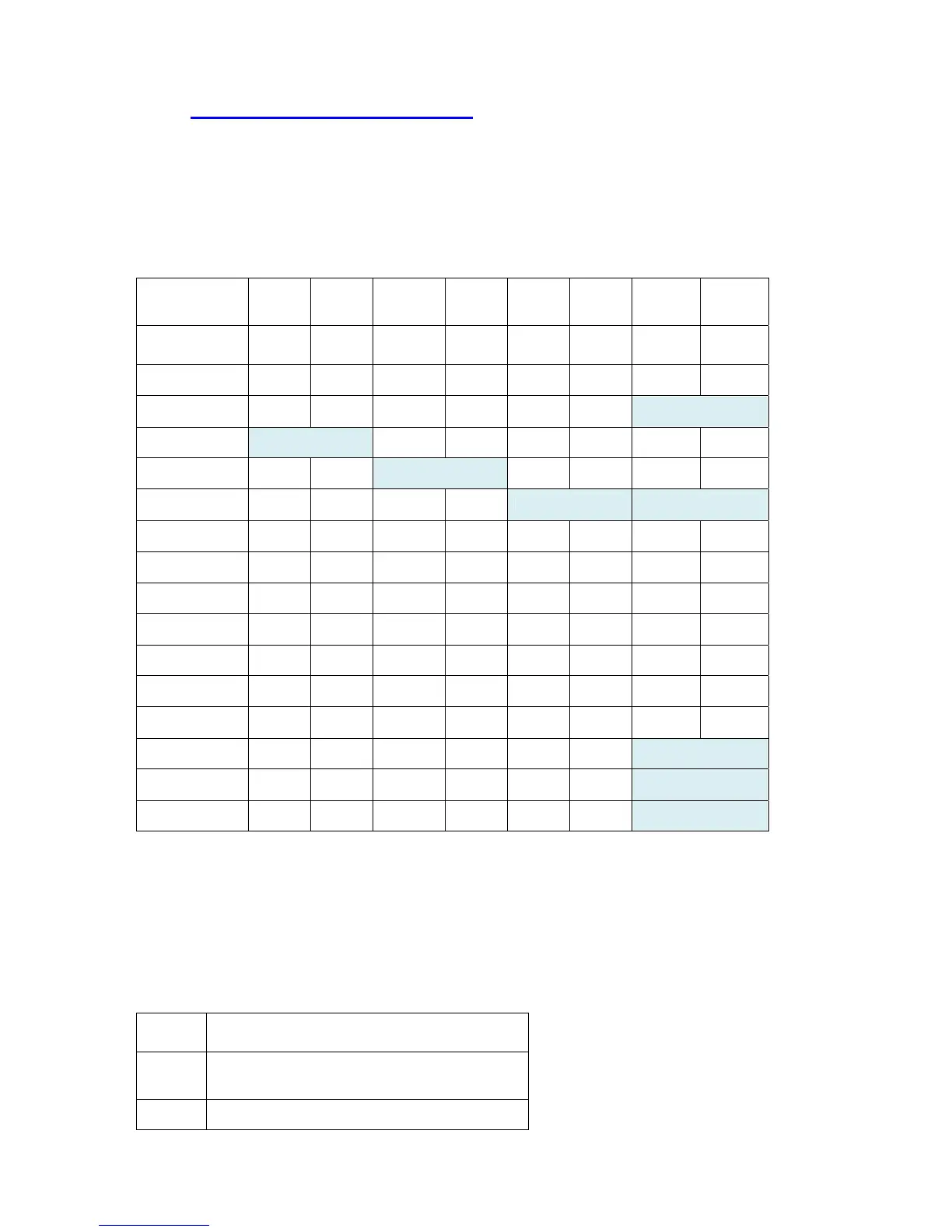
The scanner contains 16 pre-programmed fleet maps you can select. The table
below gives the size code for each block of the preset fleet maps:
Block
number
0 1 2 3 4 5 6 7
Preset 1 11 11 11 11 11 11 11 11
Preset 2 4 4 4 4 4 4 4 4
Preset 3 4 4 4 4 4 4 12
Preset 4 12 4 4 4 4 4 4
Preset 5 4 4 12 4 4 4 4
Preset 6 3 10 4 4 12 12
Preset 7 10 10 11 4 4 4 4 4
Preset 8 1 1 2 2 3 3 4 4
Preset 9 4 4 0 0 0 0 0 0
Preset 10 0 0 0 0 0 0 4 4
Preset 11 4 0 0 0 0 0 0 0
Preset 12 0 0 0 0 0 0 0 4
Preset 13 3 3 11 4 4 0 0 0
Preset 14 4 3 10 4 4 4 12
Preset 15 4 4 4 11 11 0 12
Preset 16 3 10 10 11 0 0 12
Custom Fleet Maps
To program a custom fleet map, select Custom under the Edit Fleet Map option.
Then, select the appropriate size code for each block. Remember, not all size codes
are available for all blocks:
Block Valid Size Codes
Block
0
0 - 14
Block 0 - 13 (14 not valid)


 To Next Page