AC-5000 / 5100 User Guide 40
UNIONCOMMUNITY Co., Ltd. / 12F, Daemyung Valeon, 127, Beobwon-ro,
Songpa-gu, Seoul, 05836, Republic of Korea
TEL: +82-2-6488-3000 / FAX: +82-2-6488-3100 E-Mail :sales@unioncomm.co.kr
http://www.unioncomm.co.kr
3.5.2. Time Schedule
3.5.2.1. Setting to Access Control / Time & Attendance
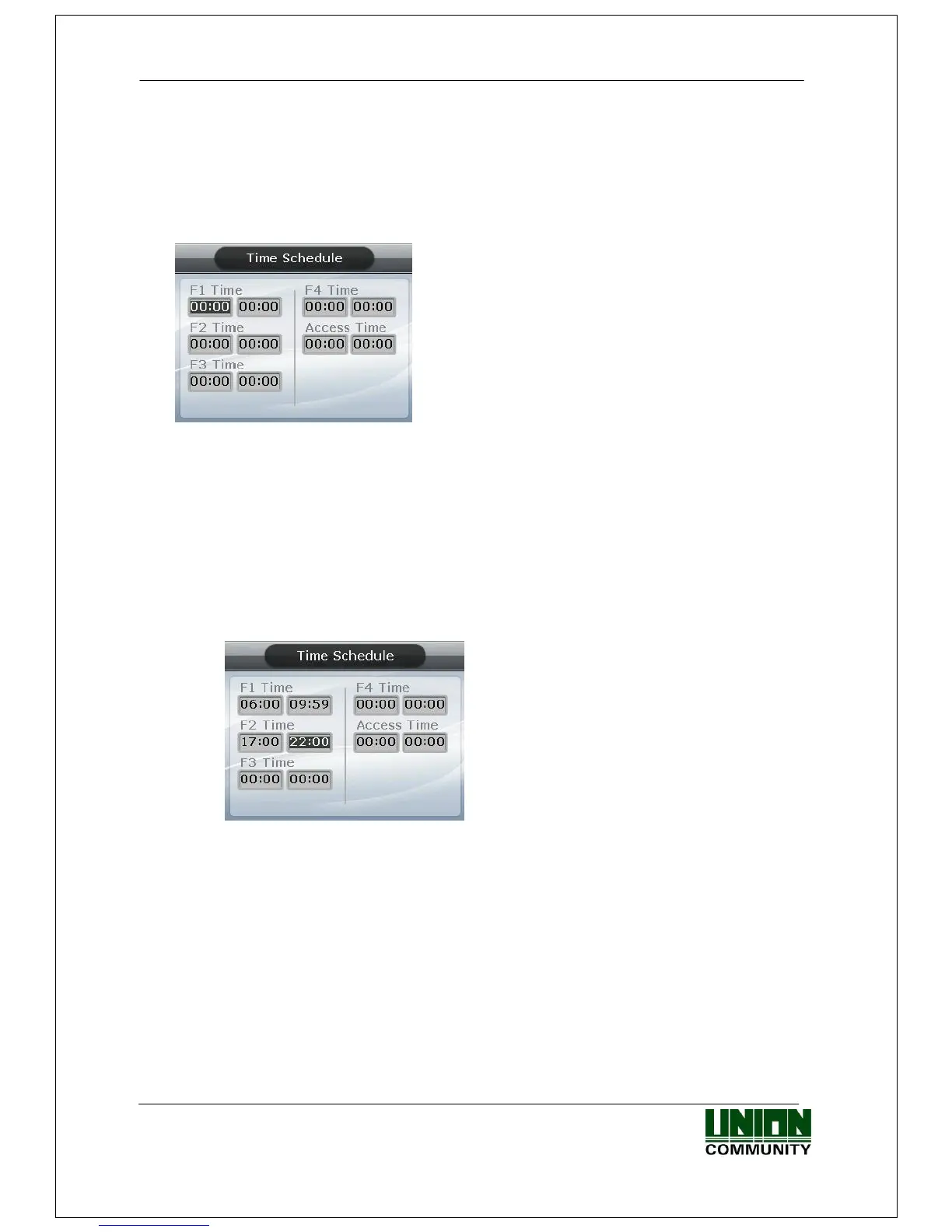
Select ◆ [ENT~] [3. Application] [2. Time Schedule] in the initial screen ◆, and
the following screen appears:
▶ Initial setting: Identical with the screen on the
left.
The user can set the time period for authentication
mode; otherwise, set to ‘00:00-00:00’.
Input after deleting the existing value using [F4 (←)]
to change the value.
Input HHMM (Hour/Minute) in order - can be set from
00:00 to23:59
In a preset time period, it’s always shown in the preset mode unless the user presses
another function key. Although the user pressed the other function key to authenticate
with another mode the terminal display mode automatically changes to authentication
mode, which is suitable for the management of time & attendance.
As shown in the example below, each time period must be set without overlapping; the
mode is determined F1F2F3F4Access sequentially if they do overlap.
-----------------------------------------------------------------------------------------------------------
(Example) Office start=06:00~09:59, Office leave=17:00~22:00
-----------------------------------------------------------------------------------------------------------
Exit to the parent menu to apply the changed value, after finishing the settings, by
pressing the [ENT~] key. Press the [F4 (←) ~] key to cancel the input value.



 To Next Page