AC-5000 / 5100 User Guide 62
UNIONCOMMUNITY Co., Ltd. / 12F, Daemyung Valeon, 127, Beobwon-ro,
Songpa-gu, Seoul, 05836, Republic of Korea
TEL: +82-2-6488-3000 / FAX: +82-2-6488-3100 E-Mail :sales@unioncomm.co.kr
http://www.unioncomm.co.kr
4. How to use the Terminal
4.1. Change of Authentication Mode
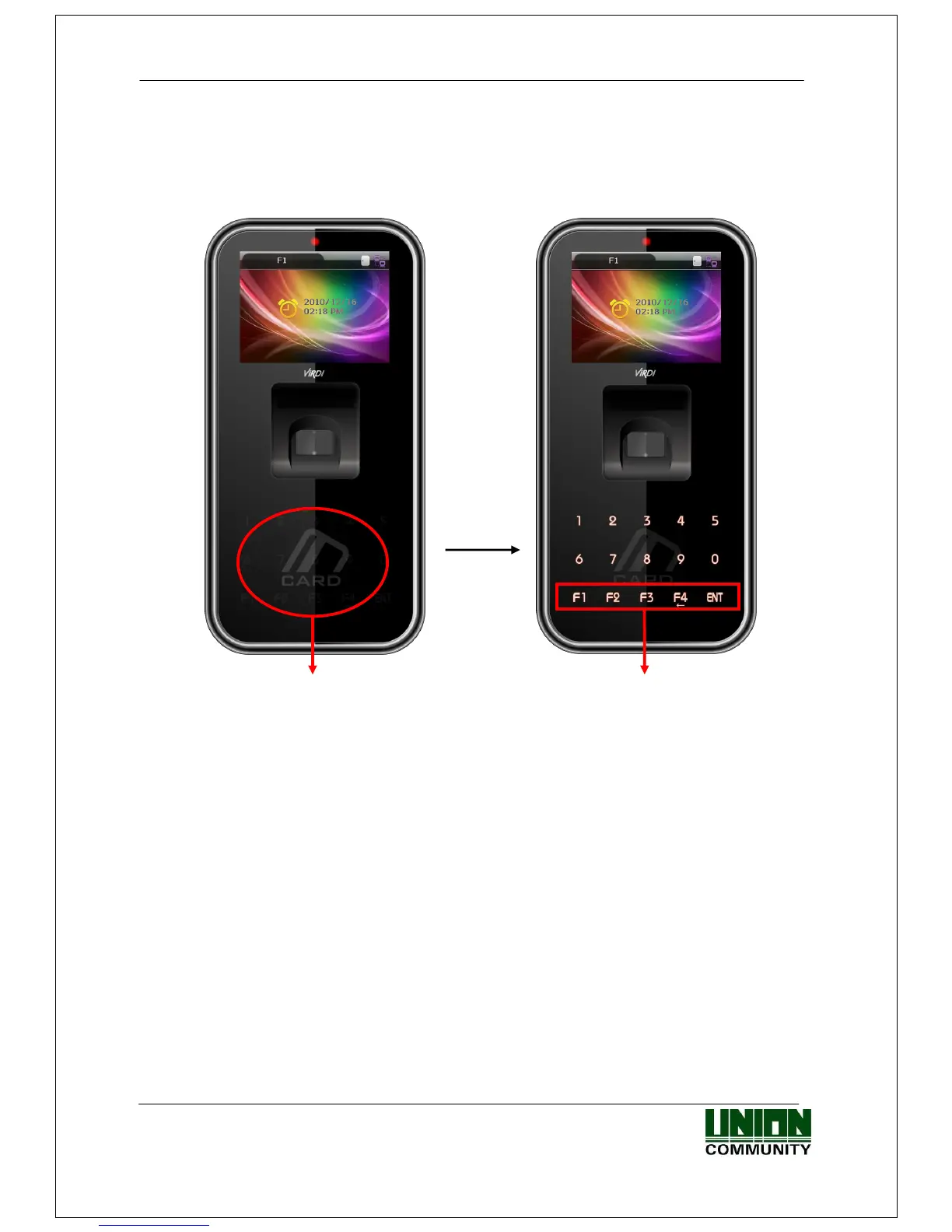
< Figure 4-1>
Normally it’s not visible, but when the user touches their hand on the card input area - as
shown in the Figure at the left – the LED’s are powered ON and the keypad appears - as
shown in the Figure at the right. When the keys are visible, press the desired function key
to change the authentication mode, such as office start [F1], office leave [F2], going-out
[F3], return [F4], access [ENT] etc.



 To Next Page
 Loading...


