AC-5000 / 5100 User Guide 42
UNIONCOMMUNITY Co., Ltd. / 12F, Daemyung Valeon, 127, Beobwon-ro,
Songpa-gu, Seoul, 05836, Republic of Korea
TEL: +82-2-6488-3000 / FAX: +82-2-6488-3100 E-Mail :sales@unioncomm.co.kr
http://www.unioncomm.co.kr
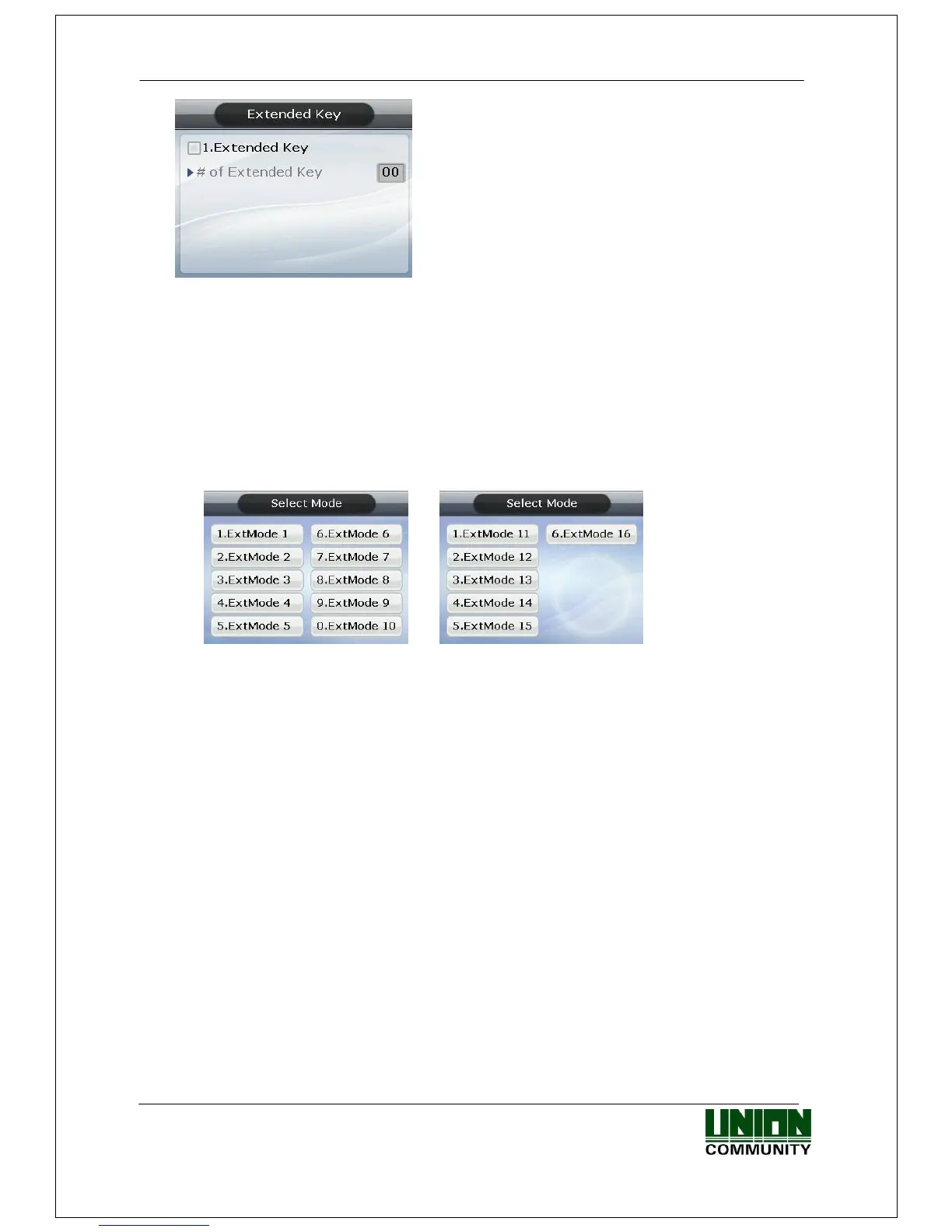
▶Initial setting: Identical with the screen on the left
To use the Extended Key, press the [1] key and then
check ‘1. Extended Key’. The number of extended
keys can be set within a range of 1~40.
Extended Key is a function which extends the number of additional authentication modes
(up to 40 as required) in addition to the basic function keys ([F1] ~ [F4], [ENT]). The
screen for selecting the extended keys, when the user presses the F4 key, is shown below.
Select the applicable mode with [0] ~ [9] keys.
If the number of extended keys exceeds 10, select them by changing the page with the
[F1] ~ [F4] keys.
-----------------------------------------------------------------------------------------------------------
Example: If the number of the extended keys is 16, press [F4] key in the initial screen,
and the following screen appears
If you want to select ExtMode 12, move to the next page with the [F2] key and then
press the [2] key.
Press the [ENT] key to exit without selecting an ExtMode.
-----------------------------------------------------------------------------------------------------------
The user can exit to the parent menu using the [ENT~] key and apply the changed value. Use
the [F4 (←)] key to cancel input during setting.



 To Next Page